

Key takeaways
- Looking for the best SSDs for PS5? Compare five Gen4 NVMe drives with heatsinks that expand console storage and load your games faster than ever before.
- Top Pick: WD Black SN850X 2 TB with Heatsink
- Runner-up: Samsung 990 PRO 2 TB with Heatsink
- Also consider: Seagate FireCuda 530 1 TB with Heatsink
The PlayStation 5 ships with 825 GB of internal storage, and once the system software takes its share, little space is left for games. Modern blockbusters regularly demand 100 GB or more, so a dozen titles can push the console to its limit, and re-downloading a deleted game can take hours on a slow connection.
Adding an internal M.2 SSD is the cleanest fix. Sony designed the PS5 with an expansion slot that accepts a Gen4 NVMe drive, and once installed, the extra storage behaves exactly like the built-in drive: games stored there load at full speed and play directly from the expansion drive. This guide compares five drives that meet the console requirements and ship with a heatsink.
As an Amazon Associate, we earn from qualifying purchases.
Quick answer
If you want a simple pick, choose a 2 TB Gen4 NVMe drive with a heatsink, since that capacity holds a library and the heatsink keeps the drive cool inside the console. The WD Black SN850X and Samsung 990 PRO lead on speed, the FireCuda 530 leads on endurance, the Corsair MP600 PRO LPX is built for the PS5, and the Crucial T500 is a value option.
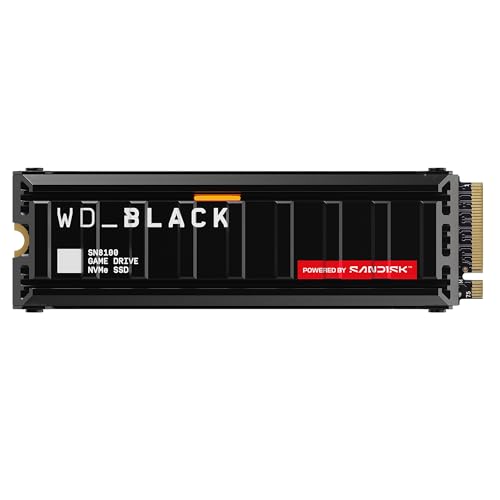
WD Black SN850X 2 TB with Heatsink

The WD Black SN850X is one of the most popular PS5 expansion drives, and the 2 TB version with a heatsink is the sweet spot. It reads at up to 7,300 MB per second, which clears Sony’s minimum sequential read requirement of 5,500 MB per second with room to spare. The low-profile heatsink fits the PS5 expansion bay, so installation means removing the side panel, unscrewing the bay cover, seating the drive, and fastening it in place.
In daily use, games on the drive load at the same pace as games on the internal storage, and moving a large title across takes only a few minutes. It carries a five-year limited warranty.
A 1 TB drive fills up after a handful of large games, while a 2 TB drive holds a rotating library of recent releases. For a PS5 owner who wants a fast, well-proven drive, this is the default choice.
Samsung 990 PRO 2 TB with Heatsink
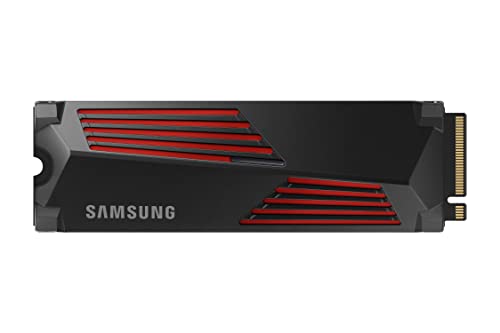
The Samsung 990 PRO with heatsink is the fastest drive in this roundup on paper, with sequential reads rated up to 7,450 MB per second. It is built around Samsung’s own controller and V-NAND memory. That shows in sustained performance: the drive holds its speed during long writes, such as copying a large game library onto it in one session, rather than slowing down as the cache fills.
Buy the heatsink version for a PS5. The 990 PRO without a heatsink should not go into the console unless paired with a separate cooler that fits the bay. The factory heatsink is slim enough to clear the bay cover and spreads heat across a wide surface, so the drive stays cool during long gaming sessions.
Endurance is rated at 1,200 TBW for the 2 TB model. For a console that mostly reads game data, that figure is far beyond what most owners will ever reach. It costs more than some rivals, but for owners who want the fastest drive available, it is the premium pick.
Seagate FireCuda 530 1 TB with Heatsink
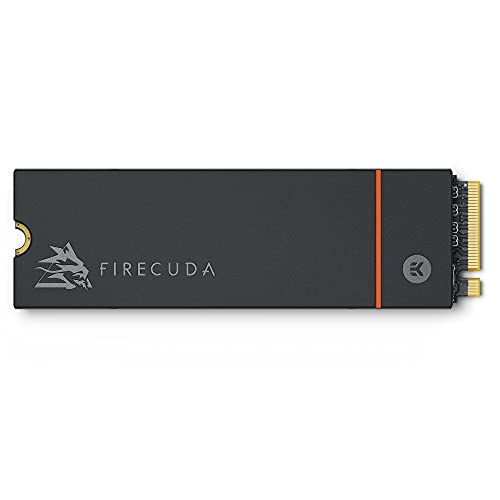
The FireCuda 530 stands out on endurance. The 1 TB model is rated at 1,275 TBW, roughly double the figure quoted for the 1 TB versions of the Samsung and WD drives here. That matters most for owners who write a lot of data every day, such as players who record gameplay. For pure gaming, endurance matters less, since reading game data barely wears a drive.
Speed is still top tier: the FireCuda 530 reads at up to 7,300 MB per second and writes at up to 6,900 MB per second, which puts it shoulder to shoulder with the fastest drives here. It uses a Phison E18 controller paired with 176-layer 3D TLC NAND, and the factory-fitted heatsink is shaped to fit the PS5 bay, so there is no need to buy a separate cooler.
Seagate also bundles three years of Rescue Data Recovery Services with the drive. If the drive fails, the service covers a recovery attempt in a lab, a safety net no other drive in this guide offers. The 1 TB capacity is the compromise: it costs less than the 2 TB models here, but it holds fewer games, so it suits owners with a smaller library who delete finished games promptly.
Corsair MP600 PRO LPX 2 TB
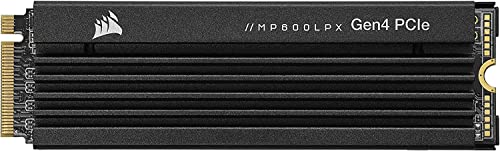
The Corsair MP600 PRO LPX was designed for the PlayStation 5, with a compact form factor and a low-profile aluminum heatsink that fits the expansion bay. It reads at up to 7,100 MB per second and writes at up to 6,800 MB per second, which clears Sony’s speed requirement by a comfortable margin and keeps load times in line with the internal drive.
The heatsink is the part that makes this drive different. Many Gen4 drives need a cooler to sustain their speed, and a cooler that is too tall will not fit under the PS5 bay cover. The MP600 PRO LPX ships with a heatsink sized for the console, so the drive drops straight in with no extra parts. It comes in capacities up to 8 TB, and the 2 TB version is the best balance.
Endurance for the 2 TB model is rated at 1,400 TBW, among the highest figures in this guide, and the drive carries a five-year limited warranty. For owners who want a drive made for the console, the MP600 PRO LPX is the most purpose-built option here.
Crucial T500 2 TB with Heatsink

The Crucial T500 is the value pick among the flagship drives here. It reads at up to 7,400 MB per second and writes at up to 7,000 MB per second, which puts it among the fastest Gen4 drives available, yet it typically sells for less than the Samsung and WD flagships.
The heatsink version is the right one for a PS5. Crucial designed the cooler to be slim enough for the console expansion bay. Installation follows the same steps as any other M.2 drive: remove the side panel, open the expansion bay, seat the drive, secure it with the spacer and screw, then replace the cover and the panel. The console formats the drive on first boot and reports its read speed.
Endurance is rated at 1,200 TBW for the 2 TB model, matching the Samsung 990 PRO at the same capacity. The drive is single-sided, which helps it run cooler than some double-sided designs. For owners who want flagship speed without the flagship premium, the T500 is the sensible choice.
How to choose
Start with the console requirements. Sony requires a Gen4 NVMe SSD in the M.2 2280 form factor with a sequential read speed of at least 5,500 MB per second, and the drive must fit the expansion bay with a heatsink attached. Every drive in this guide meets those requirements, but many on the market do not: a Gen3 drive is too slow, a drive wider than 22 mm will not fit, and a bare drive without a heatsink risks throttling during long sessions.
Capacity is the next decision. A 1 TB drive holds roughly eight to twelve large games, while a 2 TB drive doubles that and leaves room for future releases. A 500 GB drive is too small, since a single modern game can take a fifth of it. A 4 TB drive is generous but costs far more. For most libraries, 2 TB is the right size.
The heatsink question is simple: buy a drive with a factory-fitted heatsink, which removes the risk of buying a cooler that does not fit. If you already own a bare Gen4 drive that meets the speed requirement, a third-party M.2 heatsink made for the PS5 can work, but check its height first.
Endurance and warranty matter less for a console than for a PC, because a PS5 mostly reads game data and rarely writes large amounts. Still, a higher TBW figure and a five-year warranty are worth having. Finally, check that the drive you order is the heatsink version: the same model name is often sold both with and without a cooler, and the two look nearly identical in a listing.
Who should skip
Skip an internal SSD upgrade if your library is small and you rarely run out of space. If you keep only a few games installed and you are happy deleting a finished title to make room for the next one, the built-in storage is enough. An external USB drive is also a cheaper option for PS4 games, which run directly from USB storage, though PS5 games stored on USB must be copied back to internal storage before they will play.
The PS5 Pro already ships with 2 TB of internal storage, so the need for an expansion drive is less urgent. The same slot and requirements apply, so the drives in this guide still work, but the upgrade can wait until the library grows.
If you are not comfortable opening the console, an internal upgrade may not be for you. Installation needs only a small Phillips screwdriver, but it involves removing the side panel and handling the drive. Anyone who would rather not open the hardware should stick with deleting and re-downloading games.
Frequently Asked Questions
Can any M.2 SSD work in a PS5?
No. The drive must be a Gen4 NVMe SSD in the M.2 2280 size with a sequential read speed of at least 5,500 MB per second, and it needs a heatsink that fits the expansion bay. Gen3 drives are too slow, SATA M.2 drives use the wrong interface, and a wider drive will not fit the slot.
Do I need a heatsink for a PS5 SSD?
Yes, in practice. Sony requires an effective cooling structure on the drive, and a bare Gen4 drive can heat up during long gaming sessions. A drive with a factory-fitted heatsink is the simplest option, since the manufacturer has already sized it to fit the expansion bay.
Can I play PS5 games directly from the expansion SSD?
Yes. Once installed and formatted, games stored on it play exactly like games on the internal storage. There is no need to move a game back before playing it, and load times match the built-in storage.
Will installing an SSD void my PS5 warranty?
Installing an M.2 SSD in the expansion slot is a supported feature that Sony documents in the console manual, and using the slot as intended does not void the warranty. Keep the bay cover screw and spacer safe.
Final verdict
For most PS5 owners, the WD Black SN850X 2 TB with heatsink is the best all-round choice: fast, proven, and sized for a large library. The Samsung 990 PRO is the fastest drive here and the premium pick. The Seagate FireCuda 530 is the endurance leader and the best option for heavy daily writes, with the safety net of its data recovery service. The Corsair MP600 PRO LPX is the most purpose-built drive for the console. The Crucial T500 delivers flagship speed at a lower cost and is the best value in the group. Whichever you choose, buy the heatsink version, pick 2 TB unless your library is small, and confirm the drive is a Gen4 NVMe model.
More from Amazon
Programs that pair well with the guide above. Offers and eligibility are set by Amazon and may change.
A free business account with business pricing and bulk-buying tools for work, shop or home office.
Create a business accountFree shipping on eligible items, Prime Video and more. Eligible new members can start with a free trial.
Start a Prime free trialAudiobooks and podcasts to listen to on the go. Eligible new members can start with a free trial.
Try Audible freeAd-free music streaming. Eligible new subscribers can start with a free trial.
Try Music Unlimited freeAs an Amazon Associate we earn from qualifying purchases.






Write Your Review
No reviews yet. Be the first to share your experience!