

Key takeaways
- For a single computer and a tight budget, an external hard drive is the simpler home backup.
For a single computer and a tight budget, an external hard drive is the simpler home backup. For several devices, automatic backups, and protection from a drive failure, a NAS (network-attached storage) is the stronger choice. The decision comes down to how many devices you protect, how much effort you will put in, and whether one failed disk could cost you irreplaceable files.
Neither option is a complete plan by itself. Both can fail, be stolen, or be hit by the same fire or power surge as your computer. The comparison below shows what each does well, where each cuts corners, and how to combine them so your family photos and documents survive a bad day.
What Each Option Actually Is
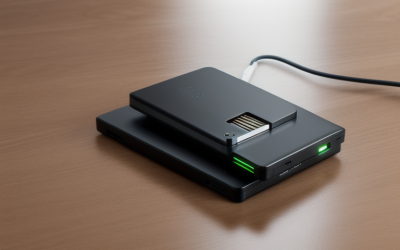
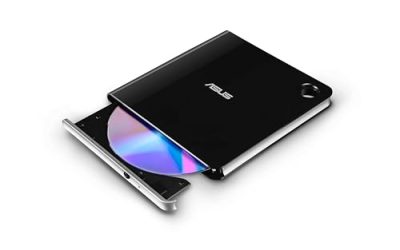
An external hard drive is a single disk in an enclosure that connects to one computer by USB. You plug it in, copy files, or let the operating system’s backup tool run on a schedule. It is portable, quiet, and usually works within minutes of unboxing.
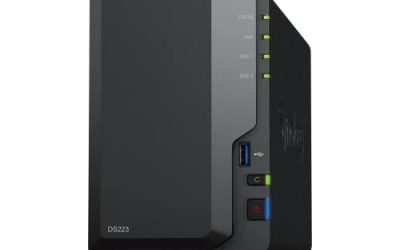
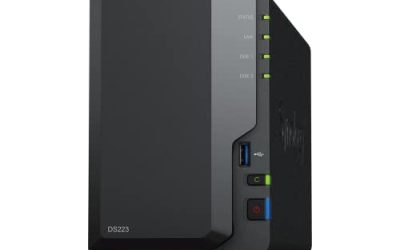
A NAS is a small always-on computer with one or more drive bays that connects to your router. Every device on your network can save to it, and many models run scheduled backups, sync photos from phones, and share files with the whole household. It costs more and takes more setup, but it works for the entire home.
Side-by-Side Comparison
| Factor | External hard drive | NAS |
|---|---|---|
| Setup effort | Plug in and start | Network setup, accounts, drive installation |
| Devices covered | Usually one at a time | Every computer and phone on the network |
| Automatic backups | Only when the drive is connected | Run continuously in the background |
| Protection from one disk failing | None with a single disk | Possible with a mirrored two-disk setup |
| Cost | Lower | Higher, because you buy the unit and the drives |
| Portability | Easy to carry off-site | Fixed at home |
| Learning curve | Minimal | Moderate |
When an External Drive Is the Right Choice
One computer, simple needs
If you own a single laptop or desktop and mainly want protection against a dead internal drive, an external disk with the built-in backup software is enough. It takes minutes to set up and does not require learning networking.
Off-site rotation
Two external drives that you alternate, with one kept at a relative’s home or a workplace locker, protect against theft and fire better than one NAS that sits next to your computer. The cost is discipline: you have to swap them on a schedule.
Occasional large transfers
For moving a video project or a photo library between machines, a directly connected drive is often faster than going over a home network, particularly if your router is older.
When a NAS Makes More Sense
A household with several devices
Phones, laptops, and a desktop all backing up to one place beats juggling a drive that only works with whichever computer it is plugged into. Family members can each have a private folder and a shared one.
Hands-off protection
A NAS can run backups overnight without anyone remembering. Backups that happen automatically are far more likely to be current when you need them, which is the biggest practical advantage over a drive in a drawer.
Resilience through disk redundancy
With two or more bays, you can set up mirroring so a single disk failure does not erase the data. This is not a backup in itself, since deleted or corrupted files are mirrored too, but it keeps the system running until you replace the failed disk.
Remote access and media sharing
Many NAS units let you reach files from outside the home and stream media to a television. If those features matter to you, an external drive cannot match them.
The Rule That Matters More Than the Device
The widely used guideline is 3-2-1: keep three copies of your data, on two different types of storage, with one copy off-site. Your working files on the computer count as the first copy. A NAS or external drive is the second. The third could be a drive stored elsewhere or an encrypted cloud copy.
This is why many careful households use both. The NAS handles daily automatic backups, and an external drive makes a periodic copy that lives off-site. By 2026, drive prices and cloud plans make this layered approach affordable for most homes.
What Each Option Costs You Over Time
The sticker price is only part of the picture. An external drive is a single purchase, and when it fails you replace it. A NAS needs the enclosure plus the disks, and a mirrored setup means buying at least two of them, so the starting cost is noticeably higher. In return you get an always-on device that works for the whole household.
Think about running costs and time too. A NAS stays powered on and uses a modest amount of electricity, and it needs occasional updates and drive health checks. An external drive uses power only when connected, but it also asks for your attention, because someone has to plug it in and start the backup. For many families, the real cost of an external drive is the backups that quietly stop happening because nobody remembers.
Security and Ransomware Considerations
Ransomware can encrypt any storage connected to an infected computer, including a permanently attached external drive and a network share. A drive that sits in a drawer most of the time is safe from an attack that happens while it is disconnected. A NAS can reduce risk if it keeps older versions of files through snapshots or versioning, so you can roll back to a clean copy.
Whichever you choose, protect it with strong passwords, keep its software updated, and avoid exposing a NAS directly to the internet unless you understand the settings. Encryption on the backup disk is worth enabling if the device could ever be lost or stolen.
Common Weak Points
- Leaving the external drive plugged in all the time, where a power surge or ransomware can hit it along with the computer.
- Treating a mirrored NAS as a full backup when it does not protect against accidental deletion or fire.
- Never testing a restore, so problems stay hidden until a real failure.
- Buying a single-bay NAS and expecting redundancy.
- Keeping the only backup in the same room as the computer.
A Simple Setup Most Homes Can Copy
If you want a plan rather than a debate, here is one that works for most households. Set up the NAS with two mirrored disks and point every computer’s backup tool at it. Add a second, separate external drive that you connect once a month, copy the most important folders onto, and then store at another address. Finally, check twice a year that you can open a few files from each backup.
If a NAS feels like too much, the minimum version is two external drives. Back up to one every week, keep the other off-site, and swap them every month. It is less automatic, but it still follows the same idea of separate copies in separate places, which is what protects you when something goes wrong.
Before You Buy Checklist
- Count the devices you want to protect and estimate total data size.
- Plan for capacity at least double what you have now.
- Decide whether you need automatic or manual backups.
- Pick a location for an off-site copy.
- Set a reminder to test restoring a few files every few months.
Related guides
- How To Connect An Old Ide Hard Drive To A Modern Computer
- Signs Your Hard Drive Is Failing And How To Back Up Fast
- How To Securely Erase An Old Hard Drive Before Selling
Frequently Asked Questions
Is a NAS safer than an external hard drive?
It can be, mainly because it can mirror data across disks and runs automatic backups. But it still sits at home, so it needs an off-site copy to be considered safe against theft or fire.
Can I use a NAS as my only backup?
It is better than nothing, but a single location is a risk. Add an external drive or cloud copy that lives somewhere else.
Does an external drive work for multiple computers?
Yes, but only one at a time, and the drive must be formatted in a way each computer understands. Dividing it into separate folders or partitions prevents backups from overwriting each other.
Which is easier for non-technical users?
An external drive wins on simplicity. A NAS takes more setup, but once configured it asks less of you day to day because backups happen on their own.
More from Amazon
Programs that pair well with the guide above. Offers and eligibility are set by Amazon and may change.
A free business account with business pricing and bulk-buying tools for work, shop or home office.
Create a business accountFree shipping on eligible items, Prime Video and more. Eligible new members can start with a free trial.
Start a Prime free trialAudiobooks and podcasts to listen to on the go. Eligible new members can start with a free trial.
Try Audible freeAd-free music streaming. Eligible new subscribers can start with a free trial.
Try Music Unlimited freeAs an Amazon Associate we earn from qualifying purchases.



Write Your Review
No reviews yet. Be the first to share your experience!