

Our Top Picks
 MUSETEX ATX PC Case 7 PWM ARGB Fans16.73"D x 8.35"W x 18.5"H16.73 x 8.35 x 18.5 Inches15 PoundsCheck on Amazon
The best PC case for multiple hard drives is the one that gives you real 3.5-inch bays, not the one with the most fans: among the ten listings here, the Fractal Design Define 7 XL, the 8-bay RGEEK NAS case and the Jonsbo N3 are the only ones built around storage, and the rest are airflow towers that hold a handful of drives at most. Nobody on the team used or measured these units. This guide is built from published specifications, manufacturer documentation and buyer reviews, and it says plainly where a listing title does not tell you the bay count.
Drive count is the first filter. Two drives is a normal desktop. Four is a small home server. Eight is a NAS. Each step changes what you should buy.
Top picks at a glance
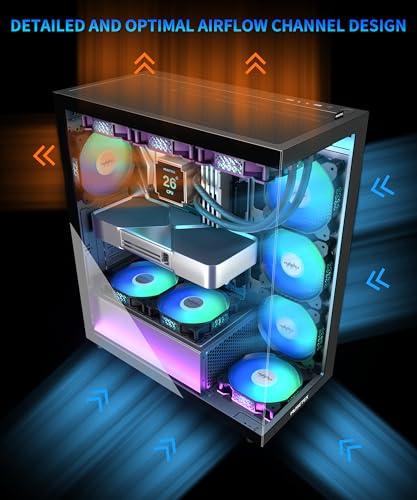
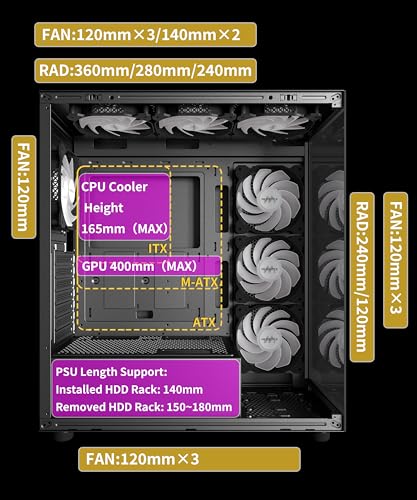
MUSETEX ATX PC Case 7 PWM ARGB Fans Pre-Installed, Type-C Mid Tower Computer Case with Full-View Dual Tempered Glass, Gaming PC Case, Black(K2)



As an Amazon Associate we earn from qualifying purchases. Product prices and availability are accurate as of the date/time indicated.

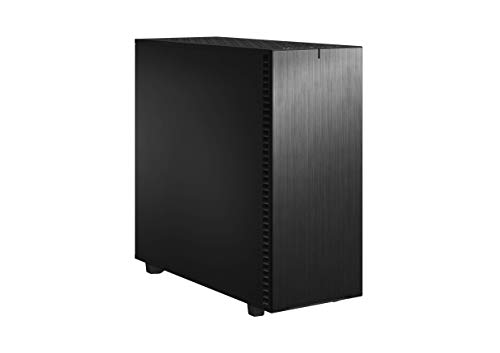
Fractal Design Define 7 XL Black Solid Brushed Aluminum/Steel E-ATX Silent Modular Full Tower Computer Case
As an Amazon Associate we earn from qualifying purchases. Product prices and availability are accurate as of the date/time indicated.

8 Bay NAS Case, Support MATX ITX Motherboard & ATX PSU, SATA & SAS HDD Compatible, 8x3.5 Hot-Swap + 2x2.5 SSD, Dual-Chamber NAS PC Case Support 4 Fans Mounting, Black


As an Amazon Associate we earn from qualifying purchases. Product prices and availability are accurate as of the date/time indicated.

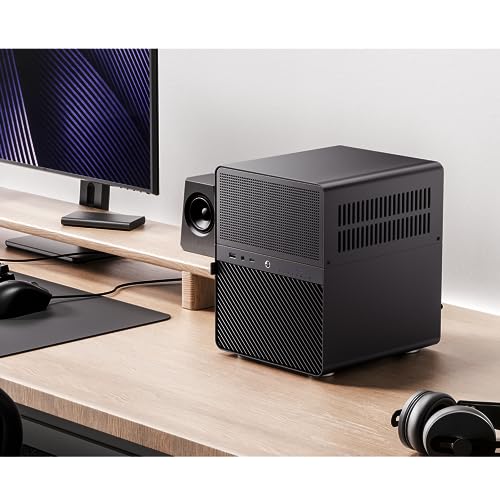
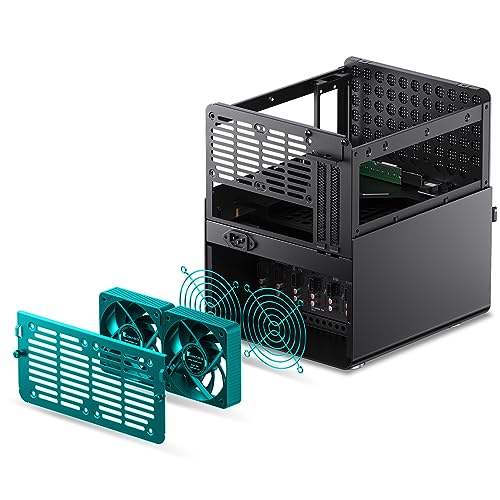
JONSBO N3 Mini-ITX NAS PC Chassis, ITX Computer Case, 8HHD+1-SSDD isk Bays NAS Mini Aluminum with Steel Plate Case, Built-in 2x10cm Fan, Power Support: SFX105mm, Support 130mm CPU Cooler



As an Amazon Associate we earn from qualifying purchases. Product prices and availability are accurate as of the date/time indicated.

Silverstone Technology PS13B ATX Tower Computer Case with 2 X 5.25 Bays PS13B-x


As an Amazon Associate we earn from qualifying purchases. Product prices and availability are accurate as of the date/time indicated.

NZXT H5 Flow - Compact ATX Mid-Tower PC Case - Black | Compact mid-tower with 2 included 120mm fans, 360mm front radiator support, and tempered glass. A great first airflow build.


As an Amazon Associate we earn from qualifying purchases. Product prices and availability are accurate as of the date/time indicated.

FOIFKIN M1 PC Case - Pre-Installed 6 PWM ARGB Fan (3 x 120mm, 3 x 140mm), ATX Mid-Tower Computer case, Gaming PC Case, 240MM RAD Support, Type-C, FOIFKIN (Black)


As an Amazon Associate we earn from qualifying purchases. Product prices and availability are accurate as of the date/time indicated.

MUSETEX PC CASE ATX 6 PWM ARGB Fans Pre-Installed, Type-C Mid Tower Computer Case with Full-View Dual Tempered Glass, Gaming PC Case,Black(K2)


As an Amazon Associate we earn from qualifying purchases. Product prices and availability are accurate as of the date/time indicated.

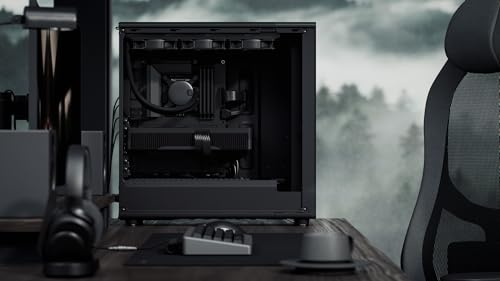
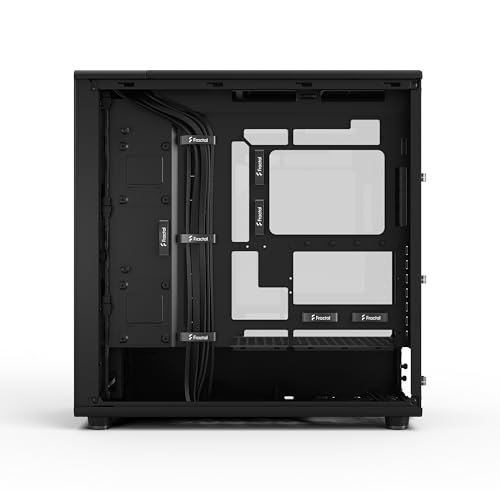
Fractal Design North XL Momentum Black - Glass Side Panel - Genuine Blackened Oak Wood Front - High Airflow PC Gaming Case - Three Powerful 140mm Momentum Fans Included - ATX/E-ATX Support






As an Amazon Associate we earn from qualifying purchases. Product prices and availability are accurate as of the date/time indicated.

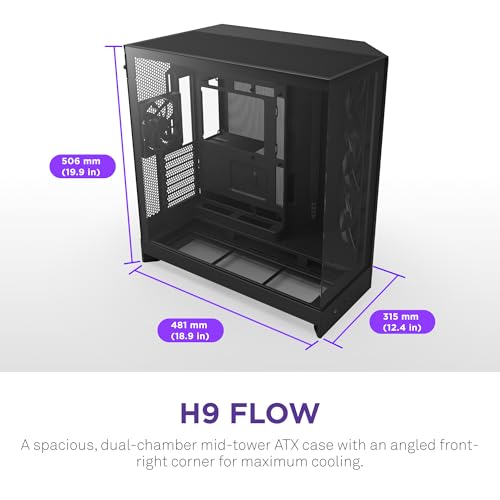
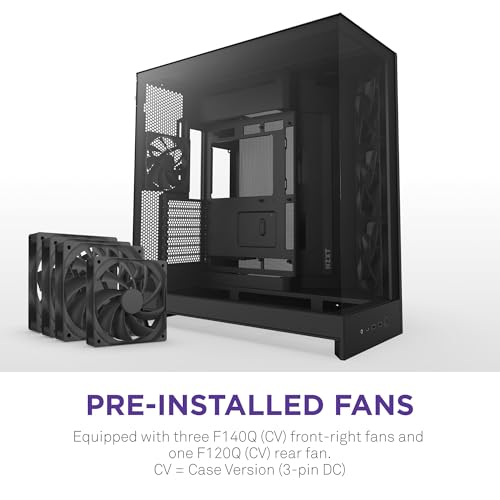
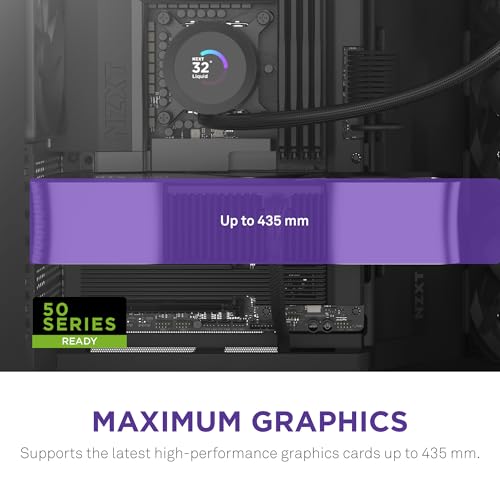
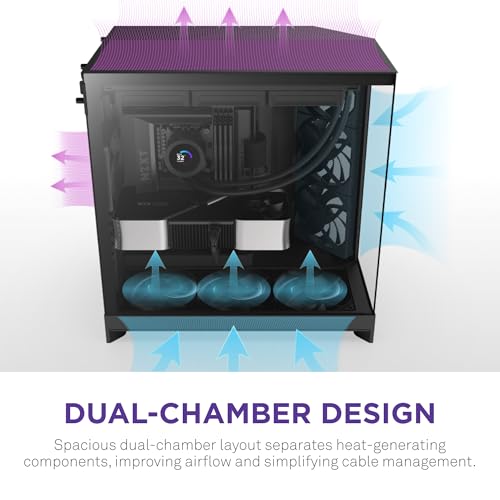
NZXT H9 Flow - Dual-Chamber ATX PC Case - Black | Dual-chamber ATX flagship with 4 included fans, 420mm top and front radiator support, and wraparound tempered glass.




As an Amazon Associate we earn from qualifying purchases. Product prices and availability are accurate as of the date/time indicated.
| Case | What the title states | Price tier | Best for |
|---|---|---|---|
| Fractal Design Define 7 XL | E-ATX full tower, silent, modular | Premium | 10+ drives in an ATX build |
| RGEEK 8 Bay NAS Case | 8x 3.5 hot-swap + 2x 2.5, mATX/ITX, ATX PSU | Mid | Dedicated NAS with a standard PSU |
| JONSBO N3 | Mini-ITX, 8 HDD + 1 SSD, SFX PSU | Mid | Compact eight-drive NAS |
| SilverStone PS13B | ATX tower, 2x 5.25 bays | Budget | Adapter-based drive cages |
| Fractal North XL Momentum | ATX/E-ATX, three 140mm fans | Premium | Quiet-looking workstation, 2 HDDs |
| NZXT H9 Flow | Dual-chamber ATX, 4 fans | Mid-premium | Gaming build with a few drives |
| NZXT H5 Flow | Compact ATX, 2 fans | Mid | First airflow build, 1 HDD |
| FOIFKIN M1 | 6 PWM ARGB fans, ATX mid-tower | Budget | Fan-heavy gaming PC |
| MUSETEX K2 (7 fans) | 7 PWM ARGB fans, dual glass | Budget | Display build, check bays |
| MUSETEX K2 (6 fans) | 6 PWM ARGB fans, dual glass | Budget | Near-duplicate of the 7-fan listing |
The ten cases, one by one
Fractal Design Define 7 XL
The title calls it a silent, modular E-ATX full tower, and Fractal’s documentation describes a storage layout that scales to 18 mounting positions with extra tray kits, with only part of that count shipped in the box. That distinction matters: the case supports a very large array, but the trays you pay for up front are fewer. A power supply longer than the roughly 200mm range can block one cage, so read the PSU clearance note before choosing a unit.
It suits anyone building a workstation or home server in a regular ATX motherboard who expects the drive count to grow. Its size is the cost; it needs real desk or floor space.
- Pros: Highest drive capacity of the group; sound-damped panels help with mechanical hum; modular cages let you trade drive space for radiator or GPU room.
- Cons: Extra trays are separate purchases; big and heavy; no hot-swap, so a failed drive means opening the side panel.
Scenario: a photographer with a growing archive starts with four 8TB-class drives in a mirrored pair arrangement plus a scratch disk, then adds two more over a few years. The Define 7 XL absorbs that growth without a case swap, which is the real value of its tray design. Weigh that against the footprint, and plan cable lengths early, since drives at the bottom of a full cage sit far from the motherboard SATA ports.
Question to ask before buying: how many trays come with the exact SKU in the listing?
RGEEK 8 Bay NAS Case
This one is a storage appliance chassis: eight 3.5-inch hot-swap bays, two 2.5-inch SSD positions, support for mATX or ITX boards and a standard ATX power supply, with a dual-chamber layout and room for four fans. The title says SATA and SAS drives are both compatible, but SAS only works if your controller or backplane connection supports it, so confirm that before ordering SAS disks.
It suits a rack-less home or small-office NAS where you want a normal ATX PSU instead of a pricey SFX one. It is the most direct match for the keyword here.
- Pros: Eight hot-swap bays; ATX PSU compatibility keeps power supply choice wide; separate chambers keep drive heat away from the board.
- Cons: Small-brand listing, so documentation and warranty details deserve a close read; board size limited to mATX; the backplane connection type is something to verify.
Scenario: a small office wants a file server holding eight drives, running a NAS operating system on a mATX board with a cheap ATX power supply from the parts bin. This chassis avoids the SFX premium and keeps the PSU interchangeable. Because the brand is small, save the product page and manual, and confirm return terms in case the backplane arrives faulty.
Question to ask: does the backplane use individual SATA ports, a mini-SAS connector, or both?
JONSBO N3
A mini-ITX NAS case with eight 3.5-inch drive bays and one SSD position, per the title. It accepts SFX power supplies up to 105mm, a CPU cooler up to 130mm and two 10cm fans. The title text contains typos (“8HHD”, “SSDD isk”), and retail pages for this model vary on fan size and SSD-bay count, so treat the title as a seller summary.
Best for a compact box that holds eight drives and sits on a shelf. The compromise is build difficulty: tight cable routing and an SFX-only power supply make it less forgiving than a tower.
- Pros: Smallest footprint per 3.5-inch bay in this list; metal construction; hot-swap-style drive access.
- Cons: SFX power supplies cost more than ATX; very little space for add-in cards; cramped for first-time builders.
Scenario: someone replaces a bulky old tower with a shelf-sized eight-drive server. The N3 does that, but the build rewards patience: install the power supply and drive cabling first, then the board, and choose a low-profile cooler within the stated height limit. A low-power ITX board with enough SATA ports, or an HBA card, is the usual pairing.
Question to ask: will the SFX unit you want fit within the stated length limit once cables are plugged in?
SilverStone PS13B
A plain ATX tower with two 5.25-inch bays. The title says nothing about 3.5-inch counts; the maker’s documentation lists a small number of internal 3.5-inch positions plus external bays. Its real value for storage builds is the pair of 5.25-inch bays, which accept third-party drive cages that turn them into several 3.5-inch slots.
It suits a budget builder who is comfortable adding an adapter cage and who wants an older-style, non-glass case. Check the PSU length limit on the spec page first, since this design is short on clearance.
- Pros: Affordable; 5.25-inch bays are rare on modern cases; plain, easy-to-service interior.
- Cons: Front I/O is USB 3.0 era per the maker’s listing, so check ports against your needs; the adapter cage is an extra cost and an extra vibration source; limited airflow headroom for a dense drive stack.
Scenario: a hobbyist has an old optical drive habit and a pile of spare hard drives. A three-in-two or four-in-three cage in the 5.25-inch bays turns this tower into a six or seven drive machine for a small outlay. The trade is airflow: the cage must sit in front of a fan, and the vibration of several drives sharing one cage is audible.
Question to ask: what does the adapter cage you plan to buy need in cooling and power connectors?
Fractal Design North XL Momentum
The title highlights a glass side panel, genuine blackened oak front and three 140mm fans, with ATX/E-ATX support. It is a looks-first airflow case. Fractal’s own storage documentation points to a small number of 3.5-inch mounts, so it is a fit for two drives, not eight.
Pick it if you want a showpiece workstation that also holds one or two large hard drives alongside NVMe storage.
- Pros: Excellent airflow with included 140mm fans; roomy interior eases cabling; premium materials.
- Cons: Few 3.5-inch mounts; using both trays can limit PSU length; costly relative to its drive capacity.
Scenario: a video editor wants a handsome machine with a fast NVMe drive for projects and two large drives for footage. That fits. Anyone expecting a fifth or sixth drive should treat this as the wrong platform from day one, since the cost of the case is mostly materials and airflow design, not storage.
Question to ask: is two 3.5-inch drives enough for the next three years?
NZXT H9 Flow
A dual-chamber ATX case with four included fans, wraparound tempered glass and 420mm radiator support at the top and front, per the title. Retail and review pages list two 3.5-inch bays and several 2.5-inch positions, which suits mixed SSD plus one or two HDD builds, not bulk storage.
Best for a gaming or creator PC where the large drive count is secondary. Its cable-hiding chamber helps when SATA cables multiply.
- Pros: Good airflow design; roomy chamber for cabling; modest storage flexibility.
- Cons: Not a storage case; glass-heavy design means drive noise is audible; bays are split between 2.5-inch and 3.5-inch use.
Scenario: a gamer builds a high-end PC and wants a pair of large drives for game libraries and a backup disk. Two 3.5-inch bays handle that, and the second chamber keeps drive cabling out of sight. If the plan is a third bulk disk, either drop a 2.5-inch SSD for it or move to a bigger storage tower.
Question to ask: do you want drives or radiators in the same front space?
NZXT H5 Flow
The title calls it a compact ATX mid-tower with two 120mm fans, a 360mm front radiator option and tempered glass, a “great first airflow build.” NZXT’s spec page lists a single 3.5-inch bay and two 2.5-inch positions.
It suits one big hard drive for media or backups beside an NVMe system drive. For anything beyond that, look elsewhere on this list.
- Pros: Easy to build in; good airflow for the price; compact desk footprint.
- Cons: One 3.5-inch bay; no room to grow; front space is better used for fans.
Scenario: a student builds a first PC with an NVMe boot drive, a 1TB SSD for games and one large hard drive for video files. That works fine. The risk is outgrowing it; a second hard drive means external storage or a different case, so decide up front.
Question to ask: will a single 3.5-inch bay satisfy you after the first year?
FOIFKIN M1
Title claims: six pre-installed PWM ARGB fans (three 120mm, three 140mm), ATX mid-tower, 240mm radiator support, Type-C. Fans and lighting are the headline; drive bays are not mentioned at all.
Treat it as a gaming case that might hold one or two hard drives. Verify the bay count and whether trays are included before you buy.
- Pros: Many fans included, so no extra purchase; Type-C front port; low cost.
- Cons: No stated HDD count; a lesser-known brand with limited documentation; ARGB fans add no value for drive cooling.
Scenario: a budget builder is drawn to the fan count and plans two hard drives. If the manual shows two 3.5-inch mounts, it works; if it shows one plus 2.5-inch brackets, the plan fails. Download the manual PDF before buying, since a listing for this class of case often reuses generic photos.
Question to ask: how many separate 3.5-inch mounting positions does the manual show?
MUSETEX K2 with seven fans
Seven PWM ARGB fans, Type-C, dual tempered glass and an ATX mid-tower layout. Dual-glass cases usually favour a showcase look over drive capacity, so expect minimal 3.5-inch space. The listing does not say how many bays it has.
A fit for a display PC with SSDs. As a multi-drive case, it is a poor match.
- Pros: Fans pre-installed; full-view glass; low price tier.
- Cons: Bay count unstated; glass panels offer no sound dampening; weak structure for heavy drives is possible, so read buyer comments.
Scenario: a display-focused build with a glass-front aesthetic and a single archive disk. It works if the maker supports one 3.5-inch drive. Anything more means improvised mounting, which voids the point of buying a case with tidy cable routing.
Question to ask: is there any removable cage or just a fixed bracket?
MUSETEX K2 with six fans
This listing is a near-duplicate of the seven-fan version, with one fewer pre-installed fan and the same K2 label, Type-C and dual glass. Both are weaker-class listings for this keyword, and the differing fan counts suggest revisions rather than different storage designs.
Choose between the two on fan count and price only, and verify drive mounts the same way.
- Pros: Slightly simpler, lower fan count; similar design; budget pricing.
- Cons: Same unstated bay count; two near-identical listings make comparing harder; limited long-term support likely.
Scenario: two listings, near-identical photos, different fan counts. A buyer cannot tell if the six-fan version is cheaper because of fewer fans or because of a different internal layout. Compare dimensions, weight and the drive-cage photos before deciding, and prefer the seller who publishes a manual.
Question to ask: does the seller list a revision or model number that separates the two?
What matters when choosing a case for many drives
3.5-inch bays versus 2.5-inch positions
Many listings say “supports 6 drives” and count 2.5-inch SSD brackets. Hard drives need 3.5-inch positions (or adapters), so count those separately and ignore SSD tabs.
| Spec concept | What to look for | Why it matters |
|---|---|---|
| 3.5-inch bay count | The maker’s spec page, not the title | Titles often count 2.5-inch mounts as drives |
| Hot-swap backplane | SATA ports or mini-SAS, per bay | Easier replacement of a failing disk |
| Tray included? | Trays in the box versus sold separately | Extra trays add cost |
| PSU type and length | ATX or SFX, plus length limit | Drive cages can block long PSUs |
| Airflow across drives | Fan mounts facing the drive cage | Drives run happier with steady airflow |
| Vibration control | Rubber grommets or dampening | Many drives together hum |
Airflow and heat with a full drive stack
Hard drives like steady, moderate cooling more than extreme airflow. A fan facing the cage, with unobstructed intake, matters more than a fan count printed in the title. NAS chassis aim fans straight through the bays; tower cases rely on front intake and cage placement. Check whether your SSD or GPU will be starved of air by a drive cage, and whether the fans can be controlled by the motherboard.
Power connectors and cabling
Eight drives need eight SATA power plugs and eight data connections. Many power supplies provide only a handful of SATA connectors, so you may need extra cables or splitters. Avoid daisy-chaining too many drives on a single cable run, and use the manufacturer’s recommended connectors.
Noise and vibration
Several drives in contact with a metal cage amplify noise. Rubber-isolated trays, sound-dampening panels and lower-RPM drives help. Open glass or mesh designs do not.
Which case for which user
| User | Drive target | Case type to favour | Candidate |
|---|---|---|---|
| Home NAS, space is tight | 6-8 HDDs | ITX NAS chassis | JONSBO N3 |
| Home NAS, ATX PSU on hand | 6-8 HDDs | mATX hot-swap chassis | RGEEK 8 Bay |
| Workstation with a growing archive | 4-12 HDDs | Storage-oriented full tower | Define 7 XL |
| Budget build with adapters | 3-6 HDDs | Tower with 5.25 bays | PS13B |
| Gaming PC plus one archive disk | 1-2 HDDs | Airflow tower | H5 Flow, H9 Flow, North XL |
A worked example: sizing a six-drive build
These assumptions are illustrative, not measured: six 3.5-inch drives, each assumed to draw roughly 25 W at spin-up and about 7 W when idle (check the actual datasheet), one SSD, a modest CPU and no discrete graphics.
| Item | Assumption | Result |
|---|---|---|
| Spin-up load, six drives | 6 x 25 W | about 150 W briefly |
| Idle drive load | 6 x 7 W | about 42 W |
| Rest of system | CPU, board, SSD, fans | about 60 W |
| Start-up peak | sum | about 210 W |
| Suggested PSU headroom | roughly double the peak | 400 W class, with six SATA plugs |
The takeaway: the PSU is rarely the bottleneck for six drives, but SATA connector count and cage fit are. Staggered spin-up, if your controller offers it, cuts the start-up peak.
Mistakes buyers make with multi-drive cases
| Mistake | Fix |
|---|---|
| Counting SSD brackets as HDD bays | Read the spec table for 3.5-inch positions |
| Assuming trays are included | Check the box contents and the part number |
| Ignoring PSU length limits | Compare PSU depth with the cage clearance |
| Skipping airflow on the cage | Put a fan facing the drives |
| Treating RAID as a backup | Keep a separate copy of important data |
| Buying a glass gaming case for a NAS | Choose a storage-oriented chassis |
Verdict by use case
For a dedicated NAS, the RGEEK 8 Bay and the JONSBO N3 are the logical picks, with RGEEK for ATX power and N3 for small size. For an ATX workstation that may grow, the Fractal Design Define 7 XL is the only tower here with a large documented drive count. The SilverStone PS13B is the budget route using adapters. The NZXT H5 Flow, H9 Flow, Fractal North XL Momentum, FOIFKIN M1 and the two MUSETEX K2 listings are airflow or display cases that suit one to four drives and are weak answers to this keyword.
Related guides
- Why Does My Hard Drive Show Less Capacity
- How Much Ssd Storage Do I Need For Gaming
- Nvme Vs Sata M2 Enclosure Compatibility
Frequently asked questions
How many hard drives can a normal ATX case hold?
Most mainstream airflow-first ATX towers ship with one to three 3.5-inch mounts, and some modern designs deliberately cut that to a single tray. Full towers built for storage, such as the Define 7 XL, list far more positions, but usually ship with fewer trays than the maximum. Always read the manufacturer’s spec page for the exact 3.5-inch count, because listing titles rarely state it and marketing photos show SSD mounts that look like HDD bays.
Is a NAS case better than a tower for lots of drives?
For six or more 3.5-inch drives, a purpose-built NAS chassis is usually simpler: drives slot into hot-swap bays, airflow is aimed across them, and cabling is shorter. The trade-off is limited room for a large graphics card or tall cooler. A storage-oriented tower keeps ATX flexibility but needs tray kits, longer cables and more careful power planning.
Do multiple hard drives need a bigger power supply?
Mostly they need enough SATA power connectors and enough 12V headroom at start-up. Spinning drives pull their highest current when they spin up, so eight drives at once can briefly add a meaningful load. Check each drive’s datasheet, use staggered spin-up if your controller or backplane supports it, and leave margin on the PSU rating instead of sizing to the exact total.
Does a case with many hard drives run louder?
It can. Drives add vibration and a steady mechanical hum, and a dense drive cage often needs more airflow to keep temperatures stable. Rubber-isolated trays, a case with sound-dampening panels and lower-RPM drives help. Open mesh airflow cases move more air but also let more drive noise out, so expect a trade between cooling and quiet.
Is RAID a replacement for backups?
No. RAID keeps a volume running when a drive fails, but it does not protect against deleted files, ransomware, controller faults or a power event that damages several drives at once. Keep at least one independent copy of data you cannot replace, ideally off the machine. A bigger case full of drives is a storage pool, not a backup plan.
Should I buy new or used drives for a multi-bay case?
Drives from the same batch tend to age together, so mixing purchase dates lowers the chance of simultaneous failures in an array. Buy from sellers that state warranty terms, keep SMART monitoring on, and follow the drive maker’s guidance on workload ratings, since desktop-class drives and NAS-rated drives are specified for different duty cycles.



Write Your Review
No reviews yet. Be the first to share your experience!