

Key takeaways
- Somewhere in a closet there is probably a beige desktop or an old laptop whose hard drive holds family photos, tax records.
Somewhere in a closet there is probably a beige desktop or an old laptop whose hard drive holds family photos, tax records, or years of project files, and modern computers have no ribbon-cable IDE port to read it. An IDE to USB adapter solves that by letting a drive from the 1990s or early 2000s show up as an external disk on a current machine. The challenge is picking one that supports both the 2.5-inch and 3.5-inch drive sizes, supplies enough power, and does not leave you guessing why the drive never mounts.
This guide is for people rescuing data, hobbyists restoring vintage computers, and IT staff who regularly meet legacy drives. It compares eight adapters using their published listings, with attention to connector coverage, power supply, and the USB generation involved. Most of these kits also read SATA drives, which is useful in 2026 when you may need to switch between ancient and recent disks on the same day.
Quick Picks
Our top picks




As an Amazon Associate we earn from qualifying purchases at no extra cost to you.
| Product | Best for | Key feature |
|---|---|---|
| Unitek USB 3.0 SATA/IDE Adapter | All-round drive reading | 2.5/3.5 inch HDD/SSD, 12V/2A power |
| USB 3.0 and Type-C SATA/IDE Reader Kit (20TB) | Modern laptops with USB-C | USB 3.0 and Type C, optical drive support |
| FIDECO USB 3.0 SATA/IDE Adapter | Straightforward IDE or SATA reads | Single USB 3.0 adapter for 2.5/3.5 drives |
| SGElectronix IDE SATA to USB 2.0 Cable | Occasional, low-cost use | USB 2.0 cable for 2.5/3.5 drives |
| FIDECO SATA/IDE to USB 3.0 Kit | Mixed drives and optical media | Handles 5.25-inch DVD/CD drives |
| SABRENT USB-C to SATA/IDE Adapter | Frequent use with status feedback | UL power supply, LED activity lights |
| USB 3.0 + Type-C SATA/IDE Reader Kit (Universal) | Flexible port choice | USB and Type C with 12V/2A adapter |
| Unitek IDE SATA to USB 3.0 Adapter | Cleaner cabling | Built-in 12V power cable |
How to Choose
Check the Drive Types the Adapter Covers
Old drives come in 3.5-inch desktop and 2.5-inch laptop sizes with different IDE connectors, and optical drives use a 5.25-inch form. Listings should name every size they support. If you plan to read CD or DVD drives, confirm that the listing mentions optical or 5.25-inch support, since many adapters handle only hard drives.
Power Supply Matters More Than Speed
Desktop drives need external power. A 12V/2A adapter is typical for kits that handle both drive sizes, and a stable supply prevents the dropouts and clicking that make people think a drive has failed. Adapters with LED indicators make troubleshooting easier because you can see whether the drive is receiving power or active.
USB Generation and Port Type
USB 3.0 is worth having if you will copy large amounts of data, since old drives are slow enough already without a USB 2.0 bottleneck. A USB-C option is convenient on newer laptops. For a small photo rescue, though, USB 2.0 still works if you are patient.
Know Where Budget Kits Cut Corners
Cheaper adapters tend to include thin cables, loose connectors, and unlabeled power supplies. Listings with a named power certification or LED lights suggest more attention to the supply side. Ignore capacity claims that far exceed the age of the drives you are reading; an IDE drive will never approach those limits.
A little preparation prevents most failed rescues. Before connecting anything, look at the label on the old drive for its capacity and jumper diagram, since many IDE drives expect to be set as master, slave, or cable select, and an adapter may only recognize one arrangement. Connect the data side first, then the power, and give the drive a moment to spin up before expecting it to appear. If it shows up but will not open, resist the urge to run repair tools that write to the disk; copy the files out first, preferably to a second drive. Treat every old drive as fragile, because decades-old mechanisms can fail without warning, and work in short sessions instead of leaving a drive running for hours.
The 8 Best Options
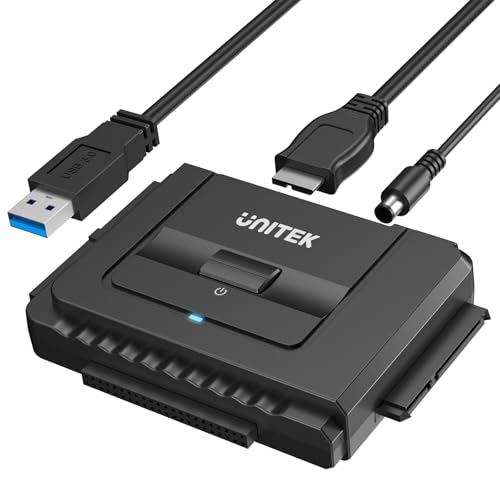
Unitek USB 3.0 SATA/IDE Adapter
A branded adapter for 2.5 and 3.5-inch HDD and SSD drives with SATA III 6Gbps and a 12V/2A power supply. It suits someone who regularly alternates between old IDE drives and newer SATA disks and wants a single kit for both, backed by a well-known accessory brand.
- Handles both IDE and SATA drive types
- 12V/2A power supply and support up to 24TB
- Trade-off: a bulky power brick adds to the cable tangle
Skip it if you only need an occasional read and want the smallest kit.
USB 3.0 and Type-C SATA/IDE Reader Kit (20TB)
A reader kit with USB 3.0 and Type C connections plus a 12V/2A power supply. The title also mentions internal Blu-ray drive support, which makes it flexible for someone cleaning out a mix of old drives and optical media.
- USB 3.0 and Type C connection choices
- Supports 2.5 and 3.5-inch SATA/IDE drives, plus optical
- Trade-off: an unbranded listing with limited published support details
Skip it if you want a recognized brand behind the product.
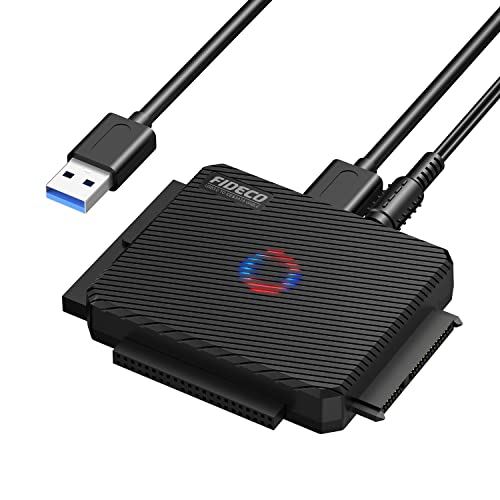
FIDECO USB 3.0 SATA/IDE Adapter
A simple USB 3.0 adapter for 2.5 and 3.5-inch drives with either interface. It suits someone who wants a bare-bones tool for a one-time data rescue, without extra features to learn.
- Reads both SATA and IDE drives
- USB 3.0 for faster transfers than USB 2.0 kits
- Trade-off: the title mentions no power-supply details
Skip it if you need explicit power or optical-drive support.
SGElectronix IDE SATA to USB 2.0 Cable
A cable-style converter for 2.5 and 3.5-inch drives using USB 2.0. It is the budget entry point, adequate for pulling documents off an old drive when time is not a concern.
- Low-cost cable approach
- Works with IDE and SATA drives
- Trade-off: USB 2.0 makes large copies slow
Skip it if you have a big archive to copy or plan regular use.
FIDECO SATA/IDE to USB 3.0 Kit
A USB 3.0 adapter cable that covers 2.5-inch drives, 2.5-inch SSDs, IDE hard drives, and 5.25-inch DVD or CD drives. It fits anyone digging through a drawer of mixed legacy hardware.
- Supports hard drives and optical drives
- USB 3.0 interface
- Trade-off: the listing offers no capacity or power-supply specifics
Skip it if you want LED indicators or a named power certification.
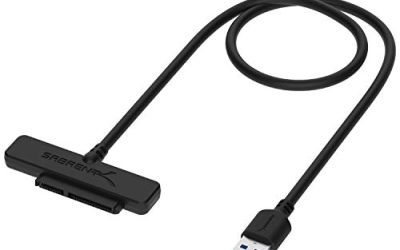
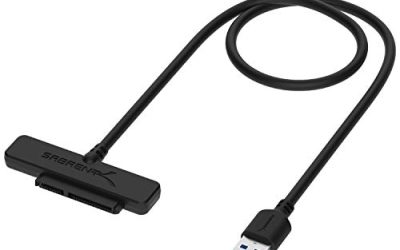
SABRENT USB-C to SATA/IDE Adapter
A USB-C adapter for 2.5, 3.5, and 5.25-inch drives, with a UL power supply, LED activity lights, and support up to 10TB. It suits technicians who want visible feedback during troubleshooting.
- UL power supply and LED activity lights
- Covers hard drives and optical drives
- Trade-off: the 10TB limit is lower than some alternatives
Skip it if your machines lack USB-C and you want a USB-A-first kit.
USB 3.0 + Type-C SATA/IDE Reader Kit (Universal)
A universal reader that offers both USB and Type C connections and includes a 12V/2A adapter, for 2.5 and 3.5-inch IDE drives and 2.5-inch SSDs. It works for people who switch between desktops and newer laptops.
- Dual connection choices
- 12V/2A power adapter included
- Trade-off: unbranded, with limited support information
Skip it if you value an established brand name.
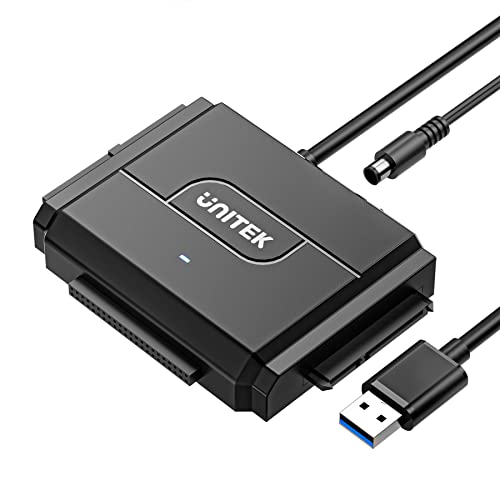
Unitek IDE SATA to USB 3.0 Adapter
A Unitek model with a built-in 12V power cable and SATA III 6Gbps support, for 2.5 and 3.5-inch drives. The integrated power cable keeps the setup a little tidier than kits with a separate brick.
- Built-in 12V power cable
- Supports up to 24TB drives
- Trade-off: a fixed power cable limits placement
Skip it if you want a USB-C connection.
Which One Fits Your Situation
A One-Time Photo Rescue From an Old Desktop
The FIDECO USB 3.0 SATA/IDE Adapter or the SGElectronix cable is enough for a single transfer, and the SGElectronix is the lowest-cost route if you can tolerate USB 2.0 speed.
A Technician Handling Many Drives
The SABRENT USB-C to SATA/IDE Adapter provides LED feedback and a UL power supply, and the Unitek models cover both IDE and SATA with strong power support.
A Collector With Mixed Drives and Optical Media
The FIDECO SATA/IDE to USB 3.0 Kit and the USB 3.0 and Type-C SATA/IDE Reader Kit (20TB) both mention optical drive support, which helps with CDs, DVDs, and old burner drives.
Common Mistakes
- Forgetting the jumper setting on the old drive, which can stop it from being detected.
- Powering a 3.5-inch drive from USB alone instead of a dedicated power supply.
- Copying data repeatedly from a clicking or failing drive instead of stopping.
- Assuming a USB 3.0 label makes an ancient drive fast.
- Reformatting the drive before copying files off.
Related guides
- How To Connect An Old Ide Hard Drive To A Modern Computer
- Signs Your Hard Drive Is Failing And How To Back Up Fast
- How To Securely Erase An Old Hard Drive Before Selling
Frequently Asked Questions
Will an IDE to USB adapter work with any old drive?
Most standard IDE drives work, but jumper settings and drive health can prevent detection. Check the drive label for jumper positions.
Can I use these adapters on a failing drive?
You can try, but repeated attempts on a clicking or failing drive can make things worse. For irreplaceable data, consider a professional recovery service.
Do these adapters read SATA drives too?
Most of the kits listed read both IDE and SATA, which makes them useful for mixed-drive projects.
Do I need a power supply for a 2.5-inch drive?
Laptop drives can sometimes run on USB power, but the listed kits include external power for reliability, and a stable supply is the safer choice.
More from Amazon
Programs that pair well with the guide above. Offers and eligibility are set by Amazon and may change.
A free business account with business pricing and bulk-buying tools for work, shop or home office.
Create a business accountFree shipping on eligible items, Prime Video and more. Eligible new members can start with a free trial.
Start a Prime free trialAudiobooks and podcasts to listen to on the go. Eligible new members can start with a free trial.
Try Audible freeAd-free music streaming. Eligible new subscribers can start with a free trial.
Try Music Unlimited freeAs an Amazon Associate we earn from qualifying purchases.

Write Your Review
No reviews yet. Be the first to share your experience!