

Key takeaways
- A drive dock is the tool for people who swap bare drives often: photographers rotating archive disks, IT hands imaging laptops.
A drive dock is the tool for people who swap bare drives often: photographers rotating archive disks, IT hands imaging laptops, home lab owners checking spare SSDs, and anyone who has a shelf of internal drives and no desire to open a case every time. Slot the drive in, plug in one cable, and it shows up as an external disk. The USB-C part of the keyword narrows the field to docks that connect to modern laptops without an adapter, and it raises the usual questions: how many bays, which drive sizes, and whether the dock can clone one drive to another without a computer.
This guide is for buyers building a drive-swapping workflow in 2026, and it compares seven docks strictly from their titles: bay count, supported drive sizes, interface speed, cloning ability, M.2 support, and cooling. Docks read and write healthy drives. They are not data recovery tools, and a drive that clicks, grinds, or fails to be detected should be powered down and handed to a professional service. Always keep a verified second copy of anything important before using a cloning feature, because cloning writes to the destination drive.
Quick Picks
Our top picks




As an Amazon Associate we earn from qualifying purchases at no extra cost to you.
| Product | Best for | Key spec from the title |
|---|---|---|
| SABRENT DS-UC1B Single Bay Dock | Quick single-drive swapping | USB-C, 10Gbps, 2.5″/3.5″ SATA, up to 20TB |
| SABRENT EC-CH2B Dual-Bay Cloner | Offline one-to-one cloning | Dual bay, USB-C, 5Gbps, offline clone |
| SABRENT DS-5R15 5-Bay Dock | Many 2.5 inch SSDs and HDDs at once | Five 2.5″ bays, cooling fan, USB-C |
| ICY Box Dual-Bay Cloner | Large-capacity cloning | Dual bay, up to 60TB, USB-C, offline clone |
| SABRENT Lay Flat NVMe and SATA Dock | Mixed M.2 NVMe and SATA drives | 10Gbps, M.2 NVMe, 2.5″/3.5″ SATA, offline clone |
| BENFEI Dual Bay Dock with Clone | Budget dual-bay cloning | USB-C, UASP, offline clone, up to 5Gbps |
| WAVLINK Dual-Bay USB-C Dock | Dual bay with extra USB ports | 5Gbps, 2 USB 3.0 ports, 12V/3A, offline clone |
How to Choose
Bays and drive types
A single-bay dock is the simplest and cheapest, and it suits anyone who handles one drive at a time. Dual-bay docks add the option of cloning, and they also let you attach two drives to the computer at once. Multi-bay units like the five-bay model keep a rack of small drives mounted for batch work. Drive type matters just as much: SATA 2.5 inch and 3.5 inch drives share most docks, while M.2 NVMe SSDs need a dock that names NVMe specifically, as the Lay Flat model does. A SATA-only dock will not read an NVMe stick, no matter how many bays it has.
Speed, USB-C, and what to ignore
Titles list 5Gbps or 10Gbps for the connection. The 10Gbps figure helps with fast SSDs, while a spinning hard disk is limited by its own mechanics and will not use the extra headroom. UASP, mentioned in the BENFEI title, is a protocol that cuts transfer overhead on supporting systems. A dock that says USB-C may still use a lower speed standard on the cable, so check that the included cable and the computer port can both sustain the stated rate. Ignore vague words such as “ultra-fast” in favor of the listed Gbps and protocols.
Offline cloning
Offline clone, listed on several docks, means the dock copies a source drive to a destination drive with a button press and no computer. It is handy for field work and for technicians cloning many drives. Rules apply: the destination drive must be at least as large as the data being copied according to the manufacturer, the destination is overwritten, and the source and destination positions matter. A mix-up can wipe the wrong drive, so label the bays and read the manual before the first run. Cloning is not an intelligent recovery process, and it will copy errors along with data.
Cooling, power, and where budget docks cut corners
Drives run warm, and a multi-bay dock with a fan like the SABRENT five-bay model addresses heat during long sessions. A 3.5 inch drive needs the dock’s external power supply, so check the wattage and the cable. Budget docks may save money on the quality of the SATA connector, the fit of the drive tray, and the firmware that handles hot-swapping. Do not unplug a drive from a dock without ejecting it through the operating system first, and never pull a drive from the bay while it is spinning. Keep the dock on a hard, flat surface with clear airflow, and use a surge-protected outlet.
Workflow matters as much as hardware. Decide where drives live between sessions, since a bare drive left on a desk is exposed to static, spills, and knocks, and anti-static bags or foam-lined cases cost little. Keep a simple log of which drive was cloned to which, with dates, so nobody wipes a source by accident months later. Test a clone by opening a few files from the destination, and compare folder sizes before retiring the original. If a dock will sit on a shelf for months, unplug it, because idle power bricks and controllers age too.
The 7 Best Options
SABRENT DS-UC1B USB-C Hard Drive Docking Station
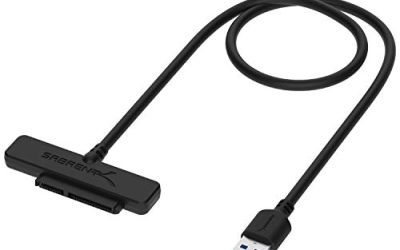
The DS-UC1B is the no-nonsense single-bay dock. The title lists USB-C, 10Gbps, a tool-free hot-swap design for 2.5 inch and 3.5 inch SATA SSDs and HDDs, and capacity support up to 20TB. It suits anyone who swaps one drive at a time.
- Strength: 10Gbps connectivity helps fast SATA SSDs.
- Strength: tool-free hot-swap makes switching drives easy.
- Trade-off: it is a single bay, and the title mentions no cloning.
Skip it if you want to copy drive-to-drive without a computer. It also pairs well with a drawer of labeled spare drives, since the tool-free tray means a swap takes seconds and no screwdriver ever comes out.
SABRENT Dual-Bay USB-C Docking Station and Cloner (EC-CH2B)
The EC-CH2B adds a second bay and offline cloning. The title lists an offline one-to-one cloner, 2.5 inch and 3.5 inch SATA HDD and SSD support, a USB-C cable included, and 5Gbps. It is a practical tool for upgrading a laptop drive.
- Strength: offline cloning works without a host computer.
- Strength: two bays allow two-drive access at once.
- Trade-off: 5Gbps tops out below the 10Gbps single-bay dock.
Skip it if you want top transfer speed for a single fast SSD.
SABRENT 5-Bay USB-C Docking Station with Fan (DS-5R15)
This dock is built for batch work with small drives. The title lists five 2.5 inch SATA bays for SSD and HDD, a built-in cooling fan, and USB-C. It suits technicians and archivists who need many drives online together.
- Strength: five bays enable batch operations.
- Strength: a fan is built in for long sessions.
- Trade-off: it is limited to 2.5 inch drives, per the title.
Skip it if you need to read 3.5 inch desktop drives. With five bays occupied, leave some space around the unit for airflow, and eject all drives through the operating system before unplugging the cable.
ICY Box Dual-Bay Hard Drive Cloner Dock Station
ICY Box focuses on capacity. The title lists a dual-bay design for 2.5 and 3.5 inch SSD and HDD, support up to 60TB, a USB-C 3.0 to SATA 1, 2, and 3 connection, and offline clone. It addresses large-drive users.
- Strength: the stated 60TB support is the highest among these docks.
- Strength: offline clone is included.
- Trade-off: the title does not list the maximum speed, so confirm it on the listing.
Skip it if your drives are small and modest in size.
SABRENT Lay Flat NVMe and SATA Dock (DS-UFNC)
The DS-UFNC bridges two generations of storage. The title lists USB-C 10Gbps, an M.2 NVMe slot plus 2.5 inch and 3.5 inch SATA, offline clone, USB-C and USB-A cables included, and a tool-free design. It suits mixed collections.
- Strength: M.2 NVMe and SATA are both supported.
- Strength: both USB-C and USB-A cables are in the box.
- Trade-off: the lay-flat design takes more desk space than a vertical dock.
Skip it if you only use SATA drives. When mixing an NVMe stick and a SATA disk, confirm which slot is which before starting a clone, because the two interface types behave differently and the direction of the copy still matters.
BENFEI Hard Drive Docking Station with Offline Clone
BENFEI is the budget-minded dual-bay option. The title lists UASP, an offline clone function, a USB-C dual-bay design for 2.5 and 3.5 inch HDD and SSD, up to 5Gbps, and tool-free installation. It suits home users who clone occasionally.
- Strength: UASP and offline clone are named.
- Strength: tool-free installation simplifies setup.
- Trade-off: it tops out at 5Gbps.
Skip it if you need NVMe support or higher speeds.
WAVLINK USB-C Dual-Bay HDD Docking Station
WAVLINK adds extra ports. The title lists dual bays for 2.5 and 3.5 inch HDD and SSD, 5Gbps, two USB 3.0 ports, a 12V/3A supply, offline clone A to B, and UASP and TRIM support. The extra USB ports make it a small hub as well.
- Strength: two USB 3.0 ports extend connectivity.
- Strength: UASP and TRIM are both named.
- Trade-off: the dock is larger because of the added ports and power supply.
Skip it if you want a minimal footprint. For a desk that already has a hub, the extra ports may be redundant, while for a laptop with few ports they are a welcome bonus.
Which One Fits Your Situation
You upgrade laptop drives for friends and family
The SABRENT EC-CH2B or BENFEI dock handles cloning without a computer. Verify the cloned drive boots or opens before wiping the old one.
You work with both M.2 and SATA
The SABRENT Lay Flat DS-UFNC covers both in one desk-friendly dock.
You manage a stack of small drives
The SABRENT 5-Bay with fan keeps several 2.5 inch drives online during long copy sessions.
You swap big archive disks one at a time
The DS-UC1B or ICY Box handle large capacity, with ICY Box adding cloning for up to 60TB drives.
Common Mistakes
- Cloning the wrong direction. Label source and destination bays before pressing start.
- Buying SATA-only docks for NVMe drives.
- Ejecting by pulling the drive. Eject through the operating system first.
- Ignoring cooling during long sessions on stacked drives.
- Treating a dock as a recovery tool. A failing drive needs professional help.
Related guides
- How Much Ssd Storage Do I Need For Gaming
- Why Does My Hard Drive Show Less Capacity
- Nvme Vs Sata M2 Enclosure Compatibility
Frequently Asked Questions
Is a dock better than an enclosure?
A dock suits frequent swapping, while an enclosure suits a drive that stays attached to a case. Choose by workflow, and remember that a dock leaves the drive bare, so handle it with care when it is out of the bay.
Can a dock read any internal drive?
Only the types it supports. SATA docks read SATA, and NVMe needs a dock with an M.2 slot.
Does offline cloning copy everything?
Typically it copies the source to the destination and overwrites it. Follow the manual for size limits.
Is 10Gbps worth it?
It helps with fast SSDs. Hard disks gain little from it, so 5Gbps suffices for mechanical drives.
More from Amazon
Programs that pair well with the guide above. Offers and eligibility are set by Amazon and may change.
A free business account with business pricing and bulk-buying tools for work, shop or home office.
Create a business accountFree shipping on eligible items, Prime Video and more. Eligible new members can start with a free trial.
Start a Prime free trialAudiobooks and podcasts to listen to on the go. Eligible new members can start with a free trial.
Try Audible freeAd-free music streaming. Eligible new subscribers can start with a free trial.
Try Music Unlimited freeAs an Amazon Associate we earn from qualifying purchases.

Write Your Review
No reviews yet. Be the first to share your experience!