

Key takeaways
- Compare five wireless access points for NAS rooms and home labs, with WiFi 6 speeds, PoE power options, VLAN support and management platforms explained.
The serious hardware in a backup or recovery setup sits on wired Ethernet: the NAS, the imaging workstation, the server. But the laptops and tablets that supervise those jobs and pull up job records rarely stay at one desk, and they need WiFi that holds up in the same rooms where the wired gear lives. A wireless access point solves that, because it takes a wired feed from your switch and broadcasts a fresh, full-strength network at the far end of the cable instead of repeating a weakened signal the way an extender does. This guide compares five access points, from slim WiFi 6 ceiling units with free cloud management to a desktop model with spare wired ports, with an eye on the things that matter around storage gear: wired backhaul quality, PoE power, and the VLAN tools that keep a client-data segment separate from everyday traffic.
As an Amazon Associate, we earn from qualifying purchases.
Quick answer
For most home labs and small offices, the TP-Link EAP610 is the first access point to buy: WiFi 6 speed, three power options and free cloud management in a ceiling housing. UniFi networks should stay in-system with the Ubiquiti U6+, multi-gig wired networks get the most from the Zyxel NWA50AX Pro, the standard NWA50AX is the easiest single-unit install, and the NETGEAR WAC124 adds Ethernet ports at a desk.
TP-Link EAP610 Omada AX1800 Wireless Access Point

The EAP610 is a ceiling or wall mount WiFi 6 access point in the AX1800 class, rated at up to 1,201 Mbps on the 5 GHz band and 574 Mbps on the 2.4 GHz band across four spatial streams. A single gigabit Ethernet port carries the wired backhaul, and the power options are unusually flexible: it runs on 802.3at PoE+, on 48V passive PoE, or on the 12V DC power adapter included in the box, so it works with a PoE switch, a passive injector, or a plain outlet near the mount. Management runs through the Omada platform, with a hardware controller, a software controller, cloud-based control or simple standalone mode, and the free Omada Essentials cloud tier covers remote management without extra fees. With an Omada controller in place it supports mesh links between units and seamless roaming, so a laptop carried from the intake desk to the server rack keeps its connection. The listing also names WPA3 security, MU-MIMO, OFDMA, beamforming, band steering, load balancing and airtime fairness. The slim white housing measures 6.3 by 6.3 by 1.32 inches, ceiling and wall mounting kits are included, and TP-Link backs it with a 5-year warranty. For a first managed access point that can grow into a multi-unit system later, this is the most complete package here.
Ubiquiti UniFi 6 Plus Wireless Access Point

The UniFi 6 Plus, usually shortened to U6+, is Ubiquiti’s compact WiFi 6 ceiling access point, rated for up to 2,402 Mbps on the 5 GHz band and 573 Mbps on the 2.4 GHz band with 2×2 MIMO on both radios. Ubiquiti rates its coverage at up to 1,500 square feet and its capacity at more than 300 connected clients, which comfortably covers a busy lab floor. It connects through a single gigabit Ethernet port and draws power from standard 802.3af PoE, so a PoE switch or a separate injector is required, because no power adapter is included in the box. Like every UniFi device, it is adopted and managed through the UniFi Network application, where multiple access points appear in one dashboard with roaming, guest network and traffic tools shared across the system. That ecosystem focus is the main reason to choose it: if your switch and other access points already run UniFi, the U6+ slots straight in and inherits your existing settings, including any network separation you have already configured. If you are starting from an empty network, the controller software still runs free on a computer, but the Omada and Nebula picks in this guide ask less of a first-time installer.
Zyxel NWA50AX Pro AX3000 Wireless Access Point

The NWA50AX Pro is the step-up model in Zyxel’s small-business line, delivering WiFi 6 in the AX3000 class with up to 3,000 Mbps of combined throughput and support for wide 160 MHz channels on the 5 GHz band. Its defining hardware feature sits on the wired side: a single 2.5GbE uplink port, which gives the wireless radios a backhaul faster than gigabit and leaves headroom for several fast clients moving large files at once, the pattern backup and media work produces. Power comes from PoE+ or a DC supply, and management is flexible thanks to Zyxel’s NebulaFlex design, which lets the same unit run under the free Nebula cloud platform or as a locally managed standalone device if you later change your mind. The listing names mesh support, seamless roaming, WPA3 security and VLAN tagging, so a client-facing network and a staff network can stay separated on the same hardware. It is also TAA compliant, a detail that matters for some office and public-sector buyers. Choose the Pro over the standard model below when your switch already offers a 2.5G PoE+ port; on a purely gigabit network, its faster uplink simply waits in reserve.
Zyxel NWA50AX AX1800 Wireless Access Point
The NWA50AX covers the same ground as the Pro model for smaller spaces and simpler networks. It is a dual-band WiFi 6 access point in the AX1800 class, rated at up to 1,200 Mbps on the 5 GHz band and 575 Mbps on the 2.4 GHz band, with dual 2×2 MU-MIMO radios and internal antennas. A single gigabit Ethernet port provides the backhaul, which matches the real-world ceiling of its wireless speeds for most small offices and home labs. Power is flexible: it accepts PoE+ from a switch or injector, and an AC power adapter is included in the box, so you can mount it near an outlet without buying anything else. Management follows the NebulaFlex pattern, meaning it can be set up through the Nebula cloud service, the app or a direct local web interface, and moved between cloud and local control later. The listing also names smart mesh networking, seamless roaming, WPA3-PSK security and VLAN tagging, giving a small operation separate staff and guest networks from one unit. For a single access point covering a workshop or bench room, this is the low-friction option: everything needed arrives in the box, and the management choice stays open.
NETGEAR WAC124 AC2000 Desktop Access Point

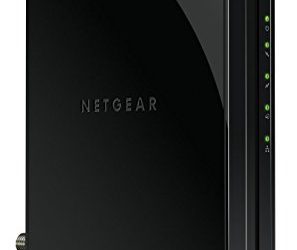
The WAC124 takes a different shape from the ceiling pucks above. It is a desktop access point in the WiFi 5 AC2000 class, built to sit on a desk or shelf rather than mount overhead, and it doubles as a small wired hub thanks to four gigabit Ethernet ports on the unit. Those extra ports are genuinely useful in a workroom corner, where a printer, a bench computer and a small NAS can plug straight into the same box that provides the room’s WiFi. NETGEAR rates it for up to 64 connected devices and up to three separate SSIDs, with MU-MIMO support for serving several clients at once. Management is standalone through a local interface, with no cloud account, controller or subscription involved, which suits a single-room setup that will never grow into a fleet. The honest trade-offs are the older WiFi 5 standard and WPA2 security rather than WPA3, so this is not the pick for a new whole-building system or a busy office. Where it earns its place is a study or workshop that needs dependable dual-band coverage plus wired connections in one compact device, without running new cable or learning a management platform.
How to choose
Start with the wiring, because an access point is only as good as its backhaul. Every pick here needs an Ethernet run from your switch to the mounting point, so plan the cable path before buying, and keep the NAS and workstations themselves wired regardless; access points serve the mobile devices around the storage gear, not the storage gear itself. Next, match the WiFi class to your devices: AX1800 models cover most small networks, while AX3000 models with wider channels and faster uplinks suit rooms with many simultaneous users. Power is the third decision. PoE keeps a ceiling install to one cable, but it requires a PoE switch or injector, and the standard differs by model, so check whether a unit needs 802.3af or 802.3at and whether a DC adapter is included or sold separately. Finally, think about management and separation. Omada, UniFi and Nebula each reward staying inside one system with easier roaming and one dashboard, and the VLAN and multi-SSID tools on these models let you keep client devices and guest traffic off the segment that reaches your backup targets. On safety, no CPSC recall covers the five access points in this guide; check the exact model against the CPSC recall database before ordering, and power any unit only with the PoE standard or adapter its maker specifies.
Who should skip
Skip access points entirely if the room is small enough that the router already covers it well, or if you cannot run an Ethernet cable to a sensible mounting point, because a mesh kit that links wirelessly will serve you better. Skip the UniFi and Omada models if you want zero ongoing management, since their best features assume a controller or cloud account. Skip the NETGEAR WAC124 if you need WPA3 or WiFi 6 for new devices, and skip the 2.5G Zyxel Pro if your switch is gigabit only and unlikely to change. Renters who cannot drill or fix mounts should look at desktop models or mesh systems instead.
Frequently asked questions
Do I need a PoE switch to use a wireless access point?
No. Some models, including the TP-Link EAP610 and the Zyxel NWA50AX, include a DC power adapter, so a normal switch and a nearby outlet are enough. Units without an adapter, such as the UniFi U6+, need either a PoE switch or a separate PoE injector matched to the standard the access point requires.
Should a NAS connect through an access point or stay wired?
Keep it wired. A NAS or backup workstation moves large images and archives for hours at a time, and a direct Ethernet connection to the switch is faster and steadier than any wireless link. Access points in this guide serve the laptops, tablets and phones working around that wired core.
Can an access point keep client devices off the backup network?
Yes, on the managed models here. VLAN tagging and multiple SSIDs let you put a client or guest network on its own segment, separated from the segment that reaches the NAS and recovery workstations, while everything still shares the same physical access point.
How many access points does a small office or lab need?
Most spaces do well with one access point per floor or work area, placed centrally and mounted high, away from thick walls and metal racking. Add a second unit only for a specific dead zone, because too many overlapping access points can make roaming worse rather than better.
Final verdict
For most readers, the TP-Link EAP610 is the first access point: WiFi 6 speed, three ways to power it, free cloud management and a 5-year warranty. Networks already invested in UniFi should stay in that system with the U6+, rooms with multi-gig wiring get the most from the Zyxel NWA50AX Pro, and the standard NWA50AX is the easiest single-unit install. The NETGEAR WAC124 remains a sensible desktop choice where extra wired ports matter more than the newest WiFi standard.
Product and ASIN Reference
| Product | ASIN |
|---|---|
| TP-Link EAP610 Omada AX1800 Wireless Access Point | B09XM74VQL |
| Ubiquiti UniFi 6 Plus Wireless Access Point | B0CC7X8XFD |
| Zyxel NWA50AX Pro AX3000 Wireless Access Point | B0C6MRDNQ6 |
| Zyxel NWA50AX AX1800 Wireless Access Point | B09924QS1T |
| NETGEAR WAC124 AC2000 Desktop Access Point | B07L1QMDKF |
More from Amazon
Programs that pair well with the guide above. Offers and eligibility are set by Amazon and may change.
A free business account with business pricing and bulk-buying tools for work, shop or home office.
Create a business accountFree shipping on eligible items, Prime Video and more. Eligible new members can start with a free trial.
Start a Prime free trialAudiobooks and podcasts to listen to on the go. Eligible new members can start with a free trial.
Try Audible freeAd-free music streaming. Eligible new subscribers can start with a free trial.
Try Music Unlimited freeAs an Amazon Associate we earn from qualifying purchases.



Write Your Review
No reviews yet. Be the first to share your experience!