

Key takeaways
- The best 6TB external hard drives compared: five desktop and portable picks with key specs, encryption options, warranty terms and backup cautions.
Six terabytes is the capacity where external hard drives split into two camps. Most 6TB models are 3.5-inch desktop units that need their own power adapter and stay on a desk, while one portable model squeezes the same capacity into a bus-powered 2.5-inch case. All five picks below hold the same amount of data, so the choice turns on power, encryption, bundled software, and warranty rather than raw size.
As an Amazon Associate, we earn from qualifying purchases.
Quick answer
For most buyers, the WD Elements Desktop 6TB is the default: plain storage, no software layer, a two-year warranty. The WD My Book 6TB adds hardware encryption and backup software. The Seagate Expansion 6TB includes a Rescue recovery plan, the Seagate One Touch Hub 6TB adds front ports and password protection, and the WD Elements Portable 6TB is the only pick that runs off one USB cable.
WD Elements Desktop 6TB

Key specs from the listing: 6TB capacity, model WDBWLG0060HBK-NESN, 3.5-inch desktop drive, USB 3.0 Micro-B interface, AC adapter powered, formatted NTFS for Windows out of the box, plug-and-play storage with no software required, two-year limited warranty per WD.
The Elements Desktop is the simplest way to add 6TB to a desk. There is no backup suite to install, no encryption prompt, and no account of any kind: the drive mounts as a plain volume on Windows, and on a Mac after a reformat. For recovery work that plainness is valuable, because a drive used as the target for a disk image or a large file copy should behave like a disk and nothing more.
The trade-offs are the flip side of that simplicity. Nothing protects the files if the drive is lost or taken, and the drive stays where its power brick is, so it suits a fixed workstation rather than a laptop bag. Transfer speeds follow the pattern of large desktop drives: fast sequential reads and writes for backups and media archives, with slowdowns on long sustained writes once the cache fills. As a dependable, inexpensive 6TB archive and backup target, it is the one the other picks have to justify themselves against.
WD My Book 6TB
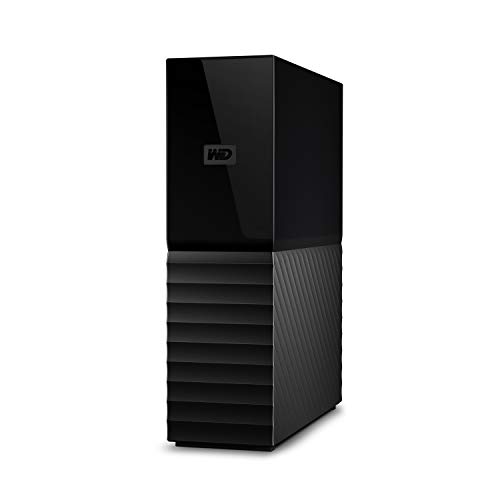
Key specs from the listing: 6TB capacity, model WDBBGB0060HBK-NESN, 3.5-inch desktop drive, USB 3.0 interface, AC adapter powered, 256-bit AES hardware encryption, password protection, auto backup software included, three-year limited warranty per WD.
The My Book is the pick for buyers who want the drive itself to guard the data. Its hardware encryption and password protection keep files unreadable if the unit is stolen or discarded without wiping, and the included backup software handles scheduled copies without a separate utility. For a home office holding tax records, client files, or a family photo archive, that built-in protection is the reason to choose it over the plainer Elements Desktop.
One caution matters for recovery planning: because encryption is handled by the enclosure electronics, the data is tied to that circuit board. If the enclosure fails, the bare drive inside cannot simply be read in another case the way an unencrypted disk can. Keep the password recorded somewhere safe, and treat the My Book as one copy of the data, not the only copy. Within those limits, it is the most complete backup appliance in this group.
Seagate Expansion 6TB
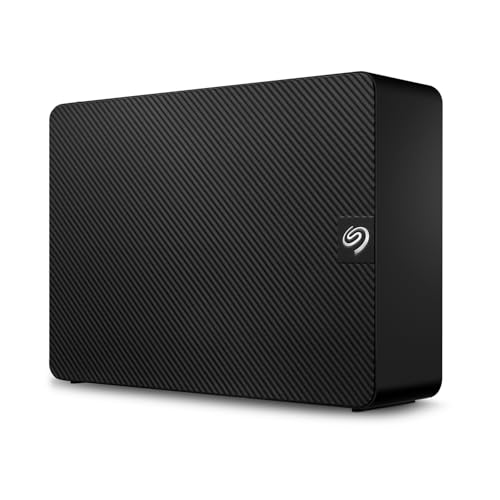
Key specs from the listing: 6TB capacity, model STKP6000400, desktop drive, USB 3.0 interface, AC adapter powered, drag-and-drop file saving, Rescue Data Recovery Services included per the listing title, one-year limited warranty per Seagate.
The Expansion line is Seagate’s equivalent of the Elements idea: a plain desktop drive with no software layer between the user and the files. What separates this model is the Rescue plan named in its listing. Seagate’s in-lab recovery service is a meaningful safety net for a drive that will hold the only copy of anything, because professional recovery of a failed disk is otherwise a significant expense.
The shorter one-year warranty is the honest weakness here, and it is worth weighing against the Rescue coverage: the warranty replaces a dead drive, while the Rescue plan attempts to recover the data from it, and for most households the data matters more than the hardware. Setup is the usual desktop routine of power brick plus USB cable, and the drive works with Windows and Mac after the standard reformat for Mac use. Buyers who want Seagate storage with the least possible fuss, plus a recovery fallback, are the audience for this one.
Seagate One Touch Hub 6TB

Key specs from the listing: 6TB capacity, model STLC6000400, desktop drive, USB-C and USB 3.0 front ports for connecting and charging other devices, password protection, Rescue Data Recovery Services included, backup software support, AC adapter powered, warranty term not stated in the listing data.
The One Touch Hub is built for a desk where the drive never moves and everything else plugs in around it. The front-facing USB-C and USB 3.0 ports pass through to the computer, so a phone can charge or a flash drive can connect without reaching behind the PC. Password protection and the included Rescue plan carry over the data-protection side of the Seagate range, and scheduled backups run through Seagate’s software.
That hub role defines its limits. It is the largest and most desk-bound design here, it depends on its power adapter, and the extra electronics make it a poor candidate for shucking or transplanting into another enclosure. The warranty term was not stated in the listing data reviewed, so confirm it on the product page before relying on a specific figure. For a permanent workstation that doubles as a charging and connection point, no other 6TB pick does the same job.
WD Elements Portable 6TB
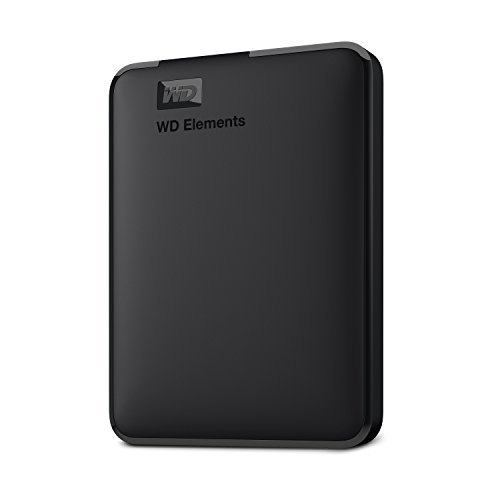
Key specs from the listing: 6TB capacity, model WDBHJS0060BBK-WESN, 2.5-inch portable drive, USB 3.2 Gen 1 and USB 3.0 Micro-B interface, bus powered over a single USB cable, formatted for Windows out of the box and ready for Mac after a reformat, two-year limited warranty per WD.
This is the only bus-powered way to carry 6TB. Rival portable lines stop at lower capacities, so a buyer who needs this much storage in a laptop bag has exactly one mainstream option, and fortunately it is a good one: the same no-software, no-encryption formula as the Elements Desktop, in a slim case that runs entirely off the USB cable. It suits photographers copying cards on location, consultants carrying a full project archive, and anyone whose backup drive travels between home and office.
Portability costs the usual things. A 2.5-inch drive is more exposed to drops than a desk-bound unit, sustained write speeds fall behind the 3.5-inch models on very large copies, and the Micro-B connector means the bundled cable has to travel with it. None of that changes the verdict for mobile use: if the 6TB has to move, this is the pick, and the desktop models are not substitutes.
How to choose
Start with power and place. A drive that lives on one desk should be a 3.5-inch desktop model: they cost less per terabyte, hold up better under long backup runs, and the power adapter is a one-time inconvenience. A drive that travels should be the bus-powered portable, accepting slower sustained writes as the price of a single cable.
Next, decide how the data needs protecting. Plain drives like the Elements and Expansion models behave best with recovery tools and imaging software because nothing sits between the operating system and the disk. Encrypted models like the My Book and One Touch Hub protect against theft and casual access, but the encryption ties the data to the enclosure electronics, which complicates professional recovery if the case fails. Neither maker publishes whether the drive inside each of these external models uses CMR or SMR recording, so buyers planning constant heavy overwriting should expect write speeds to dip during very long copies.
Two checks apply to every pick. No CPSC recall covers any model in this roundup, which matches external hard drives as a class. More relevant is the used-as-new problem that affects high-capacity drives across marketplaces: when your drive arrives, confirm the capacity the computer reports, run a full write and read pass before trusting it with the only copy of anything, and keep the return window in mind until that check is done.
Who should skip
Skip the whole 6TB rung if your backup already exceeds about 4TB of data. A backup drive should hold the current data plus version history and room to grow, so a nearly full source drive points to the 8TB models instead. Skip the desktop models if the drive will move between rooms or buildings more than occasionally; the portable pick exists for exactly that pattern. Skip encrypted models as your only copy of irreplaceable files, because enclosure failure plus encryption is the hardest recovery scenario here. And skip every mechanical drive in this roundup if the job is constant video editing or a game library in daily use; that workload belongs on an SSD, with a drive like these as the archive behind it.
FAQ
Is a 6TB external hard drive big enough for a full computer backup?
For most households, yes. A typical laptop holds between 256GB and 1TB of data, so a 6TB drive stores the full system image plus months of versioned backups and a large photo or video library besides. It becomes tight only when the source data passes roughly 4TB, at which point an 8TB drive is the safer buy.
What is the difference between the desktop and portable 6TB drives?
The desktop models use 3.5-inch drives, need their own power adapter, and sustain faster transfers on long copies, but they are meant to stay in one place. The portable WD Elements 6TB uses a 2.5-inch drive that runs entirely off the USB cable. Capacity is identical; the difference is power, size, and how the drive fits your routine.
Can I use a 6TB external drive with both Windows and Mac?
Yes, with a formatting decision first. These drives ship formatted NTFS for Windows, and a Mac can read that format but not write to it without extra software. Reformatting the drive as exFAT gives read and write access on both systems and is the standard choice for a drive that moves between them. Back up anything on the drive before reformatting, since the process erases it.
Does the included Rescue plan replace a backup?
No. A recovery plan is a last resort that attempts to retrieve data from a failed drive, with no guarantee of complete results and a turnaround measured in weeks. A backup is a second, healthy copy you control. The Rescue coverage on the Seagate picks is a useful fallback, but every drive in this roundup should hold one copy of data that also lives somewhere else.
Final verdict
For a fixed desk, the WD Elements Desktop 6TB is the straightforward default, and the WD My Book 6TB is the upgrade when password protection and automatic backup matter. The Seagate Expansion 6TB earns its place through the included Rescue plan, the Seagate One Touch Hub 6TB is the pick for a workstation that needs front ports as well as storage, and the WD Elements Portable 6TB stands alone for buyers who need this capacity in a bag. Match the power and protection to your routine, verify the drive when it arrives, and keep a second copy of anything irreplaceable.
Product and ASIN Reference
| Product | ASIN |
|---|---|
| WD Elements Desktop 6TB (WDBWLG0060HBK-NESN) | B076MPMZDV |
| WD My Book 6TB (WDBBGB0060HBK-NESN) | B01LQQHKZY |
| Seagate Expansion 6TB (STKP6000400) | B093BVQYYM |
| Seagate One Touch Hub 6TB (STLC6000400) | B093WXKMLS |
| WD Elements Portable 6TB (WDBHJS0060BBK-WESN) | B0D3GW9R4G |
More from Amazon
Programs that pair well with the guide above. Offers and eligibility are set by Amazon and may change.
A free business account with business pricing and bulk-buying tools for work, shop or home office.
Create a business accountFree shipping on eligible items, Prime Video and more. Eligible new members can start with a free trial.
Start a Prime free trialAudiobooks and podcasts to listen to on the go. Eligible new members can start with a free trial.
Try Audible freeAd-free music streaming. Eligible new subscribers can start with a free trial.
Try Music Unlimited freeAs an Amazon Associate we earn from qualifying purchases.


Write Your Review
No reviews yet. Be the first to share your experience!