

Key takeaways
- You stop shooting right away, so none of the card is overwritten.
- A deep scan on a card reader takes about 20 to 40 minutes at typical 80 to 150 MB/s read speeds.
- Recovery is likely to find most images, though their names may be generic, because the format cleared the index but not the data.
The best data recovery software in 2026 for most Windows and Mac users is Disk Drill for its balance of scan quality and price, with EaseUS Data Recovery Wizard as the easiest option for beginners and PhotoRec as the best completely free tool. Software only helps when the drive is working but files were deleted, formatted or lost to a damaged file system. If the drive clicks, disappears from the BIOS or reports physical errors, power it off and talk to a professional lab instead.
Our top picks




As an Amazon Associate we earn from qualifying purchases at no extra cost to you.
Quick comparison of data recovery tools
| Tool | Best for | Platforms | Strength | Weakness | Price tier |
|---|---|---|---|---|---|
| Disk Drill | Best overall for home users | Windows, macOS | Strong deep scan, clear previews, byte-to-byte backup tool | Free tier is small and Windows limits are tight | Mid-range, with a lifetime license option |
| EaseUS Data Recovery Wizard | Beginners | Windows, macOS | Simple wizard, wide file-system and device support | Subscription pricing can add up | Mid to upper-mid |
| Stellar Data Recovery | Corrupted drives, photo and video repair | Windows, macOS | Can repair damaged photos and videos after recovery | Slower scans on large drives | Mid to upper-mid |
| Wondershare Recoverit | Video recovery | Windows, macOS | Video fragment reconstruction | Free allowance is small | Mid-range |
| R-Studio | Advanced users, RAID and network recovery | Windows, macOS, Linux | Deep control, RAID reconstruction | Steep learning curve | Upper-mid |
| PhotoRec with TestDisk | Free recovery, any platform | Windows, macOS, Linux | Open source, signature-based, no limits | Command line, loses file names on many recoveries | Free |
| Windows File Recovery | Quick Windows undelete | Windows 10 and 11 | Free Microsoft tool | Command line only, limited on SSDs | Free |
Before you pick software: the rules that decide success
- Stop using the drive immediately. Every new write can overwrite the sectors you want back.
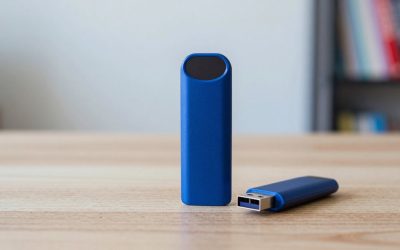
- Never install recovery software on the affected drive. Use another disk or run it from a USB stick.
- Recover to a different drive. Saving files back to the source can destroy remaining data.
- Know your drive type. On an SSD with TRIM enabled, deleted data may be erased within minutes, so success is far less likely than on a hard drive or SD card.
- Clone first if the drive is shaky. A byte-for-byte image lets you attempt recovery without stressing a failing disk.
Best overall: Disk Drill
Disk Drill is the name that appears first in most 2026 roundups. It offers quick scan and deep scan modes, a clean preview pane, support for many file systems including NTFS, APFS, HFS+, exFAT and FAT32, and extras such as drive health monitoring and a byte-to-byte backup feature. The vendor sells a one-time license that many owners prefer over subscriptions.
Who it suits: people who want one dependable tool for photos, documents and videos.
Main trade-off: the free version recovers only a very small amount on Windows, so you are really paying to test results. Always use the preview to confirm a file recovers properly before buying.
Best for beginners: EaseUS Data Recovery Wizard
EaseUS uses a three-step wizard (select location, scan, preview and recover). It supports internal drives, USB drives, SD cards and many camera cards, and the free tier has historically allowed a limited amount of recovery. It also offers a technician-assisted service for complicated cases.
Main trade-off: licensing is typically subscription-based, and pricing varies by region and plan, so read the renewal terms before buying.
Best for damaged media: Stellar Data Recovery
Stellar’s strength is its ability to recover and then repair corrupted photos and videos, which helps when a camera card has glitched mid-write. Its RAW-drive and formatted-disk recovery modes are well regarded.
Main trade-off: scans of large drives can be slow, and some of the extra features sit on pricier editions.
Best for video: Wondershare Recoverit
Recoverit markets a video-fragment reconstruction feature that attempts to stitch together large clips split into pieces, and it supports a wide range of camera and drone formats.
Main trade-off: ranked below the top three in several independent comparisons, and its free allowance is small.
Best for professionals: R-Studio
R-Studio is a technician’s tool. It reconstructs RAID arrays, recovers over a network, and lets you edit the way data is interpreted. It is the right pick for a failed NAS volume or a complex partition mess.
Main trade-off: the interface is dense and unforgiving. A careless setting can waste hours.
Best free options: PhotoRec, TestDisk and Windows File Recovery
PhotoRec carves files by signature and ignores the file system, which means it can recover photos and documents even from badly damaged volumes. TestDisk is its companion for repairing partition tables and boot sectors. Microsoft’s own Windows File Recovery works in the command line and handles NTFS undeletes reasonably on hard drives.
Main trade-off: there is no friendly interface, and recovered files often lose their original names and folders, leaving you to sort thousands of generic file names.
Worked example: reading the odds
Imagine you accidentally formatted a 64GB camera card holding 1,800 photos at 20MB each.
- You stop shooting right away, so none of the card is overwritten.
- A deep scan on a card reader takes about 20 to 40 minutes at typical 80 to 150 MB/s read speeds.
- Recovery is likely to find most images, though their names may be generic, because the format cleared the index but not the data.
Now compare that with an SSD where a folder was deleted three days ago, TRIM is active, and the computer has been used heavily since. The data blocks may already be erased, and no software can bring them back. The same tool gives very different results depending on the media and how long you waited.
When to skip software and call a lab
- The drive makes clicking, grinding or repeated spin-up sounds.
- The drive is not detected in BIOS or Disk Management.
- SMART warnings or rapidly increasing bad sectors appear.
- The device has water, fire or impact damage.
- The data is irreplaceable and the tool’s preview shows damaged files.
Professional services typically offer free evaluations and quote the price based on the fault. Repeated software attempts on a failing disk can reduce the chances of a successful recovery.
How to choose
| Your situation | Choose |
|---|---|
| Deleted files on a working PC or Mac | Disk Drill or EaseUS |
| Formatted camera card | Stellar or Disk Drill |
| Corrupted or unplayable video | Recoverit or Stellar |
| Failed RAID or NAS volume | R-Studio |
| No budget, comfortable with command line | PhotoRec and TestDisk |
| Drive makes noise or is not detected | Professional lab |
Frequently Asked Questions
Is free data recovery software safe?
Open-source tools such as PhotoRec and TestDisk are widely trusted. Be careful with unknown downloads claiming to be free, because malware often hides in fake recovery tools. Download only from the vendor’s own site.
Can deleted files be recovered after emptying the Recycle Bin?
Often yes, if the drive is a hard disk and you have not saved much since. On an SSD with TRIM the chances drop sharply because the drive erases freed blocks in the background.
Does recovery software work on a formatted drive?
A quick format usually only clears the index, so deep scans can find most files. A full overwrite or secure erase removes data permanently.
Why are recovered file names missing?
Signature-based scanning rebuilds files without their directory entries. Quick scans that read the file system preserve names more often, which is why you should run them first.
How long does recovery take?
A quick scan can finish in minutes, while a deep scan of a multi-terabyte drive may take many hours. Speed depends on the drive’s read speed and any bad sectors it hits.







Write Your Review
No reviews yet. Be the first to share your experience!