

Key takeaways
- Compare the best 2TB external hard drives for backups, from pocketable WD and Seagate picks to a simple Toshiba, with speed, size, and software explained.
A 2TB portable hard drive sits in the sweet spot for most people. One terabyte fills up fast once a photo library, a few games, and a year of documents pile on, while a 4TB drive costs more and often weighs a little extra. Two terabytes gives a laptop owner room for a full system backup plus a working media library, all in a drive that slips into a jacket pocket and draws power from a single USB cable.
This guide covers laptop owners building a first backup routine, photographers carrying raw files between shoots, students moving a project library between home and class, and console owners expanding game storage. Every drive below was picked from its Amazon listing, using the model number, interface, dimensions, and bundled software printed there, so you can match the drive to the job instead of guessing from the box.
Quick Picks
As an Amazon Associate we earn from qualifying purchases.
| Product | Best for | Key spec from title |
|---|---|---|
| WD My Passport 2TB | Everyday backups with password protection | 2TB, USB 3.1, 256-bit AES encryption |
| Seagate Portable 2TB | Console and laptop storage on a budget | 2TB, USB 3.0, 1-year Rescue Data Recovery |
| WD Elements 2TB | Simple plug-and-play storage with no extras | 2TB, USB 3.2 Gen 1, plug-and-play ready |
| Toshiba Canvio Basics 2TB | A no-fuss drive for basic file storage | 2TB, USB 3.0, bus powered |
| Seagate One Touch 2TB | Encrypted backups with a fabric finish | 2TB, USB 3.0, password-activated encryption |
How to Choose
Capacity Against Your Actual Library
Two terabytes sounds generous until you measure what you already own. A laptop with a 512GB internal drive and a 400GB photo folder needs room for the backup plus the next two years of shooting, so check your current folders before ordering. Count your documents, photos, videos, and game installs, then add at least a third again for growth. A drive that is nearly full from day one slows your backup routine, because you keep deciding what to leave behind. If your library is already past 1.5TB, the 2TB size works only as a working drive, and your backup belongs on something larger.
Portability and Durability
A portable drive earns its keep by travelling, so size and weight matter as much as capacity. The drives in this guide range from about 4.2 to 5.3 ounces, and all of them fit in a small bag pocket. Ruggedness is a different question. None of these five is a shockproof armored drive, so a padded sleeve or a hard case is worth adding if the drive rides in a backpack with keys and chargers. Check the listed dimensions against the pocket you plan to use, and look for a drive whose cable is short enough to avoid strain on the port when the drive hangs beside a laptop.
Interface Speed
Every drive here connects over USB, but the interface label tells you what to expect. USB 3.0 and USB 3.2 Gen 1 both move data at up to 5 Gbps in theory, which is far faster than the spinning disk inside can sustain, so the mechanical drive is the bottleneck, not the port. Expect a full 2TB backup to take hours, not minutes, and plan overnight copies for the first run. What matters more in daily use is the cable in the box. A USB-A cable suits older laptops, while a drive that also works with USB-C needs an adapter or a different cable, so confirm what your machine has before you buy.
Compatibility and Bundled Software
A drive that works everywhere saves headaches. All five drives here work with Windows and Mac, though some ship formatted for Windows and need reformatting for a Mac-first workflow. Bundled software is where they split. WD My Passport and Seagate One Touch include backup software and password protection, which suits a buyer who wants a guided setup. WD Elements and Toshiba Canvio Basics include no backup software, which suits a buyer who already uses a backup tool or simply drags files by hand. Decide which camp you are in before paying for features you will never open.
The 5 Best Options
WD My Passport 2TB

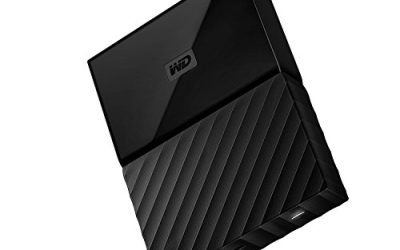
The My Passport is the safe default for a first backup drive, because it pairs a slim body with software that walks a new owner through scheduled backups. At 4.22 by 2.95 by 0.44 inches and 4.16 ounces, it disappears into a laptop bag, and the 256-bit AES hardware encryption plus password protection keeps files private if the drive is lost. It works with Windows and Mac, and the included WD Backup and WD Drive Utilities software handles scheduling and drive health checks. For a household that wants one drive to protect a family laptop, this is the easiest pick to live with.
Specs
- Model WDBYVG0020BBK-WESN, 2TB capacity
- USB 3.1 and USB 3.0 compatible
- 256-bit AES hardware encryption with password protection
- Dimensions 4.22 x 2.95 x 0.44 inches, weight 4.16 ounces
- 3-year limited warranty
- Includes WD Backup and WD Drive Utilities software
Best for: A household setting up its first scheduled backup with password protection.
Watch out for: Confirm the listing shows the WDBYVG0020BBK-WESN model, since renewed units circulate under a different ASIN.
Seagate Portable 2TB

The Seagate Portable is the plain, affordable workhorse of this group, and it suits buyers who want capacity without paying for software they will not use. It connects over USB 3.0, works with PC, Mac, PlayStation, and Xbox, and includes a one-year Rescue Data Recovery Services plan, which is unusual at this size and price point. The drive is bus powered, so no wall adapter is needed, and the compact body travels well. Console owners will like that it plugs straight into a PS4 or Xbox for extra game storage, while laptop owners get a simple drag-and-drop drive for overflow files.
Specs
- Model STGX2000400, 2TB capacity
- USB 3.0 interface, bus powered
- Compatible with PC, Mac, PlayStation, and Xbox
- 1-year Rescue Data Recovery Services included
- Plug-and-play setup with no software required
Best for: Console owners and laptop users who want cheap, simple extra storage.
Watch out for: The listing covers several capacities, so confirm 2TB and model STGX2000400 are selected before ordering.
WD Elements 2TB

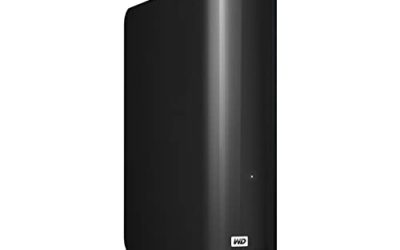
WD Elements is the minimalist of the WD pair, a drive with no backup software and no password feature, just storage that works when plugged in. That simplicity is its appeal. There is nothing to install, nothing to register, and nothing to update, which suits a buyer who already has a backup routine or who only needs a place to park files. The drive measures 4.35 by 3.23 by 0.59 inches and weighs 130 grams, so it is slightly thicker than the My Passport but still pocketable. It ships ready for Windows and works with Mac after a reformat.
Specs
- Model WDBU6Y0020BBK-WESN, 2TB capacity
- USB 3.2 Gen 1 and USB 3.0 compatible, plug-and-play ready
- Dimensions 4.35 x 3.23 x 0.59 inches, weight 130 grams
- 2-year limited warranty
- No bundled backup software or password protection
Best for: Buyers who already have a backup tool and just need plain storage.
Watch out for: A renewed version of this model circulates under a different ASIN, so confirm the listing is for a new drive.
Toshiba Canvio Basics 2TB

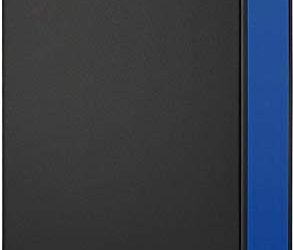
The Canvio Basics is the most stripped-down drive in this guide, and that is exactly why it belongs here. It is a 2TB USB 3.0 drive in a plain black shell, bus powered, with no software and no encryption to configure. At 5.3 ounces it is the heaviest of the five, but still light enough for a bag. Toshiba backs it with a 2-year warranty in most regions, and the drive works with Windows and Mac. For a student or a second-drive buyer who wants the lowest-friction way to carry 2TB of files, the Canvio Basics does the job with nothing extra in the way.
Specs
- Model HDTB520XK3AA, 2TB capacity
- USB 3.0 interface, USB bus powered
- Weight 5.3 ounces
- 2-year limited warranty
- No bundled backup software or password protection
Best for: Students and second-drive buyers who want basic storage with no setup.
Watch out for: The drive has no password protection, so do not store sensitive files on it without separate encryption.
Seagate One Touch 2TB

The One Touch adds polish to the Seagate Portable formula, with a fabric-textured top, password-activated hardware encryption, and downloadable Toolkit backup software. It is the pick for a buyer who wants the Seagate price and the WD My Passport feature set in one drive. The 2TB model works with PC, Mac, and notebooks over USB 3.0, and the package includes a 6-month Mylio Create plan and a Dropbox backup plan in the listing. The fabric finish also gives it a grip advantage over the smooth plastic of its siblings, which helps when the drive is handled with cold or damp hands.
Specs
- Model STKY2000400, 2TB capacity
- USB 3.0 interface, bus powered
- Password-activated hardware encryption
- Downloadable Seagate Toolkit backup software
- 18-inch USB 3.0 cable and quick guide included
- 6-month Mylio Create and Dropbox backup plans in the listing
Best for: Buyers who want encrypted backups in a drive that looks and feels a step up.
Watch out for: A forgotten encryption password cannot be recovered, so keep the password somewhere safe before locking the drive.
Which One Fits Your Situation
You Are Setting Up a First Home Backup
Pick the WD My Passport 2TB. Its backup software guides the setup, the password protection keeps family files private, and the slim body means the drive can live beside the laptop without taking up desk space. Schedule a weekly backup and leave the drive plugged in on backup day, and the routine mostly runs itself.
You Need Extra Space for a Console
Pick the Seagate Portable 2TB. It plugs straight into a PlayStation or Xbox, the one-year Rescue plan covers the data if the drive fails, and the low cost leaves budget for a second drive later. Keep the drive on a shelf near the console rather than dangling from the port.
You Already Have a Backup Tool
Pick the WD Elements 2TB. It adds plain capacity with nothing to install, and its plug-and-play design suits a buyer who already runs backup software or copies files by hand. The two-year warranty is shorter than the My Passport, so weigh that against the simpler setup and the lower feature count.
You Want Encryption Without a High Cost
Pick the Seagate One Touch 2TB. Its password-activated encryption and Toolkit software match the My Passport feature for feature, while the fabric finish makes it easier to grip and less likely to slip from a bag. Just write the password down somewhere safe, since a forgotten password locks the data away for good.
Common Mistakes
- Buying a 2TB drive when the library is already over 1.5TB, leaving no room for growth or a full backup.
- Assuming every listing is new; renewed drives circulate under separate ASINs for several models in this guide.
- Skipping the password setup on an encrypted drive, then losing the drive with unprotected files on it.
- Formatting a Windows drive for Mac, or the reverse, without copying the files off first.
- Expecting a spinning drive to copy 2TB in minutes; the first full backup is an overnight job.
Frequently Asked Questions
Is 2TB enough for a full laptop backup?
For most laptops, yes. A 512GB or 1TB internal drive leaves room for the full backup plus a growing photo and video library, with space to spare for two or three years of new files. If the laptop already holds more than 1.5TB of data, a 2TB drive works better as a working drive, and the backup belongs on a larger one.
Do these drives work with a Mac?
All five work with a Mac, but some ship formatted for Windows and need reformatting before a Mac can write to them. Reformatting erases the drive, so do it before copying any files. The WD and Seagate software is Windows and Mac compatible, while the plain drives simply need the right file system for the machine they serve.
How long does a first 2TB backup take?
A full first backup over USB 3.0 takes several hours, because the spinning disk inside the drive is slower than the port. The exact time depends on file sizes and how busy the computer is during the copy. Run the first backup overnight, and later incremental backups will finish much faster since only changed files are copied.
Should I pick an encrypted drive?
If the drive leaves the house, yes. Password protection and hardware encryption keep files private if the drive is lost or stolen. The WD My Passport and Seagate One Touch both include it. The WD Elements and Toshiba Canvio Basics do not, so they suit a drive that stays at home or holds files that are not sensitive.
More from Amazon
Programs that pair well with the guide above. Offers and eligibility are set by Amazon and may change.
A free business account with business pricing and bulk-buying tools for work, shop or home office.
Create a business accountFree shipping on eligible items, Prime Video and more. Eligible new members can start with a free trial.
Start a Prime free trialAudiobooks and podcasts to listen to on the go. Eligible new members can start with a free trial.
Try Audible freeAd-free music streaming. Eligible new subscribers can start with a free trial.
Try Music Unlimited freeAs an Amazon Associate we earn from qualifying purchases.
Write Your Review
No reviews yet. Be the first to share your experience!