

Key takeaways
- Find the best direct attached storage for video editors in 2026: five RAID enclosures and desktop drives compared for 4K timelines, backups, and media.
- Top Pick: LaCie 2big RAID 40TB
- Runner-up: SanDisk Professional G-RAID Mirror 16TB
- Also consider: WD My Book Duo 16TB
Video editing punishes slow storage. A timeline full of 4K clips, multicam angles, and color-graded footage asks a drive to read and write large files for hours at a time, and the wrong enclosure turns smooth playback into dropped frames and long render waits. Direct attached storage, or DAS, connects straight to a computer over USB or Thunderbolt, so it avoids network overhead and delivers steady throughput.
Not every DAS box suits every editor. A solo creator cutting short-form video needs something different from a small studio juggling shared project folders. The five options below cover that spread, from simple two-bay mirrored drives to a bring-your-own-drives enclosure that grows with a library.
As an Amazon Associate, we earn from qualifying purchases.
Quick answer
For most video editors, a two-bay hardware RAID desktop drive is the simplest reliable setup, offering mirrored safety or striped speed in one box. Editors who want maximum capacity should look at a four-bay enclosure, while editors on a budget who already own drives should consider a diskless unit. Choose Thunderbolt when the machine supports it, and USB-C when broad compatibility matters more.
LaCie 2big RAID 40TB

The LaCie 2big RAID is the workhorse pick for editors who want a large, ready-to-use desktop drive that handles heavy media without fuss. It ships with two enterprise-class 7200 RPM hard drives inside a solid aluminum enclosure, configured out of the box in RAID 0 for maximum speed, and it can be switched to RAID 1 for mirrored redundancy.
Connectivity is a strong point. The unit uses a USB-C port with USB 3.2 Gen 2 speeds, so it works with a wide range of Mac and Windows machines. It also carries a USB-C hub port and a USB-A port on the front, which is genuinely useful for card readers and shuttle drives during an ingest session.
Capacity is where the 40TB configuration earns its keep. Even with large 4K and 6K camera files, that much space holds multiple active projects plus media caches, and RAID 0 delivers speeds fast enough for direct timeline playback of compressed 4K footage. The unit also includes a five-year data recovery service plan, a reassuring safety net for anyone whose income depends on footage.
One consideration is that RAID 0 offers no protection against a drive failure, so editors who choose the speed configuration should keep a separate backup. Still, for a single-box solution that balances capacity, speed, and build quality, the LaCie 2big RAID is a dependable choice.
SanDisk Professional G-RAID Mirror 16TB

The SanDisk Professional G-RAID Mirror takes the opposite approach to the LaCie: it prioritizes redundancy from the start. This two-bay unit ships configured in RAID 1, so every file written to it is automatically duplicated on the second drive.
Inside are two 7200 RPM Ultrastar enterprise-class drives, and the unit offers Thunderbolt 3 and USB-C connectivity, so it connects to modern Mac and Windows workstations with a single cable. Transfer speeds in RAID 1 handle 4K editing comfortably, and switching to RAID 0 unlocks faster reads for editors who later decide speed matters more than mirroring.
Its aluminum housing dissipates heat well during long exports, and the hardware RAID selector on the back makes switching modes a physical action rather than a software chore.
At 16TB total, with 8TB usable in the default mirrored mode, this drive suits editors whose active projects are measured in hundreds of gigabytes rather than tens of terabytes. It fits wedding videographers, corporate video producers, and documentary editors who want every file duplicated without thinking about it. The main limitation is usable capacity in RAID 1, so editors with very large libraries should plan for an additional archive drive.
WD My Book Duo 16TB

The WD My Book Duo is the value pick in this roundup, and it is also one of the easiest to live with. It pairs two drives in a single desktop enclosure with hardware RAID, ships configured in RAID 0, and can be switched to RAID 1 through the included software. USB 3.1 Gen 1 connectivity keeps it compatible with nearly any computer that has a USB port.
What makes the My Book Duo appealing is how little setup it demands. Plug it in, format if needed, and the drive appears as a single large volume. The included backup software can run scheduled backups, and the unit supports password protection with hardware encryption for client footage that should stay private.
The 16TB configuration holds a healthy library of 4K projects, and the two 7200 RPM drives inside deliver sustained transfers that cope with compressed 4K timelines. It is not the fastest drive here, and its USB 3.1 interface is older than the Thunderbolt and USB-C options elsewhere in this guide, but for editors working with proxy media or compressed camera formats, the throughput is more than adequate. Keep in mind that this is a fixed-capacity unit: when the library outgrows it, the answer is a second drive rather than a swap.
OWC ThunderBay 4 0TB Thunderbolt 3 Enclosure

The OWC ThunderBay 4 is the pick for editors who want to choose their own drives and build storage exactly to their needs. Sold as a diskless enclosure, it provides four 3.5-inch bays, a Thunderbolt 3 interface, and SoftRAID software, which supports RAID 0, 1, 4, 5, and 1+0 configurations.
Thunderbolt 3 is the headline feature. With up to 40 Gbps of bandwidth, the ThunderBay 4 can feed multiple drives at speeds that keep up with demanding timelines, including high-bitrate 4K and even 8K proxy workflows. It also includes a second Thunderbolt 3 port for daisy-chaining additional storage or a display.
Because it ships without drives, editors can start with two drives and add more later. A growing studio can begin with a mirrored pair and expand to a four-drive RAID 5 array as the library grows, without buying a whole new enclosure.
SoftRAID adds features that basic hardware RAID lacks, including drive health monitoring and array rebuilding. The trade-off is complexity: a diskless enclosure requires buying drives separately and setting up the array. For editors who value control, expansion room, and Thunderbolt speed, though, the ThunderBay 4 is the most capable foundation in this roundup.
TerraMaster D4-320 4-Bay USB-C Enclosure

The TerraMaster D4-320 rounds out the list as the budget-friendly diskless option, and it is a smart choice for editors who already own spare hard drives. This four-bay enclosure connects over USB 3.2 Gen 2 Type-C, delivering up to 10 Gbps of bandwidth, and it supports 3.5-inch and 2.5-inch SATA drives in each bay.
Each bay uses its own bridge chip, which helps the enclosure present drives cleanly to the host computer and supports SMART health monitoring. The unit works as a JBOD enclosure, showing each disk individually, and a rotary mode selector on the back offers RAID 0, 1, 5, and 10 modes alongside single-disk and JBOD operation, depending on firmware.
The D4-320 is compact for a four-bay unit, with tool-less trays that make swapping drives quick and a 120 mm fan that keeps airflow moving. For editors building a media archive or a secondary backup target beside a faster working drive, it is an affordable way to add a lot of capacity. USB bandwidth is shared across all four bays, so it will not match a Thunderbolt enclosure for raw speed when all four drives are active, but for archive work, backups, and editing compressed footage, it performs well.
How to choose
Start with the interface. Thunderbolt 3 enclosures offer the highest bandwidth and are the best match for high-bitrate timelines, but they require a Thunderbolt port on the editing machine. USB-C with USB 3.2 Gen 2 is nearly universal and fast enough for most compressed 4K work, while older USB 3.1 suits proxy workflows and lighter projects.
Next, decide how much redundancy matters. RAID 1 mirrors data and protects against a single drive failure, at the cost of half the usable capacity. RAID 0 stripes data for speed but offers no protection, so it should always be paired with a separate backup. RAID 5, available on four-bay enclosures, balances speed and protection and is a good middle ground for studios.
Capacity planning comes third. Add up the size of active projects, media caches, and a comfortable margin for growth, then choose a configuration that leaves room to expand. Editors who work with raw footage should lean toward larger capacities, while editors who transcode to proxies can get by with less.
Finally, consider whether a preconfigured drive or a diskless enclosure fits better. Preconfigured units are ready to use within minutes. Diskless enclosures cost more once drives are added, but they let editors pick exact drive models, replace a failed drive easily, and grow capacity over time.
Who should skip
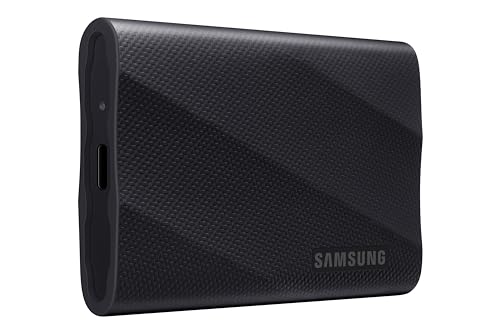
Editors who work exclusively on a laptop with limited desk space may find desktop RAID enclosures impractical, and a portable SSD may suit them better. Cloud-first editors who keep all footage in online storage will get less value from a large desktop array.
Editors who already own a network-attached storage system may not need direct attached storage at all, since a well-configured NAS can serve media over a fast local network. Anyone who needs true portability should skip desktop enclosures entirely: these units need mains power and a desk. A rugged portable drive is the better tool for location work.
FAQ
Is direct attached storage faster than network storage for video editing?
Direct attached storage connects over USB or Thunderbolt with no network in between, so it usually delivers lower latency and more consistent throughput for a single workstation. Network storage can match it on a fast local network, but it needs proper cabling and configuration.
Should video editors use RAID 0 or RAID 1?
RAID 0 is faster because it stripes data across drives, which suits editing directly from the array. RAID 1 mirrors data and protects against a single drive failure, which suits editors who value safety over speed. Many editors use RAID 0 or RAID 5 for active projects and keep a separate backup drive.
How much storage does a video editor need?
It depends on the camera formats and project length. Editors working with compressed 4K footage can manage with a few terabytes for active projects, while editors handling raw or high-bitrate media should plan for much more. Keep at least twice the size of active projects free, so caches and exports never run the drive full.
Can a DAS enclosure work with both Mac and Windows?
Most modern DAS units ship formatted for one platform but can be reformatted for the other, and many support exFAT for cross-platform use. Check the documentation before reformatting, since reformatting erases existing data.
Final verdict
The best direct attached storage for video editors depends on how much capacity, speed, and redundancy the workflow demands. The LaCie 2big RAID is the strongest all-rounder for editors who want a large, ready-to-use desktop drive. The SanDisk Professional G-RAID Mirror is the pick for editors who want automatic redundancy. The WD My Book Duo offers the simplest and most affordable route into desktop RAID. The OWC ThunderBay 4 is the most flexible foundation for editors who want Thunderbolt speed and room to grow. The TerraMaster D4-320 is the best value for editors who already own drives and want four bays on a budget.
Whichever option fits, the guiding rule stays the same: the working drive should be fast enough for the timeline, large enough for active projects, and always backed up somewhere else. Get those three things right and the storage stops being something to worry about.
More from Amazon
Programs that pair well with the guide above. Offers and eligibility are set by Amazon and may change.
A free business account with business pricing and bulk-buying tools for work, shop or home office.
Create a business accountFree shipping on eligible items, Prime Video and more. Eligible new members can start with a free trial.
Start a Prime free trialAudiobooks and podcasts to listen to on the go. Eligible new members can start with a free trial.
Try Audible freeAd-free music streaming. Eligible new subscribers can start with a free trial.
Try Music Unlimited freeAs an Amazon Associate we earn from qualifying purchases.






Write Your Review
No reviews yet. Be the first to share your experience!