

Our Short List of 3
All 4 Picks at a Glance
| Product | Specs | Action |
|---|---|---|
 Samsung 860 EVO M.2 1TB (MZ-N6E1T0BW) | Check price on Amazon | |
 Crucial MX500 M.2 500GB (CT500MX500SSD4) | Check price on Amazon | |
 WD Blue SA510 M.2 500GB (WDS500G3B0B) | Check price on Amazon | |
 TEAMGROUP MS30 2TB (TM8PS7002T0C101) | Check price on Amazon |
Key takeaways
- Compare five M.2 SATA SSDs for SATA-only laptops and desktops, covering DRAM cache, endurance ratings, keying checks, cloning tools, and support caveats.
Plenty of laptops and compact desktops from the last decade have an M.2 slot that speaks only SATA, not NVMe. A PCIe drive will not even be detected in those machines, which makes an M.2 SATA SSD the only solid-state upgrade that fits. This guide compares five M.2 2280 SATA drives on capacity, cache design, endurance, and cloning support, so an older machine can gain a faster boot drive without a new motherboard.
As an Amazon Associate, we earn from qualifying purchases.
Quick answer
The Samsung 860 EVO M.2 1TB is the safest pick for a SATA-only M.2 slot, with a DRAM cache, 600 TBW endurance, and a five-year warranty. The Crucial MX500 M.2 500GB matches its speed on paper, while the TEAMGROUP MS30 and KingSpec NT Series stretch to 2TB for older machines that need capacity more than cache.
Samsung 860 EVO M.2 1TB (MZ-N6E1T0BW)
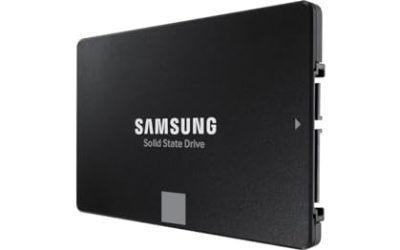
The 860 EVO M.2 pairs Samsung’s MJX controller with V-NAND 3-bit MLC flash and a 1 GB LPDDR4 DRAM cache, a combination none of the cheaper drives here fully match. Key specs: 1TB capacity, M.2 2280 form factor, SATA 6 Gb/s interface, sequential reads up to 550 MB/s and writes up to 520 MB/s, random performance up to 97,000 IOPS read and 88,000 IOPS write, and a 600 TBW endurance rating backed by a five-year limited warranty. The drive supports AES 256-bit hardware encryption with TCG Opal and IEEE 1667 compliance, and Samsung Magician software handles firmware updates and health checks. Intelligent TurboWrite keeps burst writes near the headline speed, although long transfers settle lower once the buffer fills. The module is B+M keyed, so it fits the SATA-capable slots found in older ultrabooks, and at 2.38 mm thick it clears tight laptop bays. Mean time between failures is rated at 1.5 million hours. For a primary boot drive in a SATA-only machine, this is the most complete package here: a DRAM cache for consistent small-file work, the strongest endurance figure in the group, and mature software support. Stock of this older line varies, so confirm the exact model code MZ-N6E1T0BW on the listing before ordering.
Crucial MX500 M.2 500GB (CT500MX500SSD4)
The MX500 M.2 uses Micron 64-layer 3D TLC flash behind a Silicon Motion SM2258 controller with a DRAM cache, and it matches the Samsung on headline speed. Key specs: 500GB capacity, a single-sided M.2 2280 board, SATA 6 Gb/s interface, sequential reads up to 560 MB/s and writes up to 510 MB/s, random performance up to 95,000 IOPS read and 90,000 IOPS write, 180 TBW endurance, and an MTTF rating of 1.8 million hours. Security support includes AES 256-bit encryption and TCG Opal 2.0. The retail box includes mounting screws and an Acronis True Image for Crucial download for cloning an old drive, which simplifies a laptop swap. A five-year warranty applies. One caveat matters more than any spec: Micron has discontinued the MX500 line and wound down the Crucial consumer brand, so remaining units are channel stock. Buy from a seller with a clear returns policy, keep the receipt, and register the drive promptly, because warranty claims on Crucial products have recently been settled with refunds rather than replacement drives. The hardware itself remains a strong, well-documented SATA performer, and for buyers comfortable with that support picture it is the value pick at this capacity.
WD Blue SA510 M.2 500GB (WDS500G3B0B)
The SA510 is Western Digital’s current SATA line, and the M.2 version targets the same legacy upgrades as the rest of this guide. Key specs: 500GB capacity, M.2 2280 form factor, SATA III 6 Gb/s interface, sequential reads up to 560 MB/s and writes up to 510 MB/s, random performance up to 90,000 IOPS read and 82,000 IOPS write, and endurance rated at 200 TBW. The design is DRAM-less, which leaves small-file consistency a step behind the Samsung and Crucial drives under mixed workloads, though everyday boot and browsing work feels much the same. A download of Acronis True Image for Western Digital is included for cloning and backup, and the SanDisk Dashboard utility reports health and offers firmware updates. The warranty runs five years. Two habits are worth adopting with this model. Owner reports describe some SA510 drives failing early, so update the firmware in Dashboard right after installation, and keep a current backup of anything the drive holds, advice that suits any SSD but matters here. Within those limits, the SA510 suits buyers who want a drive from a line still in production, with first-party monitoring tools and cloning software, for a SATA-only laptop or desktop.
TEAMGROUP MS30 2TB (TM8PS7002T0C101)
The MS30 is the capacity play in this roundup. Key specs: 2TB capacity, M.2 2280 form factor, SATA III 6 Gb/s interface, 3D NAND TLC flash with an SLC cache, sequential reads up to 550 MB/s and writes up to 500 MB/s, and an MTBF rating of 1.5 million hours. The module measures 80 by 22 by 3.5 mm and weighs about 10 g. It supports S.M.A.R.T. monitoring and Intel Smart Response Technology. There is no DRAM cache, so sustained writes slow once the SLC cache fills, a normal trade at this capacity and one that matters mainly during very large copies. TEAMGROUP also sells the MS30 in a shorter 2242 length for compact machines, but check the model code carefully, because the 2TB listing here is the 2280 version, TM8PS7002T0C101. Endurance and warranty figures for this capacity were not stated in the listing data, so buyers who need a documented TBW rating should look at the Samsung instead. For a media library, a game archive, or a backup target inside a SATA-only mini PC or older laptop, the MS30 delivers the joint-largest capacity in this group without paying for cache hardware that bulk storage rarely uses.
KingSpec NT Series 2TB M.2 SATA SSD
The NT Series is the budget route to 2TB in a SATA-only slot. Key specs from the listing: 2TB capacity, M.2 2280 form factor, SATA III 6 Gb/s interface, 3D NAND TLC flash, sequential reads up to 560 MB/s and writes up to 540 MB/s, and support for TRIM, S.M.A.R.T., wear leveling, error correction, and bad block management. KingSpec backs the drive with a three-year warranty. The listing is unusually explicit about compatibility: the drive works in B-key slots and in M-key slots that support the SATA protocol, it will not work in NVMe-only slots, and it is not compatible with MacBook models. An endurance rating in TBW is not stated in the listing, which is the main reason it sits behind the MS30 for buyers who track drive health closely. In return, the headline speeds carry the highest write figure in this group on paper, and the capacity matches the TEAMGROUP at the class ceiling for M.2 SATA. For a secondary storage drive, a retro gaming build, or reviving an older desktop with a SATA-capable M.2 slot, the NT Series covers the essentials, provided the slot protocol is confirmed before ordering.
How to choose
Start with the slot, not the drive. Confirm in the manual or a hardware utility that the M.2 slot supports SATA; many newer slots are NVMe-only, and no drive in this guide will be detected there. Next, check the keying and length: most of these drives are 2280 and B+M keyed, while some compact machines need the shorter 2242 format. Then weigh cache design. DRAM-equipped drives such as the 860 EVO and MX500 hold up better under mixed, everyday workloads, while DRAM-less models with an SLC cache are fine for boot drives and bulk storage. Compare endurance ratings where they are published, since a boot drive in daily use accumulates writes quickly. Finally, look at what surrounds the hardware: cloning software from Samsung, Crucial, and WD eases the swap, health utilities help track wear, and on discontinued lines the seller’s returns policy can matter as much as the warranty term.
Who should skip
Skip this entire category if your M.2 slot supports NVMe, because a PCIe drive costs little more and is several times faster. Skip it if your machine only accepts 2242 drives and the model you want is 2280-only. MacBook owners should skip the KingSpec and, in practice, every drive here, since those machines do not use standard replaceable M.2 modules. Anyone planning heavy sustained writes, such as constant video capture, should also look elsewhere: SATA bandwidth and the small SLC caches on the DRAM-less models will hold the work back, and a desktop with a spare PCIe slot offers better options.
Frequently asked questions
Will an M.2 SATA SSD work in an NVMe-only slot?
No. The two protocols are not interchangeable, even though the connectors look alike. An NVMe-only slot has no SATA controller behind it, so an M.2 SATA drive will not appear in the BIOS or in an operating system installer. Check the slot specification in the manual before buying, and match it to a drive that uses the same protocol.
How do I check whether my M.2 slot supports SATA?
Look for the storage section of the manual or the specification page for your exact model, and look for wording such as SATA, NGFF, or B+M key support. A slot described only as PCIe or NVMe will not take these drives. Some BIOS setups list the slot mode directly, and a hardware information utility can show which protocol the current drive uses.
Is an M.2 SATA SSD faster than a 2.5-inch SATA SSD?
Not in raw speed. Both run over the same SATA 6 Gb/s interface, so sequential transfers top out at the same ceiling. The M.2 version wins on packaging: no cables, no drive bay, and a board that fits thin laptops and mini PCs. Choose it when the machine has the slot, not when chasing higher benchmark numbers.
What should I do before replacing the only drive in my laptop?
Back up first, then clone. Make a full backup to an external drive, clone the old drive with the software bundled by Samsung, Crucial, or WD, and keep the original drive untouched until the new one boots cleanly and your files are verified. That sequence turns a failed swap into an inconvenience instead of a data recovery job.
Final verdict
For most SATA-only machines, the Samsung 860 EVO M.2 1TB is the pick: a DRAM cache, 600 TBW endurance, encryption support, and a five-year warranty. The Crucial MX500 M.2 500GB matches it closely on speed for less capacity, provided the discontinued-line support picture is acceptable. The WD Blue SA510 suits buyers who prefer a current line with first-party cloning and monitoring tools. Where capacity matters most, the TEAMGROUP MS30 and KingSpec NT Series reach 2TB, with the MS30 the safer documented option and the KingSpec the budget alternative.
Product and ASIN Reference
| Product | ASIN |
|---|---|
| Samsung 860 EVO M.2 1TB (MZ-N6E1T0BW) | B07822Z77M |
| Crucial MX500 M.2 500GB (CT500MX500SSD4) | B077SQ8J1V |
| WD Blue SA510 M.2 500GB (WDS500G3B0B) | B09ZYQG5C1 |
| TEAMGROUP MS30 2TB (TM8PS7002T0C101) | B098T4JG95 |
| KingSpec NT Series 2TB M.2 SATA SSD | B0CB7YDP9J |
More from Amazon
Programs that pair well with the guide above. Offers and eligibility are set by Amazon and may change.
A free business account with business pricing and bulk-buying tools for work, shop or home office.
Create a business accountFree shipping on eligible items, Prime Video and more. Eligible new members can start with a free trial.
Start a Prime free trialAudiobooks and podcasts to listen to on the go. Eligible new members can start with a free trial.
Try Audible freeAd-free music streaming. Eligible new subscribers can start with a free trial.
Try Music Unlimited freeAs an Amazon Associate we earn from qualifying purchases.


Write Your Review
No reviews yet. Be the first to share your experience!