

Key takeaways
- microSD Express: a newer standard that uses a PCI Express interface for speeds several times faster than UHS-I. Needed for the Switch 2.
- UHS-I: the older interface used by the original Switch family. Maximum bus speed is about 104 MB/s, though cards sometimes advertise higher figures.
- U3 and V30: minimum sustained write speed of 30 MB/s, designed for video recording. A U3 card meets what the original Switch needs.
- A1 and A2: application performance classes that measure random read and write operations per second. Higher is better for loading games and running installed content.
- Licensed: approved under the console maker’s program, which gives the best assurance of compatibility. Unlicensed cards that follow the specification generally work but are not formally guaranteed.
The best memory card for a Nintendo Switch 2 is a licensed microSD Express card such as the Samsung P9 Express or the SanDisk microSD Express, because the Switch 2 does not accept ordinary microSD cards for game storage. For the original Switch, Switch Lite and Switch OLED, the SanDisk Extreme is the safest all-round choice and the Samsung EVO Plus family is the best value. Picking the wrong type is the most common and most expensive mistake, so the first section below sorts out which card format your console needs.
Memory cards for game consoles are often marketed with confusing letters and numbers. This guide cuts through that: it explains the two formats, ranks seven cards by situation, works out how many games fit on each capacity, and lists the buying mistakes that waste money. Specifications come from manufacturer figures and the review roundups that cite them; real-world speed depends on the console, and prices move constantly, so only broad tiers are mentioned.
Our top picks


As an Amazon Associate we earn from qualifying purchases at no extra cost to you.
Which card does your Switch need?
| Console | Card type required | Speed class to look for | Maximum capacity |
|---|---|---|---|
| Nintendo Switch 2 | microSD Express | Marked “microSD Express” with the SD Express logo, roughly 800 to 900 MB/s reads on current cards | Up to 2TB per Nintendo’s support information |
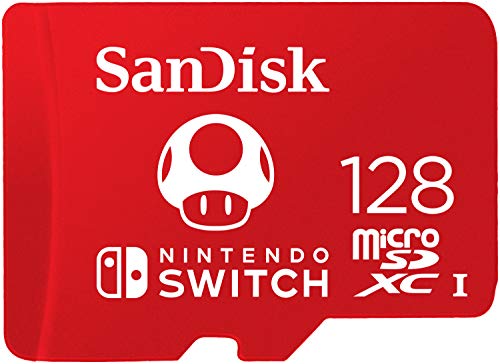
| Nintendo Switch (original), Switch Lite, Switch OLED | microSDXC UHS-I (microSDHC and microSD also work) | U3 and A1 or A2 recommended; Nintendo suggests roughly 60 to 95 MB/s reads | Up to 2TB |
The Switch 2 is the one that causes trouble. A regular UHS-I microSD card, even a very fast one, is not what the console expects for storing Switch 2 games, so the card you used in your old Switch is not a replacement. If you want to install Switch 2 games on removable storage, you need microSD Express. Buy by the label that says Express, not by the highest megabytes-per-second figure on the front of the pack.
Quick comparison of the seven picks
| Pick | Best for | Format | Rated read / write | Capacities to look for |
|---|---|---|---|---|
| Samsung P9 Express | Switch 2, officially licensed, best overall | microSD Express | Up to 800 MB/s read | 256GB at launch, larger sizes by listing |
| SanDisk microSD Express | Switch 2, fast and widely stocked | microSD Express | 880 MB/s read, 650 MB/s write | 256GB, 512GB |
| Lexar Play Pro | Switch 2, largest capacities | microSD Express | 900 MB/s read, 600 MB/s write | 256GB up to 1TB |
| SanDisk Extreme | Original Switch, best overall | microSDXC UHS-I, U3, A2 | 190 MB/s read, 130 MB/s write (256GB) | 128GB to 1TB |
| Samsung EVO Plus (EVO Select) | Original Switch, best value | microSDXC UHS-I, U3 | Up to 130 MB/s read | 128GB to 512GB |
| Kingston Canvas Go! Plus | Original Switch, fast and fairly priced | microSDXC UHS-I, U3, A2 | Up to 170 MB/s read | 64GB to 512GB |
| Lexar Play | Original Switch, budget capacity | microSDXC UHS-I, U3 | Up to 160 MB/s read | 128GB to 1TB |
Best overall for Switch 2: Samsung P9 Express
The Samsung P9 Express is a microSD Express card with rated reads of up to 800 MB/s, and it is one of the cards officially licensed for the Switch 2. Both GamesRadar and Stuff picked a Samsung 256GB card as their top recommendation, and Tom’s Hardware lists the P9 as a leading choice for a 256GB budget purchase. Because it is licensed, you can expect it to follow Nintendo’s compatibility checks.
Who it suits: anyone who wants the least risk. If you play a few big games and keep the rest on the console’s internal storage, 256GB is a sensible start.
Pros: licensed, solid speed, strong brand support. Cons: the headline capacity is 256GB, so heavy collectors will want to look at larger options, and the cost per gigabyte is higher than on older microSD cards.
Best fast all-rounder for Switch 2: SanDisk microSD Express
SanDisk’s card is rated at 880 MB/s read and 650 MB/s write. ToyScout selected it as the safest all-round pick, and other roundups rank the 512GB version highly. The 256GB card is licensed, and reporting indicates that SanDisk’s licensed line currently tops out at 512GB.
Who it suits: people who want the 512GB capacity with official licensing, plus an easy-to-find brand with a long record in memory cards.
Pros: strong write speed, widely stocked, licensed in popular capacities. Cons: for the largest sizes you need another brand, and the extra speed over rivals will not change loading times in a noticeable way.
Best for big libraries on Switch 2: Lexar Play Pro
The Lexar Play Pro is rated at 900 MB/s read and 600 MB/s write, the fastest read figure among current cards, and it extends up to 1TB, which Stuff describes as the largest microSD Express card available. It is spec-compliant but not part of Nintendo’s licensed program, according to reporting by Tom’s Hardware and others.
Who it suits: players who buy digital games and would otherwise be forced to delete titles every time a new release arrives. A 1TB card removes that cycle.
Pros: highest capacities, fastest advertised read speed. Cons: unlicensed status means the console’s maker has not formally certified it, and 1TB cards carry a high price tier. Reviewers note that the difference between 880 and 900 MB/s on paper does not matter in actual play.
Best overall for the original Switch: SanDisk Extreme
The SanDisk Extreme is a UHS-I microSDXC card rated U3, V30 and A2. The 256GB version lists up to 190 MB/s read and 130 MB/s write. The Switch cannot use that speed fully, since the console’s card interface is limited to roughly 95 MB/s for reads, but the A2 rating and quality of the NAND help the card reach the console’s ceiling consistently, and the extra speed helps when you copy files from a computer.
Who it suits: owners of the original Switch, Lite or OLED who want a dependable card, and anyone who also uses the same card in a camera, drone or handheld PC.
Pros: excellent consistency, wide capacity range, strong warranty from a well-known brand. Cons: costs more than the budget cards that perform identically in the console, and it is wasted money if you only play on the Switch.
Best value for the original Switch: Samsung EVO Plus
The Samsung EVO Plus (sold in some stores under the name EVO Select) reads at up to 130 MB/s, which comfortably exceeds the speed the Switch can use. It is the card that many roundups name as the best value for people who simply want enough room for games.
Who it suits: buyers who want the lowest price for a reliable name-brand card in the 128GB to 512GB range.
Pros: low cost per gigabyte, trusted brand, enough speed for the console. Cons: stock of some capacities has been inconsistent at times, so check availability, and write speeds are lower than on the SanDisk Extreme if you copy files from a computer often.
Best fast mid-priced option for the original Switch: Kingston Canvas Go! Plus
The Kingston Canvas Go! Plus is a UHS-I card with A2 and U3 ratings and up to 170 MB/s reads. Several roundups list it as “also recommended” and note it competes closely with the SanDisk Extreme in everyday use.
Who it suits: buyers who want a choice outside the two biggest brands and who care about speed when moving files off the card.
Pros: fast, well priced, A2 rating. Cons: a smaller retail presence in some regions, and the largest capacities are less common than SanDisk’s.
Best budget capacity for the original Switch: Lexar Play
The Lexar Play offers reads up to 160 MB/s in a UHS-I microSDXC card and is available in capacities up to 1TB. Roundups describe it as the budget pick for big, affordable storage.
Who it suits: families with several digital downloads who want 512GB or 1TB without spending as much as on a premium line.
Pros: very good cost per gigabyte at high capacities. Cons: lacks the A2 rating of the premium cards and may be slower at random access, so it can feel slightly less snappy when loading from the home screen.
How much capacity do you actually need?
Game sizes vary widely. A small indie title can be under 1GB, while big releases commonly occupy 10GB to 20GB or more, and some Switch 2 titles are larger. Use the table as a rough guide, based on an average of 15GB per game:
| Card size | Usable space (approx.) | Typical game count at 15GB each | Best for |
|---|---|---|---|
| 128GB | About 119GB | 7 to 8 | Casual players with a few favorites (original Switch) |
| 256GB | About 238GB | 15 to 16 | Most players, Switch 2 starter size |
| 512GB | About 476GB | 31 to 32 | Regular buyers of digital games |
| 1TB | About 953GB | 63 to 64 | Large libraries, no deleting and redownloading |
Cards show a lower usable figure than the number on the packaging because manufacturers count a gigabyte as one billion bytes while the operating system uses a different measure, and some space goes to formatting. Leave a few gigabytes free for save data, screenshots, video captures and patches, which can add up quickly.
A worked cost-per-game example
Say a 256GB card holds about 15 games and a 512GB card holds about 31. If the 512GB card costs less than twice the 256GB version, it is cheaper per game and spares you from managing storage. Cards in the middle of the range often have the best value for this reason, while the smallest and largest sizes carry premiums. Compare cost per gigabyte across sizes at the time you buy, and choose the lowest tier that fits your current library plus about 30 percent growth.
Ratings and labels, explained simply
- microSD Express: a newer standard that uses a PCI Express interface for speeds several times faster than UHS-I. Needed for the Switch 2.
- UHS-I: the older interface used by the original Switch family. Maximum bus speed is about 104 MB/s, though cards sometimes advertise higher figures.
- U3 and V30: minimum sustained write speed of 30 MB/s, designed for video recording. A U3 card meets what the original Switch needs.
- A1 and A2: application performance classes that measure random read and write operations per second. Higher is better for loading games and running installed content.
- Licensed: approved under the console maker’s program, which gives the best assurance of compatibility. Unlicensed cards that follow the specification generally work but are not formally guaranteed.
Spotting fake or relabeled cards
Counterfeit memory cards are common for popular brands. Fake cards often report a large capacity but fail once real data exceeds the true storage size, corrupting saves along the way. To reduce the risk, buy from authorized retailers or the brand’s own store, avoid prices that look too good to be true, and inspect the packaging and printing for spelling mistakes or blurry logos. After buying, check the card with a free capacity verification tool on a computer before putting valuable save files on it. Run a full write-and-verify pass, not only a quick check, because fake cards can pass the first few gigabytes.
Setup, care and troubleshooting
- Power the console off before inserting the card. Hot-swapping can corrupt data. Insert with the label facing the correct direction as shown in the slot diagram.
- Let the console format the card. A card formatted by the console is set up the way it expects.
- Back up saves. Use the console’s cloud backup, if available for your account, so that a damaged card does not erase progress.
- Keep the card away from heat and static. A microSD card is small and easy to lose. Store spares in a case, not loose in a pocket.
- Replace a card that misbehaves. Freezes, missing downloads or random crashes can signal a failing card. Back up what you can and swap it before it dies completely.
Cards do not last forever. Flash memory wears with writes, but a game console writes very little compared with a camera, so a good card in a Switch typically lasts for years. The more likely end of life is loss, damage or an upgrade to a bigger size.
Common mistakes to avoid
- Buying a UHS-I card for a Switch 2. It will not serve as game storage for Switch 2 titles.
- Paying for speed the original Switch cannot use. A 190 MB/s card and a 130 MB/s card perform alike in the console.
- Buying the smallest size. Large games fill 64GB almost immediately.
- Trusting unknown brands on marketplaces. The risk of counterfeits outweighs the saving.
- Forgetting the adapter. To load files from a computer, you need a microSD reader, or a laptop with a card slot. Make sure it supports the same standard if you want to take advantage of full speed.
Decision matrix: match the card to the player
| Your situation | Console | Choose | Reason |
|---|---|---|---|
| New Switch 2 owner, mostly cartridges, a few downloads | Switch 2 | Samsung P9 Express 256GB | Licensed, enough room for several big titles |
| Switch 2 owner who buys digital and keeps everything installed | Switch 2 | SanDisk 512GB or Lexar Play Pro 512GB to 1TB | Capacity matters more than a few MB/s |
| Original Switch, also records video on a camera or drone | Switch, Lite, OLED | SanDisk Extreme or Kingston Canvas Go! Plus | A2 rating and faster writes help in more devices |
| Original Switch, strict budget | Switch, Lite, OLED | Samsung EVO Plus 128GB or 256GB | Lowest cost for a reliable brand |
| Original Switch, huge digital library | Switch, Lite, OLED | Lexar Play 512GB or 1TB | Best cost per gigabyte at high capacity |
Planning for an upgrade from Switch 1 to Switch 2
If you own both consoles or plan to upgrade, remember that the cards are not interchangeable. Keep your UHS-I card in the older console, which keeps its games and saves in place, and buy an Express card for the new one. Selling or retiring the old card is the choice to make later, once you are sure all saves are backed up. If you are buying a card today for an original Switch that you expect to replace within a year, spend less now and put the budget toward an Express card later, since the older card has no resale advantage over a cheaper model.
Also consider portability. Both card types are the same physical size as any microSD card, so they fit travel cases and card holders. Express cards can run warmer under sustained transfers, so avoid leaving a console in direct sun or a closed car with a card inside.
Frequently Asked Questions
Can I use my old Switch microSD card in a Switch 2?
Not as the main game storage for Switch 2 titles. The Switch 2 is built around microSD Express cards, which use a different interface from the UHS-I cards in the original Switch. Check Nintendo’s current support page before relying on an old card for any purpose, and plan to buy an Express card.
Does a faster microSD card make Switch games load faster?
On the original Switch, only up to the console’s limit of roughly 95 MB/s, so a premium card and a mid-range card give nearly identical load times. On the Switch 2, an Express card is required, and differences between brands of Express card are small. Reviewers consistently say the gap between 880 and 900 MB/s on paper is not noticeable in play.
What is the biggest microSD card the Switch supports?
Both the original Switch family and the Switch 2 support cards up to 2TB according to Nintendo’s published information. In practice, 1TB cards are the largest widely available for Switch 2, and 1TB or 512GB is the sensible ceiling on price for most players.
Is 256GB enough?
For most people, yes, if you also use the console’s internal storage and delete finished games. Players who buy many digital titles will outgrow it, and for them 512GB is a better starting point. Remember that Switch 2 games and updates are often larger than those on the original console.
Are unlicensed microSD Express cards safe to use?
Cards that follow the microSD Express specification generally work, and the Lexar Play Pro and PNY 1TB are examples that reviewers describe as spec-compliant. They are not covered by the console maker’s own approval program, so if something goes wrong the maker is less likely to help. Licensed cards give the greatest peace of mind, at the cost of fewer capacity options.
Do I need a microSD card at all?
No. The console works with its internal storage, and physical game cartridges do not need extra space. A card matters only when you download many digital games or need space for updates and captures. If your library is mostly cartridges, you may never fill the internal storage.


Write Your Review
No reviews yet. Be the first to share your experience!