

Key takeaways
- Compare the 2TB NAS hard drives that fit small enclosures and starter arrays, from quiet CMR models to a verified Synology drive for DiskStation owners.
Two terabytes per drive sounds modest next to the 8TB and 12TB models on the shelf, yet it is the right size for a surprising number of NAS setups. A two-bay enclosure with a mirrored pair of 2TB drives holds documents, a modest photo collection, and a backup of every computer in the house. The choice that matters here is not raw capacity but which small drive will run quietly for years, rebuild quickly when a disk fails, and still be easy to replace when you outgrow it.
This guide is for first-time NAS owners, people replacing a failed drive in an existing array, and households that want a cheap, low-power backup box rather than a media server. The drives below were selected from their names and specifications on Amazon listings, so the model numbers and ratings match the products you can actually order.
Quick Picks
As an Amazon Associate we earn from qualifying purchases.
| Product | Best for | Key spec from title |
|---|---|---|
| WD Red Plus 2TB (WD20EFRX) | A first 2-bay NAS on a budget | 5,400 RPM, 64 MB cache, CMR |
| WD Red Plus 2TB (WD20EFPX) | A newer revision of the classic Red Plus | 5,400 RPM, 64 MB cache, CMR |
| Seagate IronWolf 2TB (ST2000VN004) | A slightly faster small home NAS | 5,900 RPM, 64 MB cache, CMR |
| WD Red Plus 2TB (WD20EFZX) | A 2TB drive with a bigger cache | 5,400 RPM, 128 MB cache, CMR |
| Synology HAT3300-2T | A Synology NAS with a verified drive | 5,400 RPM, 256 MB cache, CMR |
How to Choose
CMR Recording Above All Else
At 2TB the recording technology matters even more than at larger sizes, because this capacity is where the cheapest drives often hide SMR. A CMR drive writes each track once and moves on, so a RAID rebuild finishes in hours and a backup job runs at a steady pace. An SMR drive overlaps its tracks, which forces extra rewriting and turns a simple rebuild into a slow, stuttering job. Every drive in this guide is CMR, but the plain WD Red 2TB model is SMR, so always confirm the exact model number and the letters CMR on the listing.
Cache Size and Everyday Speed
Cache is the small pool of fast memory a drive uses to smooth out bursts of small writes, and at 2TB the difference between 64 MB and 256 MB is noticeable. A backup job that writes thousands of small files, or a photo import that lands in short bursts, runs more smoothly with a larger cache. Sequential streaming of a single large video file barely touches the cache, so a 64 MB drive is fine for a media box that mostly reads. Match the cache to your workload rather than paying for a bigger number you will not feel.
Noise, Power, and Where the NAS Sits
Small NAS enclosures often live in a home office, a hallway cupboard, or a bedroom, so a drive’s hum and heat matter more than its headline speed. A 5,400 RPM drive draws less power and stays quieter than a 7,200 RPM one, which is why most 2TB NAS drives spin at the slower speed. In a closed cupboard, a cooler drive also lasts longer, because heat is the quiet enemy of a spinning disk. If the enclosure will sit beside a bed or a desk, choose the quietest drive you can and leave the faster ones for a garage or a server closet.
Replacing a Failed Drive in an Existing Array
Many 2TB buyers are not building a new NAS at all; they are swapping one failed disk out of an array that has run for years. In that case the new drive must match the old one’s capacity exactly, and it should use the same recording technology, or the rebuild may stall. A larger drive works as a replacement, but the array will only use 2TB of it until every disk is upgraded. Check the model number of the drive you are replacing, note its spindle speed and cache, and pick a replacement that lines up with those figures.
The 5 Best Options
WD Red Plus 2TB (WD20EFRX)

The WD20EFRX is the long-running workhorse of small home NAS setups, and it earns its place through sheer predictability. It spins at 5,400 RPM, records with CMR, and carries a 180 TB per year workload rating with a three-year warranty, which is ample for nightly backups and document storage. Because this model has been on sale for years, it is also one of the easiest drives to find as an exact replacement for an older array. If your NAS needs a dependable 2TB disk and nothing fancy, this is the safe starting point.
Specs
- Capacity: 2 TB
- Form factor: 3.5 inch
- Interface: SATA 6 Gb/s
- Spindle speed: 5,400 RPM
- Recording technology: CMR
- Cache: 64 MB
- Workload rating: 180 TB per year
- Warranty: 3-year limited warranty
- Designed for NAS systems with up to 8 bays
Best for: A first 2-bay NAS on a budget.
Watch out for: The plain WD Red 2TB (WD20EFAX) looks almost identical but uses SMR, so verify the model number WD20EFRX on the listing.
WD Red Plus 2TB (WD20EFPX)

The WD20EFPX is a newer revision of the same Red Plus idea, with the same 5,400 RPM spindle speed, the same CMR recording, and the same 180 TB per year workload rating. For most buyers it behaves exactly like the older EFRX model, which makes it a useful alternative when the older model is out of stock or priced higher. Its main advantage is availability: as the current revision, it is the one retailers are most likely to carry new. Pick whichever of the two Red Plus revisions costs less on the day you order.
Specs
- Capacity: 2 TB
- Form factor: 3.5 inch
- Interface: SATA 6 Gb/s
- Spindle speed: 5,400 RPM
- Recording technology: CMR
- Cache: 64 MB
- Workload rating: 180 TB per year
- Warranty: 3-year limited warranty
- Designed for NAS systems with up to 8 bays
Best for: A newer revision of the classic Red Plus when the older model is unavailable.
Watch out for: The EFPX and EFRX are near-identical, so do not pay a premium for one over the other unless you are matching an existing drive.
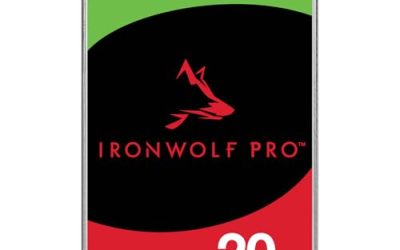
Seagate IronWolf 2TB (ST2000VN004)

The IronWolf 2TB spins a touch faster than the Red Plus models, at 5,900 RPM, which gives it a small edge when a backup job writes a large batch of files at once. It also brings Seagate’s AgileArray firmware and IronWolf Health Management, which works with compatible NAS systems to watch for early signs of trouble. The 180 TB per year workload rating and three-year warranty match the rest of this class. It is a good fit for a small NAS that sees daily writes rather than sitting idle between backups.
Specs
- Capacity: 2 TB
- Form factor: 3.5 inch
- Interface: SATA 6 Gb/s
- Spindle speed: 5,900 RPM
- Recording technology: CMR
- Cache: 64 MB
- Workload rating: 180 TB per year
- Warranty: 3-year limited warranty
- Features: AgileArray firmware, IronWolf Health Management
Best for: A slightly faster small home NAS with daily backup writes.
Watch out for: Some listings show the older IronWolf model ST2000VN000, so confirm the model number ST2000VN004 before buying.
WD Red Plus 2TB (WD20EFZX)
The WD20EFZX is the Red Plus variant for buyers who want a little more headroom in the cache. It doubles the cache of the other Red Plus 2TB models to 128 MB, which smooths out bursts of small writes such as a photo import or a backup job with many small files. Everything else is familiar: 5,400 RPM, CMR recording, a 180 TB per year workload rating, and a three-year warranty. It is the pick when your NAS writes lots of small files and you want the extra buffer without moving to a faster, louder drive.
Specs
- Capacity: 2 TB
- Form factor: 3.5 inch
- Interface: SATA 6 Gb/s
- Spindle speed: 5,400 RPM
- Recording technology: CMR
- Cache: 128 MB
- Workload rating: 180 TB per year
- Warranty: 3-year limited warranty
- Designed for NAS systems with up to 8 bays
Best for: A 2TB drive with a bigger cache for small-file writes.
Watch out for: The EFZX costs more than the 64 MB Red Plus models, so only choose it if your workload actually involves many small files.
Synology HAT3300-2T

The Synology HAT3300-2T is the drive to buy when you own a Synology NAS and want the simplest possible setup. Synology builds this Plus Series drive for its own enclosures, so compatibility checks and health reporting work without the unverified-drive warnings that third-party disks can trigger on newer DiskStation models. It also carries the largest cache in this roundup at 256 MB, which helps with bursty writes. The trade-off is the premium attached to the Synology name, so it makes most sense for owners who value certainty over the lowest price.
Specs
- Capacity: 2 TB
- Form factor: 3.5 inch
- Interface: SATA 6 Gb/s
- Spindle speed: 5,400 RPM
- Recording technology: CMR
- Cache: 256 MB
- Workload rating: 180 TB per year
- Warranty: 3-year limited warranty
- Mean time between failures: 1,000,000 hours
Best for: A Synology NAS where you want a fully verified drive.
Watch out for: The HAT3300-2T is a Plus Series drive for Synology enclosures, so check it is listed for your DiskStation model before ordering.
Which One Fits Your Situation
Building Your First 2-Bay NAS
Choose the WD Red Plus 2TB (WD20EFRX). It is quiet, it uses CMR, and it has been a standard small-NAS drive for years, so there is little guesswork. A mirrored pair gives you 2TB of protected storage, which is enough for documents, photos, and a backup of every computer in the house.
Replacing One Failed Drive
Choose the drive that matches the model you are removing. If the old disk is a WD Red Plus, buy the same model number; if it is an IronWolf, buy the IronWolf ST2000VN004. Matching the recording technology and capacity keeps the rebuild smooth, and the array will only use 2TB of a larger replacement until every disk is upgraded.
A NAS That Writes Lots of Small Files
Choose the WD Red Plus 2TB (WD20EFZX) or the Synology HAT3300-2T. Both carry a larger cache than the 64 MB models, which smooths out photo imports and backup jobs full of small files. The HAT3300-2T has the bigger cache of the two, while the EFZX is the cheaper way to get the same benefit.
A Synology NAS You Want Fully Verified
Choose the Synology HAT3300-2T. It is built for Synology enclosures, so compatibility and health reporting work without warnings on newer DiskStation models. The WD Red Plus and IronWolf drives also work in most Synology boxes, but they may show as unverified on the newest models.
Common Mistakes
- Buying the plain WD Red 2TB (WD20EFAX), which uses SMR, instead of a CMR Red Plus model.
- Replacing a failed drive with a smaller one, which the array cannot use at all.
- Mixing a 5,400 RPM drive with a much faster drive in the same array and wondering why rebuilds feel uneven.
- Assuming a 2TB drive is enough for a growing media library without checking how fast the collection is growing.
- Ordering by capacity alone and ignoring the model number, then receiving a different revision with different cache.
Frequently Asked Questions
Is 2TB enough for a home NAS?
It depends on what you store. A mirrored pair of 2TB drives holds documents, a modest photo collection, and backups of several computers with room to spare. If you keep a large video library or shoot raw photos every week, you will outgrow 2TB quickly and should look at 4TB or 8TB drives instead.
Why should I avoid SMR drives in a NAS?
SMR overlaps its tracks to fit more data, which forces the drive to rewrite neighbouring tracks during large writes. That slows sustained writes and stretches RAID rebuilds, sometimes to the point where a rebuild fails. CMR writes each track once, so it is the safer choice for any array.
Can I use a 2TB NAS drive in a desktop PC?
Yes, a 2TB NAS drive works in a desktop as an ordinary SATA drive. It is tuned for always-on operation and vibration resistance rather than raw speed, so it suits a storage drive better than a boot drive, where an SSD would be faster.
How long will a 2TB NAS drive last?
A NAS drive is built for 24/7 operation, and most carry a three-year warranty with a 180 TB per year workload rating. In a home NAS with nightly backups and light daily use, a drive often runs well beyond its warranty, though you should always keep a backup of anything you cannot afford to lose.
More from Amazon
Programs that pair well with the guide above. Offers and eligibility are set by Amazon and may change.
A free business account with business pricing and bulk-buying tools for work, shop or home office.
Create a business accountFree shipping on eligible items, Prime Video and more. Eligible new members can start with a free trial.
Start a Prime free trialAudiobooks and podcasts to listen to on the go. Eligible new members can start with a free trial.
Try Audible freeAd-free music streaming. Eligible new subscribers can start with a free trial.
Try Music Unlimited freeAs an Amazon Associate we earn from qualifying purchases.



Write Your Review
No reviews yet. Be the first to share your experience!