

Key takeaways
- Older docks may have a capacity cap, with some limited to 8 or 16 TB per bay.
- Cloning docks do not resize partitions and need an equal or larger target.
- Docks are for connecting drives temporarily. They have little cooling, so do not leave them running for days.
- Drives with encryption may not read unless the original software or key is available.
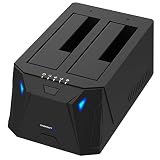
A hard drive “toaster” is a bay-style docking station: you drop a bare 2.5-inch or 3.5-inch SATA drive in the top and it connects over USB. The best all-round choice is a dual-bay dock such as the Sabrent dual-bay dock or the Inateck dual-bay dock, because they handle both drive sizes and offer offline cloning without a computer. If you plan to recover files from an old drive, a dock with a stable dedicated power supply matters more than raw speed.
Our top picks



As an Amazon Associate we earn from qualifying purchases at no extra cost to you.
Quick comparison of HDD toaster picks
| Pick | Best for | Bays / drive sizes | Interface | Offline clone | Price range |
|---|---|---|---|---|---|
| Sabrent dual-bay dock (EC-HD2B family) | Best overall | 2 bays, 2.5 and 3.5 inch SATA | USB 3.0 (5 Gbps) | Yes | Budget to mid |
| Inateck dual-bay dock | Beginners | 2 bays, 2.5 and 3.5 inch SATA | USB 3.0 with UASP | Yes | Budget to mid |
| ORICO dual-bay dock | High capacity drives | 2 bays, up to about 44 TB total | USB 3.0 with UASP | Yes | Budget |
| FIDECO dual-bay dock | Value cloning | 2 bays, 2.5 and 3.5 inch SATA | USB 3.0 / USB-C variants | Yes | Budget |
| WAVLINK ST-334U | USB-C laptops | 2 bays, large drive support | USB-C | Check listing | Budget to mid |
| OWC Drive Dock (USB 10 Gb/s) | Faster transfers | Dual-bay SATA | USB 10 Gbps | Check listing | Mid to upper |
Capacity limits and cloning support differ between hardware revisions, so confirm them on the current manufacturer page before buying.
Best overall: Sabrent dual-bay dock
Sabrent’s dual-bay SATA dock is the most commonly recommended toaster. It accepts 2.5-inch and 3.5-inch drives, is tool-free, and connects at USB 3.0 speeds up to 5 Gbps. Its standalone cloning feature copies one drive to another with a button press and runs at roughly 60 MB/s according to published descriptions, which means a 1 TB drive takes about 4.5 hours. A USB-C variant is also sold. The trade-off is that the clone is a straight copy, so the target drive must be the same size or larger.
Best for beginners: Inateck dual-bay dock
Inateck’s dual-bay model supports 2.5-inch and 3.5-inch SATA HDDs and SSDs, offline cloning, and UASP for better everyday transfers. It has a plastic body instead of aluminum, which keeps cost down but makes it a little less rigid and less effective at shedding heat. It suits someone who wants a simple way to read an old drive and back it up.
Best for large drives: ORICO dual-bay dock
ORICO states support for up to around 44 TB across both bays, along with UASP, TRIM and a dedicated 12V power adapter. The dedicated adapter is worth noting because underpowered docks cause the disconnects that make recovery attempts riskier. The trade-off is that the exact top capacity depends on the configuration, so check the spec sheet for your drive size.
Best value for cloning: FIDECO dual-bay dock
FIDECO sells dual-bay docks in USB-A and USB-C versions with offline cloning. It is a straightforward alternative when you want the cloning feature at the lowest cost. The drawback is fewer long-term owner reports than Sabrent, so keep your return window in mind.
Best for USB-C laptops: WAVLINK ST-334U
WAVLINK’s ST-334U is listed with a USB-C connection and support for very large drives per bay. It fits modern laptops without a USB-A port. Check whether a feature you need, such as cloning, is present in the exact version you buy.
Best for faster transfers: OWC Drive Dock
OWC’s Drive Dock offers a USB 10 Gbps connection for SATA drives. A single 3.5-inch hard drive tops out around 250 MB/s, so the faster port mainly helps SSDs and two drives working at once. It costs more than the budget docks, and the extra speed is wasted on one older hard drive.
How fast will a toaster actually be?
| Drive type | Typical sustained speed | Time to copy 1 TB |
|---|---|---|
| 2.5-inch laptop hard drive | 80 to 120 MB/s | About 2.5 to 3.5 hours |
| 3.5-inch desktop hard drive | 150 to 250 MB/s | About 1.1 to 1.9 hours |
| SATA SSD on a 5 Gbps port | Around 400 to 450 MB/s (port-limited) | About 40 minutes |
| Offline clone mode | Around 60 MB/s in published descriptions | About 4.5 hours |
How to use a toaster dock safely
- Connect power first. Plug in the dock’s adapter before inserting a drive so the platters do not spin up on an unstable supply.
- Insert the drive firmly. The SATA connector should seat fully. A half-seated drive can show up and then drop out.
- Do not remove a drive during a copy. Eject the drive in the operating system and wait for the light to go off.
- Copy before you repair. If a drive is clicking, stop. Repeated power cycles can worsen the damage, and a professional recovery service is the safer route.
- Do not initialize. If the operating system offers to initialize or format the drive, decline. That action overwrites data you may want to recover.
Things to watch for
- Older docks may have a capacity cap, with some limited to 8 or 16 TB per bay.
- Cloning docks do not resize partitions and need an equal or larger target.
- Docks are for connecting drives temporarily. They have little cooling, so do not leave them running for days.
- Drives with encryption may not read unless the original software or key is available.
Frequently Asked Questions
What is a hard drive toaster?
It is a docking station with open slots where you insert a bare SATA drive. The name comes from the way drives pop up like toast. It lets you read, copy or clone drives without opening a computer.
Can a docking station recover data from a dead drive?
It can read a drive that still works but sits outside a computer. It cannot repair a drive with mechanical failure or damaged electronics. For those cases, stop using the drive and consult a professional recovery service.
Do I need UASP support?
It is helpful but not required. UASP lowers overhead on USB 3.0 connections and can improve small file transfers. Make sure your computer’s USB port and operating system also support it.
Can a toaster dock hold NVMe drives?
Standard SATA toasters cannot. NVMe drives need an M.2 dock or enclosure designed for them. Some multi-purpose docks include both slot types.
Is offline cloning reliable?
It works well for healthy drives. The dock copies sector by sector, and it is slower than software cloning. For a failing drive, an imaging tool that handles read errors is a better choice.


Write Your Review
No reviews yet. Be the first to share your experience!