

The best SanDisk SD card for most cameras in 2026 is the Extreme PRO UHS-I V30, which SanDisk rates at up to 250 MB/s read and up to 170 MB/s write on 256 GB and larger sizes. Step up to the Extreme PRO UHS-II V60 or V90 only if your camera has a UHS-II slot and you shoot fast bursts or high-bitrate video, and drop down to the Extreme or Ultra for casual photography, drones and handhelds. The right card depends on your slot type and workload, not on the biggest number printed on the label.
SanDisk sells several SD families that look similar on a shelf but behave differently in a camera: Ultra, Extreme, Extreme PRO UHS-I and Extreme PRO UHS-II in V60 and V90 flavors. This guide lays out each one with the manufacturer’s rated speeds, explains the confusing parts of the labeling, and shows how to match a card to a camera without overspending. Speeds quoted are SanDisk’s “up to” ratings, and real results depend on capacity, the camera, and the card reader.
Our top picks



As an Amazon Associate we earn from qualifying purchases at no extra cost to you.
Quick comparison of SanDisk SD card families
| Card | Bus | Video class | Max read | Max write | Capacities | Best for |
|---|---|---|---|---|---|---|
| SanDisk Ultra SDXC | UHS-I | Class 10, U1 | Up to 150 MB/s (256 GB and 512 GB; 140 MB/s at 128 GB) | Not emphasized, minimum 10 MB/s sustained | Up to 512 GB | Full HD video, casual photos |
| SanDisk Extreme SD | UHS-I | U3, V30 | Up to 180 MB/s | Up to 130 MB/s (256 GB and 512 GB) | 32 GB to 512 GB | 4K video, action cameras, drones |
| SanDisk Extreme PRO UHS-I | UHS-I | U3, V30 | Up to 250 MB/s | Up to 170 MB/s (256 GB to 1 TB) | 32 GB to 2 TB | Best all-round UHS-I card |
| SanDisk Extreme PRO UHS-II V60 | UHS-II | U3, V60 | Up to 280 MB/s (newer lines up to 300 MB/s) | Up to 150 MB/s (newer lines up to 250 MB/s) | 64 GB to 1 TB (2 TB on newer line) | Fast bursts, 6K and high-bitrate 4K |
| SanDisk Extreme PRO UHS-II V90 | UHS-II | U3, V90 | Up to 300 MB/s | Up to 260 MB/s | 32 GB to 512 GB | Professional bursts and 8K workflows |
| SanDisk Extreme PRO UHS-II V90 (2 TB class) | UHS-II | U3, V90 | Up to 310 MB/s | Up to 305 MB/s (512 GB to 2 TB) | 128 GB to 2 TB | Event and wildlife shooters who cannot swap cards |
Different production batches of the same family have been listed with slightly different write figures, especially on smaller capacities. Always read the exact rating for the capacity you are buying on SanDisk’s product page or the card’s packaging.
How to read the labels before you buy
Four markings on an SD card determine how it behaves.
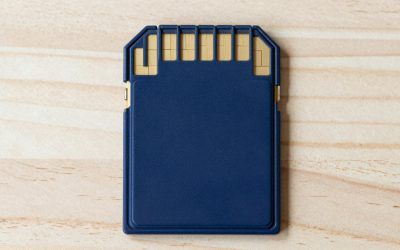
- Bus type: UHS-I or UHS-II. UHS-I cards have one row of contacts and cap out at about 104 MB/s on the bus, although SanDisk engineers some cards to read faster in compatible readers. UHS-II cards add a second row of pins and can exceed 300 MB/s, but only in a UHS-II device.
- UHS Speed Class: U1 or U3. U1 guarantees at least 10 MB/s sustained writing, U3 at least 30 MB/s.
- Video Speed Class: V30, V60, V90. The number is the guaranteed minimum sustained write in MB/s: 30, 60 or 90. This is the number that matters for video, because dropped frames happen when write speed dips.
- Headline read speed. The big number on the front is the read speed in ideal conditions. Writing is usually slower, and writing is what your camera does.
A key point: a UHS-II card works in a UHS-I slot, but it is limited to UHS-I speed there. A UHS-I card works in a UHS-II slot too, and gives you UHS-I performance. You do not lose compatibility by choosing either; you only waste money if you buy UHS-II for a UHS-I camera.
Best overall: SanDisk Extreme PRO UHS-I V30
For the majority of mirrorless cameras, compact cameras, camcorders and cinema-lite bodies with a UHS-I slot, this is the card to buy. SanDisk’s data sheet lists up to 250 MB/s read and up to 170 MB/s write on the 256 GB to 1 TB sizes, up to 250 MB/s read and 120 MB/s write on 128 GB, up to 200 MB/s read and 90 MB/s write on 64 GB, and up to 100 MB/s read and 90 MB/s write on 32 GB. A 2 TB size is listed at up to 250 MB/s read and 150 MB/s write. The operating temperature range is -25 C to 85 C, and the warranty is a lifetime limited warranty.
The read speed above 104 MB/s only shows up in a compatible high-speed reader, so do not expect your camera to read faster than its bus allows. What you do get in the camera is the faster write that helps clear the buffer after a burst and supports 4K recording at common bitrates.
- Who it is for: Photographers and videographers with UHS-I slots who want one dependable card.
- Pros: Faster write than the standard Extreme, V30 rating for 4K, wide capacity range, waterproof and X-ray proof per SanDisk.
- Cons: Small capacities write slower than large ones; wasted potential in older cameras that cannot reach these speeds.
Best value for 4K: SanDisk Extreme SD UHS-I
The standard Extreme sits one step below the PRO. SanDisk rates it at up to 180 MB/s read and up to 130 MB/s write on 256 GB and 512 GB cards, up to 90 MB/s write at 128 GB and 80 MB/s at 64 GB, with U3 and V30 ratings suitable for 4K UHD video. The 180 MB/s read speed needs SanDisk’s matching reader to achieve. It carries the same temperature-proof, waterproof, shock-proof and X-ray-proof claims and a lifetime limited warranty.
- Who it is for: Action cameras with SD slots, drones, entry-level mirrorless bodies and anyone who records 4K at moderate bitrates.
- Pros: V30 reliability at a lower tier, solid real-world write speed on 256 GB and up.
- Cons: Slower buffer clearing than PRO on fast burst cameras.
Best budget: SanDisk Ultra SDXC UHS-I
The Ultra is the entry card. SanDisk lists up to 140 MB/s read at 128 GB and up to 150 MB/s at 256 GB and 512 GB, with Class 10, U1 and a 10-year warranty on the Ultra family. It is aimed at Full HD 1080p video and ordinary photography, with a minimum sustained write of 10 MB/s. That is fine for a point-and-shoot, a basic DSLR, a dash cam that records 1080p, or a photo-frame, but it is a poor choice for 4K recording or burst photography. The card is also waterproof, shockproof and X-ray proof per the maker.
- Who it is for: Casual shooters, kids’ cameras, secondary backup cards, devices that only need to store files.
- Pros: Low cost per gigabyte, plenty of capacity options, familiar brand.
- Cons: No V30 rating, slower writes, not for 4K.
Best for fast bursts and 6K: SanDisk Extreme PRO UHS-II V60
The V60 card is the stepping stone into UHS-II. SanDisk lists capacities from 64 GB to 1 TB with reads up to 280 MB/s, writes up to 150 MB/s on 256 GB, 512 GB and 1 TB, and a guaranteed minimum sustained write of 60 MB/s. A newer 2026 refresh adds a 2 TB capacity with reads up to 300 MB/s and writes up to 250 MB/s on the larger sizes, along with IP68 water and dust resistance, 6-meter drop resistance and a bundled recovery software offer, according to coverage of the launch. Check which generation you are buying, because the two lines have different write speeds.
- Who it is for: Sports and wildlife shooters with UHS-II slots, and filmmakers recording high-bitrate 4K or 6K.
- Pros: Large upgrade in buffer-clearing speed over UHS-I, V60 safety margin for video.
- Cons: Costs more, and gives no speed boost in a UHS-I slot.
Best for professionals: SanDisk Extreme PRO UHS-II V90
The V90 is SanDisk’s fastest standard SD line. The established model is rated at up to 300 MB/s read and up to 260 MB/s write, with a 90 MB/s minimum sustained write, in sizes from 32 GB to 512 GB. Shockproof, waterproof, temperature-proof and X-ray-proof claims apply, and it is aimed at 8K and 4K cinema-quality video and rapid RAW bursts. Photographers who shoot hundreds of frames in a burst will notice the difference when the camera clears its buffer.
- Who it is for: Professional sports, wedding and news photographers, and videographers using 8K or very high bitrate formats.
- Pros: Top speed, guaranteed 90 MB/s floor, robust build.
- Cons: Overkill for most users, premium cost, no benefit in UHS-I slots.
Best for maximum capacity: the 2 TB Extreme PRO UHS-II class
In April 2026, tech coverage reported a SanDisk 2 TB Extreme PRO UHS-II SD card rated at up to 310 MB/s read and up to 305 MB/s write, available in a higher-capacity lineup that also lists 128 GB to 1 TB sizes. The card is for people who cannot afford to change cards mid-event, such as long-form documentary shooters or wedding photographers who shoot RAW plus video in one session. The trade-off is that one card holds a great deal of your work, so a failure, loss or corruption affects more files. Rotate cards and offload them frequently.
- Who it is for: Long-duration shoots and heavy video users with UHS-II cameras.
- Pros: Enormous capacity with near-300 MB/s writes.
- Cons: Very expensive per card, concentrated risk, only for UHS-II devices.
Decision matrix: which SanDisk card fits your camera?
| Your camera or workload | Slot type | Choose |
|---|---|---|
| Point-and-shoot, basic DSLR, 1080p dash cam | UHS-I | Ultra |
| 4K action cam or drone | UHS-I | Extreme |
| Mirrorless or DSLR with UHS-I, general photo and 4K | UHS-I | Extreme PRO UHS-I |
| Mirrorless with dual UHS-II slots, bursts and 4K 60p | UHS-II | Extreme PRO V60 |
| Pro camera, 8K, hundreds of RAW frames per burst | UHS-II | Extreme PRO V90 |
| Long events, no time to swap cards | UHS-II | 2 TB class V90 |
Worked calculation: how long does a card hold your footage?
Video bitrate determines how many hours a card holds. The formula is capacity in megabits divided by bitrate in megabits per second. Using decimal units, a 256 GB card holds roughly 2,048,000 megabits.
- At a 100 Mbps 4K recording mode, 2,048,000 divided by 100 gives 20,480 seconds, about 5.7 hours.
- At 400 Mbps (a high-quality all-intra 4K mode), it is 5,120 seconds, about 1.4 hours.
- At 800 Mbps (a heavy 6K or 8K mode), it is 2,560 seconds, about 43 minutes.
Now check write speed. A 400 Mbps stream is 50 MB/s, so a V30 card (30 MB/s guaranteed minimum) is too slow for that mode, and a V60 or V90 card is required. An 800 Mbps stream is 100 MB/s, which only a V90 card guarantees. For stills, a 45-megapixel RAW file of about 50 MB written at a sustained 150 MB/s clears in about a third of a second per frame, so a 20-frame burst needs roughly 7 seconds to flush, compared with about 20 seconds at 50 MB/s. This is why camera makers recommend faster cards for burst shooting.
Real-world speed: why your card may not hit the printed number
- Camera limits. Many cameras write slower than the card allows. A UHS-I camera tops out near 90 MB/s write no matter how fast the card is.
- Capacity matters. Smaller cards often write slower than larger ones of the same family, as the 32 GB, 64 GB and 128 GB figures above show.
- Reader quality. The headline read speed needs a reader that matches the card. A UHS-I reader slows a UHS-II card, and a USB 2.0 reader is slower still.
- Card fullness and fragmentation. Cards that are nearly full or never reformatted can slow down. Format in the camera, not the computer.
- Heat. Long 4K and 8K recording warms the card and may throttle writes.
Ownership realities: protecting your photos
An SD card is a consumable. Flash cells wear with writes, contacts get dirty, and the lock switch breaks. Treat every card as temporary storage rather than an archive.
- Format in the camera before each shoot. It builds the correct file system for that body and clears errors.
- Offload after each session and verify the copy before reformatting.
- Do not remove the card while the camera is writing. Wait for the access light to go out and turn the camera off before pulling it.
- Keep spares in a case with labeled slots for used and unused cards, so you never overwrite the wrong one.
- Buy from authorized sellers. Counterfeit cards report false capacity and fail with corrupted files. A genuine card should pass a full-capacity write test with a utility such as H2testw or F3 before you trust it with an important shoot.
- Retire old cards. If a card shows errors, freezes your camera or has been in heavy rotation for years, replace it.
If photos disappear from a card, stop using it immediately. Do not take new pictures and do not reformat. Writing to the card can overwrite the files you want back. Reputable recovery software, or a professional service for physically damaged cards, offers the best chance. SanDisk’s PRO line has historically bundled access to a recovery-software offer, so check whether yours includes one and redeem it before you need it. No recovery is guaranteed.
Common mistakes when buying SanDisk SD cards
- Buying UHS-II for a UHS-I camera and expecting faster results.
- Choosing the largest read number and ignoring V ratings and write speeds.
- Confusing microSD with SD. A microSD with an adapter works in a full-size slot but is rarely the best choice for a primary camera.
- Using a single huge card for everything with no backup slot or offload schedule.
- Buying through marketplaces with vague seller information, which is where most counterfeits circulate.
Frequently Asked Questions
Which SanDisk SD card is best for 4K video?
The Extreme PRO UHS-I V30 is the best fit for most 4K recording at moderate bitrates, because its V30 rating guarantees 30 MB/s sustained writing. For high-bitrate all-intra or 6K modes that exceed that, move to a V60 or V90 UHS-II card, assuming your camera has a UHS-II slot.
Is the SanDisk Extreme PRO worth more than the Extreme?
If you shoot bursts or want faster offloading, yes. The PRO is rated for up to 250 MB/s read and 170 MB/s write on larger sizes versus 180 MB/s and 130 MB/s for the standard Extreme. If you only take photos occasionally and record 4K at normal settings, the Extreme is usually enough.
Will a UHS-II card work in my UHS-I camera?
Yes. It will work normally but only at UHS-I speed, so you would pay extra for performance you cannot use. Check your camera’s manual for the slot type before buying a UHS-II card.
What does V30, V60 and V90 mean?
They are Video Speed Classes that guarantee minimum sustained write speeds of 30, 60 and 90 MB/s. Use the class that exceeds your camera’s maximum video bitrate in megabytes per second. A mode that records 400 Mbps needs 50 MB/s, for example, which calls for V60 or higher.
How can I tell if a SanDisk card is genuine?
Buy from an authorized retailer, check the packaging and printing for inconsistencies, and test the card’s real capacity with a free tool such as H2testw (Windows) or F3 (Mac and Linux). Fake cards often show a large capacity but overwrite earlier files once the true size is reached.
Should I buy one big card or several smaller ones?
Several smaller cards usually reduce risk, because losing or corrupting one only affects part of a shoot. A single very large card makes sense for long continuous recording where swapping is impractical, provided you offload regularly and keep a second copy.








Write Your Review
No reviews yet. Be the first to share your experience!