

Key takeaways
- Pros: widely compatible, very high capacity options, strong warranty, consistent speeds in third-party comparisons.
- Cons: premium pricing, and sustained writes are not always the fastest in head-to-head measurements.
The best SD card for most photographers in 2026 is a UHS-II V90 card such as the SanDisk Extreme PRO or the Lexar Professional 2000x GOLD, because it clears RAW bursts quickly and offloads fast through a UHS-II reader. If your camera only has a UHS-I slot, a good V30 card is enough and a faster card will not change burst depth. The right pick depends on three numbers: the card’s sustained write speed, your camera’s slot type, and how many RAW frames you shoot in a row.
Our top picks



As an Amazon Associate we earn from qualifying purchases at no extra cost to you.
Quick Comparison of the Best SD Cards for Photography
| Pick | Best for | Bus and class | Rated read / write | Capacities | Price tier |
|---|---|---|---|---|---|
| SanDisk Extreme PRO UHS-II V90 | Best overall | UHS-II, V90 | Up to about 300 / 260 MB/s | 64GB to 2TB class | Premium |
| Lexar Professional 2000x GOLD | Best value V90 | UHS-II, V90 | Up to 300 / 260 MB/s | 64GB to 512GB | Mid-range to premium |
| Kingston Canvas React Plus V90 | Best for burst shooters | UHS-II, V90 | Up to 300 / 260 MB/s | 64GB to 256GB | Mid-range |
| ProGrade Digital Iridium V90 | Best for managed workflows | UHS-II, V90 | Up to 300 / about 250 MB/s | 64GB to 512GB | Premium |
| Sony TOUGH SF-G | Best for durability | UHS-II, V90 | Up to 300 / 299 MB/s | 32GB to 128GB class | Premium |
| Angelbird AV PRO SD V90 MK2 | Best for matched card sets | UHS-II, V90 | Up to 300 / 260 MB/s | 64GB to 512GB | Premium |
| SanDisk Extreme PRO UHS-I V30 | Best budget / older cameras | UHS-I, V30 | Up to 200 / 140 MB/s | 32GB to 1TB class | Budget |
Speeds are manufacturer ratings from each company’s published specifications. Real write speeds inside a camera are usually lower than the sticker number, and independent speed measurements in 2026 roundups put the best V90 cards at roughly 250 to 280 MB/s sustained write on a UHS-II reader.
How to Read SD Card Specs for Still Photography
Photographers get more benefit from understanding four labels than from chasing the biggest number on the packaging.
UHS-I versus UHS-II
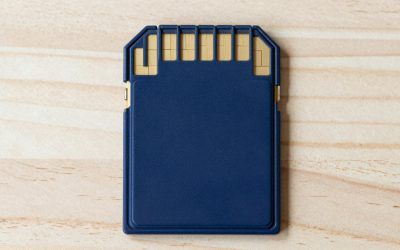
UHS-I cards use a single row of pins and top out around 104 MB/s in the bus specification, even though some cards print 200 MB/s read figures that writes never approach. UHS-II adds a second row of pins and raises the ceiling to 312 MB/s. A UHS-II card in a UHS-I slot works, but it falls back to UHS-I speed, so the extra cost is wasted until you upgrade the body. Check your camera’s manual for the words “UHS-II compatible” before buying.
Video Speed Class (V30, V60, V90)
The V number is the minimum sustained write speed in MB/s: 30, 60, or 90. For still photography it is a useful proxy for how a card behaves when the camera’s buffer is emptying, because a card that guarantees 90 MB/s will rarely stall at 60 MB/s. Maximum burst depth is a camera feature, but a slow card turns a 40-frame buffer into a 15-frame buffer once the memory fills.
Read speed versus write speed
Read speed matters when you copy files to your computer. Write speed matters when you shoot. A card advertised at 300 MB/s read may write at 260 MB/s or less, and some capacities write more slowly than others in the same family because of how many NAND chips they contain. Smaller capacities in a product line often write slower than the largest ones.
Capacity class: SDHC, SDXC, SDUC
SDHC covers up to 32GB, SDXC covers 64GB to 2TB, and SDUC goes beyond that. Almost every card in this guide is SDXC. Make sure your camera supports the capacity you choose, since a few older bodies cap out at 128GB or 512GB.
Best Overall: SanDisk Extreme PRO UHS-II V90
The SanDisk Extreme PRO UHS-II is the card most photography roundups still name as their top pick in 2026. SanDisk lists read speeds up to roughly 300 MB/s and write speeds up to about 260 to 300 MB/s depending on the capacity, with a V90 minimum sustained write, and the card is rated for water, dust, shock, and X-ray resistance in the maker’s literature. Capacities run from 64GB up to 2TB in the newest family, which is rare among V90 cards.
Who it suits: mirrorless shooters who work with 45MP and higher RAW files, event photographers who cannot afford a stalled buffer, and anyone who wants a card that every major camera maker has validated for years.
- Pros: widely compatible, very high capacity options, strong warranty, consistent speeds in third-party comparisons.
- Cons: premium pricing, and sustained writes are not always the fastest in head-to-head measurements.
Best Value V90: Lexar Professional 2000x GOLD
The Lexar Professional 2000x GOLD series delivers the same V90 class as the SanDisk, with a listed read speed of 300 MB/s and a write speed around 260 MB/s. It is offered in capacities up to 512GB. Several 2026 roundups call it the best-value V90 card because it reaches the same performance class for a lower price than the two best-known brands.
Who it suits: enthusiasts who shoot RAW sports or wildlife a few times a month and want burst performance without paying the top brand premium.
- Pros: V90 performance at a friendlier price tier, good UHS-II read speed for fast offloads.
- Cons: fewer capacity choices than SanDisk, and warranty handling can vary by region.
Best for Burst Shooters: Kingston Canvas React Plus V90
The Kingston Canvas React Plus V90 is rated at up to 300 MB/s read and 260 MB/s write. In the independent measurements that circulate in 2026, it lands in the top group for sustained write, and one widely cited comparison placed it just behind the PNY EliteX-PRO90 and ahead of the SanDisk. Its strength is price-to-performance among cards that advertise V90.
Who it suits: sports and action shooters who fill the buffer on every sequence and want a card that clears quickly.
- Pros: excellent measured write speed for the money, rated for harsh conditions in Kingston’s documentation.
- Cons: capacities stop below the largest SanDisk sizes, so heavy video shooters may want another family.
Best for Managed Workflows: ProGrade Digital Iridium V90
ProGrade Digital builds its cards for working photographers and supports them with free card-management software that checks card health and formats cards to the maker’s specification. The Iridium V90 is rated at up to 300 MB/s read, and the write rating varies between roughly 200 and 275 MB/s depending on which listing you read, so confirm the figure for the exact capacity you buy on ProGrade’s data sheet.
Who it suits: studio and wedding photographers who rotate many cards and want a consistent format-and-verify routine.
- Pros: production-minded software, strong reputation among professionals, steady performance over long sessions.
- Cons: premium price tier and a write figure that can trail the fastest competitors.
Best for Durability: Sony TOUGH SF-G
The Sony TOUGH SF-G series is built around a one-piece molded body with no hinged cover, which removes the weak point where ordinary cards snap. Sony lists read speeds up to 300 MB/s and write speeds up to about 299 MB/s, and the cards are marketed as bend-resistant, waterproof, and dustproof. Capacities are smaller than SanDisk’s, generally topping out around 128GB in this tier.
Who it suits: adventure, news, and documentary photographers who carry cards in pockets, cases, and rain.
- Pros: the most rugged build in this guide, very high rated write speed.
- Cons: limited capacity choices and a premium price tier.
Best for Matched Card Sets: Angelbird AV PRO SD V90 MK2
The Angelbird AV PRO SD MK2 is aimed at production use. Angelbird publishes rated speeds up to 300 MB/s read and 260 MB/s write for the MK2 and sells cards in 64GB to 512GB, with a multi-year warranty. The brand’s pitch is controlled component sourcing so that cards bought months apart behave the same, which matters when a crew shoots from several bodies.
Who it suits: small production teams and commercial photographers who buy cards in batches and need predictable behavior.
- Pros: consistent behavior across cards, long warranty, production-ready branding and case options.
- Cons: premium price tier and less retail availability than the biggest brands.
Best Budget Pick: SanDisk Extreme PRO UHS-I V30
If your camera has a UHS-I slot, there is no benefit in paying for UHS-II. The SanDisk Extreme PRO UHS-I is listed at up to 200 MB/s read and about 140 MB/s write, with a V30 rating. That is enough for most 24 to 33 megapixel RAW shooting and standard 4K video at common bitrates.
Who it suits: beginners, travel photographers, and anyone using an older DSLR or entry-level mirrorless body.
- Pros: lowest cost in this guide, huge capacity range, works everywhere.
- Cons: slower offloads and shallower burst depth than any V90 card in a UHS-II camera.
Match the Card to Your Camera: Decision Matrix
| Your situation | Slot type | Recommended card | Why |
|---|---|---|---|
| Entry-level DSLR or mirrorless, JPEG and light RAW | UHS-I | SanDisk Extreme PRO UHS-I V30 | The slot cannot use more speed |
| Wildlife and sports, 20+ frame bursts | UHS-II | Kingston Canvas React Plus V90 or Lexar 2000x GOLD | Fast buffer clearing for the price |
| Wedding and event, two card slots | UHS-II | SanDisk Extreme PRO or ProGrade Iridium | Dependable, widely supported, easy to rotate |
| Landscape and travel in bad weather | UHS-II | Sony TOUGH SF-G | Molded body with no cover to fail |
| Studio crew with several bodies | UHS-II | Angelbird AV PRO MK2 | Matched behavior across a batch |
| Hybrid stills and video | UHS-II | Any V90 above | Headroom for high-bitrate clips |
A Worked Capacity Calculation
Capacity planning starts with file size. A 45-megapixel camera that records lossless-compressed RAW writes roughly 50 to 60 MB per frame. Divide the card’s usable space by that file size to estimate how many frames fit, then reserve a safety margin for the file system.
- 128GB card: about 118GB usable after formatting. At 55 MB per frame, that is roughly 2,100 RAW frames.
- 256GB card: about 238GB usable, or roughly 4,300 frames.
- 512GB card: about 476GB usable, or roughly 8,600 frames.
For a typical full-day wedding of 3,000 to 4,000 frames shot to two cards at once, a pair of 256GB cards gives enough room with a cushion. Wildlife shooters who fire short bursts at 20 frames per second can generate 5,000 frames in a morning, so two 256GB cards or one 512GB card is the sensible floor. Buying several mid-size cards instead of one huge card also limits the damage if a single card fails.
Offload time is the other calculation. Copying 200GB through a UHS-II reader at a sustained 250 MB/s takes about 13 minutes. The same job through a UHS-I reader at 90 MB/s takes about 37 minutes. A fast reader is therefore as important as a fast card, and it is worth confirming that your USB port provides at least 5Gbps before blaming the card.
Dual Card Slots and How to Use Them
Many mirrorless bodies have two slots, and the two slots sometimes support different standards. A common design pairs one UHS-II SD slot with a second slot that is UHS-I or a different card type entirely. Put your fastest card in the faster slot and set the camera’s recording mode deliberately. Backup mode writes every frame to both cards, which protects against a failure but limits you to the speed of the slower card. Overflow mode fills one card and then moves to the other, which maximizes capacity but offers no redundancy. For paid work, backup mode is the safer default, and matching two identical cards removes the speed bottleneck.
Ownership Realities: What Wears First and Common Mistakes
SD cards are consumables. Flash cells wear with every write, and the controller handles that wear invisibly until the card starts to fail. Several habits protect the photos you shoot.
- Format in the camera, not the computer. The camera writes the folder structure it expects and avoids cluster-size mismatches. Format after every offload once the files are backed up in two places.
- Do not delete frames in camera to free space. Deleting individual files fragments the card and increases the risk of corruption. Format instead.
- Do not remove the card while the access light is on. Pulling a card during a buffer write is the most common cause of corrupted files.
- Do not let the battery die mid-write. Swap batteries at about 10 percent when shooting long sequences.
- Retire cards after trouble. If a card ever throws an error, stop using it for paid work, even if it appears to recover.
- Store cards in a case. Contacts collect dust and the write-protect switch can slip in a pocket. A simple hard case is cheap insurance.
Counterfeits are a real problem. Buy only from authorized sellers, and run a full-capacity check on any new card before an important shoot. If a card reports a capacity but loses data past a certain point, it is fake or defective.
If a card does fail, stop shooting to it immediately. Writing more data over a damaged file system reduces the chance of recovery. Put the card aside, and use a reputable recovery tool before reformatting it.
Choosing Between One Big Card and Several Small Cards
Large cards reduce card swaps, which is helpful during unpredictable action. Small cards limit the loss when something goes wrong. A balanced approach for most professionals is to use two or three 128GB or 256GB cards per day and to write to dual slots in backup mode if the camera has them. Hobbyists on a holiday trip can carry a few 128GB cards and rotate them, keeping used cards untouched until the images are safe on a laptop and an external drive.
SD or CFexpress: Which Fits Your Next Camera?
Higher-end bodies increasingly pair an SD slot with a CFexpress Type A or Type B slot. CFexpress cards write far faster than any SD card, which matters for oversampled 8K video and very deep RAW bursts, but they cost much more per gigabyte and need a matching reader. For photographers whose bodies include an SD slot, a V90 card remains the practical choice for the second slot, for backup copies, and for everyday shooting where burst depth is not the limiting factor. If you shoot mostly stills at moderate frame rates, you may never need to move beyond UHS-II.
Frequently Asked Questions
Do I need a V90 card for photography?
Only if your camera has a UHS-II slot and you shoot long RAW bursts or high-bitrate video. A V30 card is enough for most casual photography. In a UHS-I slot a V90 card runs at UHS-I speed, so the extra money does not buy extra performance.
Will a UHS-II card work in an older camera?
Yes. UHS-II cards are backward compatible with UHS-I and older slots. The camera simply uses the slower interface, so you lose the speed advantage but not compatibility.
How much capacity do I need for RAW photography?
Estimate with the frame count. A 128GB card holds about 2,000 RAW frames from a 45-megapixel body, and more from a 24-megapixel body. Most photographers do well with 128GB to 256GB per card, rotating several cards rather than relying on one huge one.
Is a more expensive SD card more reliable?
Not automatically. Reliability comes from the controller, NAND quality, and warranty support, which are better at the established brands. Paying more for a premium name reduces the risk of counterfeits and gives you better warranty service, but handling habits matter just as much.
Can I use microSD cards with an adapter instead?
You can, but adapters add a failure point and most microSD cards are not built for sustained writes. Use a native SD card for any camera work that matters, and keep microSD for phones, drones, and handheld devices.
How often should I replace SD cards?
There is no fixed schedule. Many professionals retire cards after two to three years of heavy use or at the first sign of an error. Light users can keep cards much longer, as long as they format in camera and verify the files after each shoot.








Write Your Review
No reviews yet. Be the first to share your experience!