

Key takeaways
- Find the best 1TB hard drive for a gaming PC, with 7200 RPM options, SATA storage, and room for a growing game library without a full rebuild.
As an Amazon Associate, we earn from qualifying purchases.
Table of Contents
- Short Answer
- How to Choose a 1TB Hard Drive for a Gaming PC
- Quick Comparison
- 1. Seagate BarraCuda 1TB ST1000DM014
- 2. WD Blue 1TB WD10EZEX
- 3. Seagate BarraCuda 1TB 2.5-Inch ST1000LM048
- 4. WD Black 1TB WD10SPSX
- 5. Seagate BarraCuda 1TB ST1000DM010
- How to Set Up a 1TB Hard Drive as a Game Library
- Frequently Asked Questions
- Conclusion
- Product and ASIN Reference
Short Answer
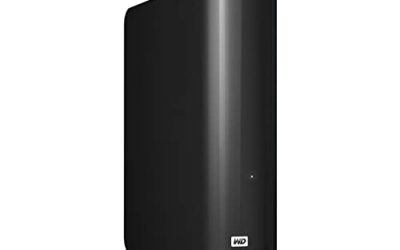
For most gaming PCs, start with the Seagate BarraCuda 1TB ST1000DM014. It is a 3.5-inch desktop drive with a 7200 RPM spindle speed, a 256 MB cache, a SATA 6 Gb/s interface, and a published maximum sustained read rate of up to 220 MB/s.
Use a 1TB hard drive as a library drive, not as the only drive in the PC. Put the operating system and the games played most often on an SSD, and put the rest of the library on the hard drive.
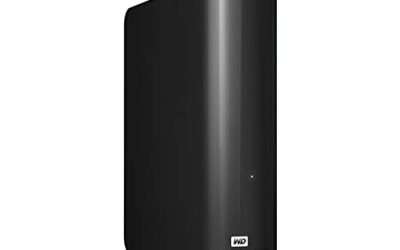
The WD Blue 1TB WD10EZEX is the closest desktop alternative, with the same 7200 RPM class and a 64 MB cache. The Seagate BarraCuda 1TB ST1000DM010 is another 3.5-inch 7200 RPM option, with the same 64 MB cache. For a laptop or a small form factor PC, the Seagate BarraCuda 1TB 2.5-inch drive and the WD Black 1TB WD10SPSX fit the smaller bay, with the WD Black offering a 7200 RPM speed and a five-year warranty.
How to Choose a 1TB Hard Drive for a Gaming PC
Check the form factor first. A desktop PC usually has a 3.5-inch bay. A laptop uses a 2.5-inch bay, and many small form factor PCs do as well. The BarraCuda ST1000DM014, the WD Blue WD10EZEX, and the BarraCuda ST1000DM010 are 3.5-inch drives for desktops. The BarraCuda ST1000LM048 and the WD Black WD10SPSX are 2.5-inch drives for laptops and small form factor PCs. A 3.5-inch drive does not fit a 2.5-inch bay.
Check the spindle speed. Spindle speed, measured in RPM, affects how quickly the drive can find and read data. A 7200 RPM drive is faster than a 5400 RPM drive for loading and for sustained reads. Four drives here run at 7200 RPM. The 2.5-inch BarraCuda runs at 5400 RPM, which is normal for a laptop drive that balances speed, power use, and heat. For a desktop library, choose 7200 RPM when the bay allows it.
Check the cache and interface. Cache is fast memory on the drive that helps with bursts of reads and writes. The BarraCuda ST1000DM014 has a 256 MB cache, the largest in this roundup. The other drives here have a 64 MB or 128 MB cache. All five drives use a SATA 6 Gb/s interface. Confirm the motherboard or laptop has a free SATA port and a free SATA power connector.
Understand SMR and workload limits. The BarraCuda ST1000DM014 uses SMR, or shingled magnetic recording, according to the manufacturer datasheet. SMR overlaps tracks to fit more data on each platter. That design works well for reading and for sequential writes, which is the normal pattern for a game library. It can slow during very long random writes. The drive is rated for a workload of 55 TB per year in the published specifications, a desktop rating, not a NAS rating.
Think about the tier and the warranty. The drives here sit in the budget to mid-range tiers, because a 1TB hard drive is a low-tier way to add capacity. The WD Black WD10SPSX carries a five-year limited warranty, the longest in this roundup. The other drives carry a two-year limited warranty in the published specifications used here.
Quick Comparison
| Drive | Form Factor | Spindle Speed | Cache | Interface | Tier |
|---|---|---|---|---|---|
| Seagate BarraCuda 1TB ST1000DM014 | 3.5-inch | 7200 RPM | 256 MB | SATA 6 Gb/s | Budget |
| WD Blue 1TB WD10EZEX | 3.5-inch | 7200 RPM | 64 MB | SATA 6 Gb/s | Budget |
| Seagate BarraCuda 1TB ST1000LM048 | 2.5-inch | 5400 RPM | 128 MB | SATA 6 Gb/s | Budget |
| WD Black 1TB WD10SPSX | 2.5-inch | 7200 RPM | 64 MB | SATA 6 Gb/s | Mid-range |
| Seagate BarraCuda 1TB ST1000DM010 | 3.5-inch | 7200 RPM | 64 MB | SATA 6 Gb/s | Budget |
1. Seagate BarraCuda 1TB ST1000DM014
The Seagate BarraCuda 1TB ST1000DM014 is the first pick for a desktop gaming PC. It is a 3.5-inch drive with a 7200 RPM spindle speed, a 256 MB multi-segmented cache, a SATA 6 Gb/s interface, and a published maximum sustained read rate of up to 220 MB/s. The cache is the largest in this roundup, and the sustained read rate is the highest published rate here for a 1TB hard drive.
For a game library, the BarraCuda fits the role of a bulk library drive. It holds games that are played less often, plus installers and large files that do not need SSD speed. The operating system and the most-played games should stay on an SSD. The drive carries a two-year limited warranty, and it is rated for a workload of 55 TB per year.
Specs
- Capacity: 1TB
- Form factor: 3.5-inch
- Interface: SATA 6 Gb/s
- Spindle speed: 7200 RPM
- Cache: 256 MB, multi-segmented
- Maximum sustained read rate: up to 220 MB/s
- Recording technology: SMR
- Workload rate limit: 55 TB per year
- Warranty: 2 years
- Model: ST1000DM014
- ASIN: B0C6TP9TCY
- Tier: Budget
- View on Amazon
Best for: A desktop game library where the largest cache and the highest published sustained read rate in this group matter.
2. WD Blue 1TB WD10EZEX
The WD Blue 1TB WD10EZEX is a straightforward desktop drive for everyday computing and game storage. It is a 3.5-inch drive with a 7200 RPM spindle speed, a SATA 6 Gb/s interface, and a 64 MB cache. The model referenced here is WD10EZEX.
For a gaming PC, the WD Blue works as a library drive in the same way as the BarraCuda. It holds games that are played less often, and it frees space on the SSD for the operating system and the most-played titles. The drive carries a two-year limited warranty.
Specs
- Capacity: 1TB
- Form factor: 3.5-inch
- Interface: SATA 6 Gb/s
- Spindle speed: 7200 RPM
- Cache: 64 MB
- Warranty: 2 years
- Model: WD10EZEX
- ASIN: B00AQNRHVQ
- Tier: Budget
- View on Amazon
Best for: A simple desktop library drive for a gaming PC that already has an SSD for the operating system.
3. Seagate BarraCuda 1TB 2.5-Inch ST1000LM048
The Seagate BarraCuda 1TB 2.5-inch drive, model ST1000LM048, is the laptop pick in this roundup. It is a 2.5-inch drive with a 5400 RPM spindle speed, a 128 MB cache, a SATA 6 Gb/s interface, and a published transfer rate of up to 140 MB/s. Its height is 7 mm, which fits most laptop drive bays.
For a gaming laptop, this drive works as a second drive when the laptop has a 2.5-inch bay alongside an M.2 SSD, or as a replacement for an older laptop hard drive. The 5400 RPM speed is slower than a 7200 RPM desktop drive, so load times are longer, but the drive still holds a full 1TB library. Keep the operating system and the most-played games on the SSD, and use this drive for the rest of the library.
Specs
- Capacity: 1TB
- Form factor: 2.5-inch, 7 mm height
- Interface: SATA 6 Gb/s
- Spindle speed: 5400 RPM
- Cache: 128 MB
- Transfer rate: up to 140 MB/s
- Model: ST1000LM048
- ASIN: B07H28QRKN
- Tier: Budget
- View on Amazon
Best for: A gaming laptop or small form factor PC that needs a 2.5-inch library drive.
4. WD Black 1TB WD10SPSX
The WD Black 1TB WD10SPSX is the performance pick for a 2.5-inch bay. It is a 2.5-inch drive with a 7200 RPM spindle speed, a SATA 6 Gb/s interface, and a 64 MB cache. The model referenced here is WD10SPSX. Its published transfer rate reaches up to 180 MB/s in the manufacturer description, which is higher than the 140 MB/s published rate for the 5400 RPM BarraCuda 2.5-inch drive.
For a gaming laptop or a small form factor PC, the WD Black is the better 2.5-inch choice when speed matters. The 7200 RPM spindle speed gives faster access than a 5400 RPM drive. The warranty is also the longest in this roundup, at five years.
Specs
- Capacity: 1TB
- Form factor: 2.5-inch
- Interface: SATA 6 Gb/s
- Spindle speed: 7200 RPM
- Cache: 64 MB
- Transfer rate: up to 180 MB/s, per manufacturer description
- Warranty: 5 years
- Model: WD10SPSX
- ASIN: B082LWP1MQ
- Tier: Mid-range
- View on Amazon
Best for: A laptop or small form factor PC where a 7200 RPM 2.5-inch drive and a five-year warranty matter.
5. Seagate BarraCuda 1TB ST1000DM010
The Seagate BarraCuda 1TB ST1000DM010 is a 3.5-inch desktop drive for everyday computing and game storage. It has a 7200 RPM spindle speed, a 64 MB cache, a SATA 6 Gb/s interface, and a 3.5-inch form factor. The model referenced here is ST1000DM010. The drive is built for desktop PCs, and it fits a standard 3.5-inch bay with a SATA data cable and a SATA power connector.
For a gaming PC, the ST1000DM010 works as a desktop library drive. Its 7200 RPM speed and 64 MB cache match the WD Blue WD10EZEX in the basic specifications, which makes the choice between the two a matter of availability and tier at the time of purchase. The drive carries a two-year limited warranty in the published specifications. It is a good match for a buyer who wants a second Seagate desktop option in the same class as the BarraCuda ST1000DM014, but with a smaller cache and a simpler specification set.
Specs
- Capacity: 1TB
- Form factor: 3.5-inch
- Interface: SATA 6 Gb/s
- Spindle speed: 7200 RPM
- Cache: 64 MB
- Warranty: 2 years
- Model: ST1000DM010
- ASIN: B01LNJBA2I
- Tier: Budget
- View on Amazon
Best for: A desktop library drive where a 7200 RPM speed and a 64 MB cache are the core requirements.
How to Set Up a 1TB Hard Drive as a Game Library
Install the drive in the correct bay, connect the SATA data cable and the SATA power cable, and confirm the drive appears in the operating system. Format the drive, give it a clear name such as Games, and create a folder for the library.
Add the new folder in the launcher settings. Steam, Epic Games, and other launchers allow the user to add a library folder and move installed games to that folder. Move the games that are played less often first, and keep the most-played games on the SSD. Before moving games, back up save data that is not stored in a cloud save system.
Frequently Asked Questions
Is a 1TB hard drive enough for a gaming PC?
A 1TB hard drive is enough as a library drive alongside an SSD, but it is not enough as the only drive in a modern gaming PC. It holds a rotation of games that are played less often, plus installers and large files. The operating system and the most-played games should stay on an SSD.
Is a hard drive slower than an SSD for games?
Yes. A hard drive is slower than an SSD for loading, because a spinning drive must move a read head to find data, while an SSD reads data electronically. The difference shows most clearly in load times and in open-world games that stream assets from storage. For the best loading times, keep the most-played games on an SSD.
Should I choose 7200 RPM or 5400 RPM?
Choose 7200 RPM for a desktop, when the bay allows it. A 7200 RPM drive loads faster and sustains higher read rates than a 5400 RPM drive. Choose 5400 RPM only when the bay is a laptop bay that needs lower power use and lower heat.
Can I use a 3.5-inch hard drive in a laptop?
No, a 3.5-inch hard drive does not fit a laptop. Laptops use a 2.5-inch bay, and many modern laptops have no hard drive bay at all, using only an M.2 slot for storage. Check the laptop manual before ordering. If the laptop has a 2.5-inch bay, choose the Seagate BarraCuda 2.5-inch drive or the WD Black 2.5-inch drive in this roundup.
Conclusion
A 1TB hard drive is a practical way to add capacity to a gaming PC without a full rebuild, when it is used as a library drive alongside an SSD. The Seagate BarraCuda 1TB ST1000DM014 is the first choice for a desktop, with a 7200 RPM speed, a 256 MB cache, a SATA 6 Gb/s interface, and a published sustained read rate of up to 220 MB/s. The WD Blue 1TB WD10EZEX and the Seagate BarraCuda 1TB ST1000DM010 are close desktop alternatives. For a laptop or a small form factor PC, the WD Black 1TB WD10SPSX is the faster 2.5-inch choice, with a 7200 RPM speed and a five-year warranty, while the Seagate BarraCuda 1TB 2.5-inch drive is the budget tier option for a laptop bay. Confirm the form factor, the SATA port, and the bay height before ordering.
More from Amazon
Programs that pair well with the guide above. Offers and eligibility are set by Amazon and may change.
A free business account with business pricing and bulk-buying tools for work, shop or home office.
Create a business accountFree shipping on eligible items, Prime Video and more. Eligible new members can start with a free trial.
Start a Prime free trialAudiobooks and podcasts to listen to on the go. Eligible new members can start with a free trial.
Try Audible freeAd-free music streaming. Eligible new subscribers can start with a free trial.
Try Music Unlimited freeAs an Amazon Associate we earn from qualifying purchases.

Write Your Review
No reviews yet. Be the first to share your experience!