

Key takeaways
- Adding an external hard drive to a DVR sounds simple until you find out the box only accepts certain drives, formats whatever you plug in.
Adding an external hard drive to a DVR sounds simple until you find out the box only accepts certain drives, formats whatever you plug in, or tops out at a capacity far below what the drive offers. Anyone searching for the best external hard drives for DVR recording is really asking which drive will be recognized, stay powered, and hold enough hours of video that old recordings do not have to be deleted every few weeks.
This guide is for people running a cable, satellite, or set-top DVR who want more recording room, and for those with a streaming recorder or media box that accepts USB storage. It compares seven drives using their published listings, with attention to capacity, interface, power style, and any DVR-specific wording. One thing to settle first: your DVR’s manual or support page is the authority on what it supports, and in 2026 many boxes still limit drive size or require the drive to be erased on first use.
Quick Picks
Our top picks


As an Amazon Associate we earn from qualifying purchases at no extra cost to you.
| Product | Best for | Key feature |
|---|---|---|
| Seagate One Touch 8TB Desktop | Large recording libraries | 8TB desktop drive, USB-C, rescue recovery |
| WD Elements 1TB Portable | Simple, small add-on | USB 3.0 portable design |
| WD My Book AV DVR Expander 1TB | DVR-specific expansion | Sold as a DVR expander, USB 2.0 |
| UnionSine 500GB Ultra Slim | Light recording needs | Slim body, USB 3.0 |
| WD My Passport 2TB | Recordings with extra protection | Password protection, backup software |
| Seagate Expansion 24TB | Whole-house archives | 24TB with data recovery services |
| WD Elements 6TB Portable | Mid-to-large capacity, bus power | USB 3.2 Gen 1, plug and play |
How to Choose
Check What Your DVR Actually Accepts
Some DVRs only recognize drives from an approved list, others accept any USB drive up to a stated size, and many reformat the drive into their own file system. Look up your model’s maximum supported capacity and interface before buying. A drive that works as ordinary storage on a computer may be rejected by a set-top box.
Interface, Power, and Cable Length
Portable drives draw power over the USB cable, and some DVR ports cannot supply enough current for a spinning hard disk. Desktop-style drives with their own power adapter solve that, but they take more shelf space. USB 2.0 is plenty for recording standard and high-definition video, so do not pay extra for faster ports unless you also use the drive with a computer.
Capacity Versus Recording Hours
High-definition recordings take far more space than standard definition, and series recordings add up quickly. A rough estimate is available in your DVR’s menu. Aim for roughly twice the space you think you need; drives fill faster than expected, and a full drive means missed recordings.
Heat, Noise, and Reliability
DVRs sit in media cabinets with poor airflow. Look for drives with a clear warranty, and keep ventilation around the unit. Budget drives often skip warranties and recovery services, and rarely mention continuous-use ratings, so treat them as light-duty options.
One more point to weigh is how long you want recordings to last. A drive dedicated to a DVR spends its life writing and deleting large files in long, steady streams, which is a different pattern from occasional computer backups. Hard drives sold for general storage can handle it in many setups, but none of the listings below promise continuous-duty operation, so plan to replace the drive eventually and avoid keeping the only copy of anything irreplaceable on it. If a recording matters, copy it elsewhere where your service allows. Also keep the drive powered through a surge protector, because sudden power loss while a DVR is writing is a common way recordings get corrupted.
The 7 Best Options
Seagate One Touch 8TB Desktop
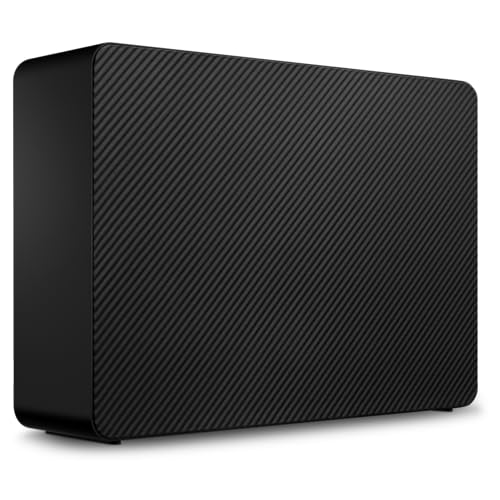
An 8TB desktop drive with a USB-C connection and rescue recovery described in the title. The large capacity suits a household that records many series and keeps them for months. Desktop designs typically use their own power adapter, which helps with DVR ports that cannot feed a portable disk.
- 8TB capacity for long-term recording libraries
- Rescue recovery listed in the title
- Trade-off: USB-C may need an adapter for a DVR with USB-A ports
Skip it if your DVR caps supported drive size well below 8TB.
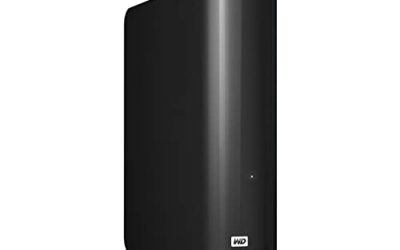
WD Elements 1TB Portable
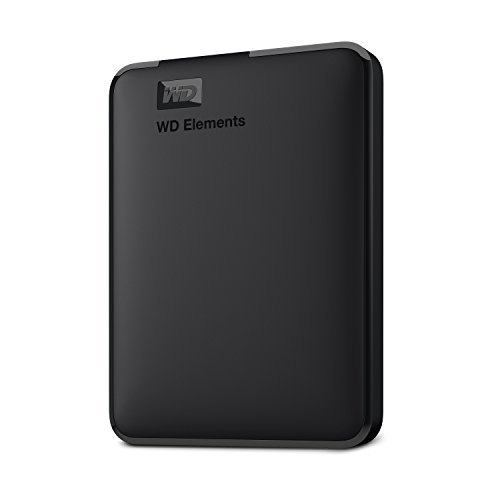
A compact 1TB portable drive with USB 3.0, from a major brand. It is a quick fit for someone who only wants a few extra months of recordings or a drive to move a handful of shows to another room, and it takes almost no shelf space.
- Brand-name 1TB portable drive
- USB 3.0 interface, usually backward compatible with older ports
- Trade-off: bus-powered, which some DVR ports cannot sustain
Skip it if your DVR demands a separately powered drive.
WD My Book AV DVR Expander 1TB
The only drive here sold under a DVR-expander name, with a USB 2.0 interface that matches what many set-top boxes offer. It is the closest match to this keyword for someone adding space to a compatible recorder rather than building a general archive.
- Positioned specifically as a DVR expander
- USB 2.0 connection suits older boxes
- Trade-off: 1TB is modest and the older interface is slow for computer use
Skip it if you want one drive that also works well as a fast computer backup.
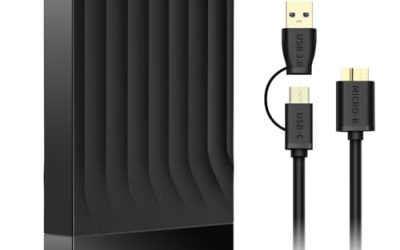
UnionSine 500GB Ultra Slim
A small 500GB slim drive built around computers and game consoles. It could hold a few weeks of recordings if your DVR accepts generic USB drives, and its thin body is easy to hide behind a television or inside a cabinet.
- Slim, lightweight, and easy to tuck away
- USB 3.0 interface
- Trade-off: low capacity and no warranty details in the title
Skip it if you record in high definition regularly or want long retention.
WD My Passport 2TB
A 2TB portable drive with password protection and backup software with defense against ransomware, according to the title. Those extras matter most if the drive will also hold family files, though a DVR will probably erase and reformat it, so the software features may go unused.
- 2TB at a comfortable mid-range size
- Password protection and backup software included
- Trade-off: the extra features largely do not apply on a DVR
Skip it if the drive will live only inside a DVR setup.
Seagate Expansion 24TB
A very large external drive with data recovery services in the title. It is more of a whole-home media archive than a typical DVR upgrade, and most set-top boxes will not recognize anything near this capacity. It makes sense for a computer or media server that records television.
- 24TB, the largest capacity in the group
- Rescue data recovery services listed
- Trade-off: likely far beyond what a consumer DVR supports
Skip it if your recorder lists a maximum drive size.
WD Elements 6TB Portable
A 6TB portable drive with USB 3.2 Gen 1 and plug-and-play setup, described for Windows and Mac use. It bridges the gap between a small add-on and a giant archive and suits a media setup where the recorder is a computer or a streaming box.
- 6TB in a portable body
- USB 3.2 Gen 1 with plug-and-play setup
- Trade-off: bus power and a Windows-oriented listing need a DVR compatibility check
Skip it if your DVR only works with approved drives.
Which One Fits Your Situation
A Cable or Satellite Box With a Stated Drive Limit
Start with the WD My Book AV DVR Expander 1TB, since it is positioned for this job. If your box allows larger drives, the WD Elements 6TB Portable gives far more room, provided your manual confirms support.
A Computer or Media Server Recording TV
The Seagate One Touch 8TB Desktop is the practical choice, with its own power supply and plenty of room. For truly huge archives, the Seagate Expansion 24TB is the capacity leader.
A Light User Who Wants a Cheap, Small Add-On
The UnionSine 500GB Ultra Slim or the WD Elements 1TB Portable covers occasional recording without taking up space or money.
Common Mistakes
- Buying before checking the DVR’s supported capacity and approved drive list.
- Expecting files copied on a computer to survive; many DVRs erase the drive on first use.
- Choosing a bus-powered portable drive for a port that cannot supply enough current.
- Paying for faster USB ports the DVR cannot use.
- Stacking drives in a closed cabinet with no airflow.
Related guides
- How To Connect An Old Ide Hard Drive To A Modern Computer
- Signs Your Hard Drive Is Failing And How To Back Up Fast
- How To Securely Erase An Old Hard Drive Before Selling
Frequently Asked Questions
Can I use any external hard drive with my DVR?
Not always. Some DVRs accept only listed drives or limit capacity. Check the manufacturer’s support page for your model before you buy.
Will the DVR erase my existing files?
Many DVRs format a new drive on first connection, which erases everything on it. Copy off anything you want to keep before plugging it in.
Can I watch recordings on another device afterward?
Often not. Recordings made by a DVR are usually tied to that box’s file system and protection, so a drive that was formatted by it may not be readable elsewhere.
How much space do I need for DVR recording?
It depends on recording quality and how long you keep shows. Check your DVR’s recording-time estimate, then plan for about twice that amount so you do not run out.
More from Amazon
Programs that pair well with the guide above. Offers and eligibility are set by Amazon and may change.
A free business account with business pricing and bulk-buying tools for work, shop or home office.
Create a business accountFree shipping on eligible items, Prime Video and more. Eligible new members can start with a free trial.
Start a Prime free trialAudiobooks and podcasts to listen to on the go. Eligible new members can start with a free trial.
Try Audible freeAd-free music streaming. Eligible new subscribers can start with a free trial.
Try Music Unlimited freeAs an Amazon Associate we earn from qualifying purchases.
Write Your Review
No reviews yet. Be the first to share your experience!