

For most Android and Windows tablets with a card slot, a 128GB to 256GB microSD card rated U3, V30 and A2, such as the Samsung PRO Plus, the SanDisk Extreme or the more affordable Samsung EVO Select, is the right buy; shoppers who only store photos, books and downloaded video can choose a basic card, while anyone planning to install apps on the card should insist on the A2 rating. The first thing to settle, though, is whether your tablet has a slot at all.
Many popular tablets, including all iPads, have no microSD slot. Android Central makes the same point in its guide: confirm that your device is an Android model with expandable storage before you buy. If the specifications list a microSD or microSDXC slot, the sections below explain how to pick a card, with the maker-stated figures and what reviewers say about each.
Our top picks
 Made for Amazon SanDisk 128GB microSD Memory
- Exclusive “Made for Amazon” SD memory card -…
- Load your Fire Tablet with more fun -…
- Download your apps and games directly to the…
 SANDISK 256GB Ultra microSD Card + Adapter
- Compatible with Nintendo-Switch (NOT Nintendo-Switch 2)
- Expand your storage in a flash: ideal for…
- Increase your TV show, movie, and Full HD…
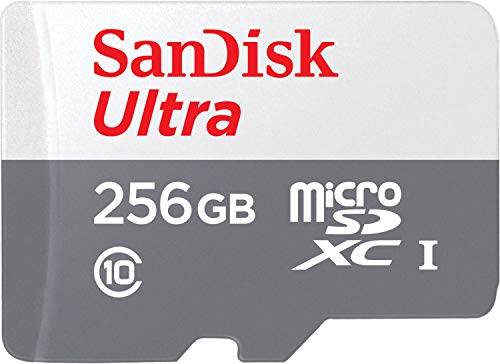 Made for Amazon SanDisk 256GB microSD Memory
- Certified “Made for Amazon” accessory SD memory card…
- Load your Fire Tablet with more fun -…
- Download your apps and games directly to the…
| Product | Key specs | |
|---|---|---|
| Made for Amazon SanDisk 128GB microSD Memory | Exclusive “Made for Amazon” SD memory card -… Load your Fire Tablet with more fun -… Download your apps and games directly to the… | Check price |
| SANDISK 256GB Ultra microSD Card + Adapter | Compatible with Nintendo-Switch (NOT Nintendo-Switch 2) Expand your storage in a flash: ideal for… Increase your TV show, movie, and Full HD… | Check price |
| Made for Amazon SanDisk 256GB microSD Memory | Certified “Made for Amazon” accessory SD memory card… Load your Fire Tablet with more fun -… Download your apps and games directly to the… | Check price |
 SANDISK 128GB Ultra microSD Card + Adapter SANDISK 128GB Ultra microSD Card + Adapter | Compatible with Nintendo-Switch (NOT Nintendo-Switch 2) Ideal storage for Android smartphones and tablets Up to 128GB to store even more hours… | Check price |
As an Amazon Associate we earn from qualifying purchases at no extra cost to you.
At a glance: microSD cards for tablets
| Card | Best for | Key stated specs | Limits |
|---|---|---|---|
| Samsung PRO Plus | Best all-round card | UHS-I, Class 10, U3, V30, A2; the newer 256GB version is rated up to 180 MB/s read and 130 MB/s write; 10-year limited warranty | Costs more than value cards; older versions are rated 160/120 MB/s |
| SanDisk Extreme | Fast, flexible daily card | U3, V30, A2; 256GB listing shows up to 190 MB/s read and 130 MB/s write; limited lifetime warranty | Quoted speeds differ by capacity and generation |
| Samsung EVO Select | Value pick | Current 256GB model: U3, V30, A2, up to 160 MB/s read; 10-year warranty | Write speed not published; older versions are slower |
| Lexar Professional 1066x | Premium alternative | U3, V30, A2; rated up to 160 MB/s read and up to 130 MB/s write on the maker’s site | Some capacities no longer sold; independent tests found lower real speeds |
| PNY Pro Elite | App-heavy use | A2-rated UHS-I card | Less independent testing |
| Kingston Canvas Go! Plus | Durability | High-speed UHS-I card recommended in one roundup for toughness | Check A2 rating for your capacity |
| Basic store-brand 128GB card | Cheapest route | One budget listing cited U3, V30, A2 at up to 100 MB/s read and 60 MB/s write | Slower writes; shorter track record |
The ratings that matter on a tablet
A tablet is not a camera, so the sequential write figure is less important than it is for 4K video. What matters is how the card behaves under the small reads and writes that apps, offline downloads and media libraries produce. That is what the A rating measures. An A2 card is guaranteed 4,000 random read and 2,000 random write operations per second; an A1 card is guaranteed 1,500 and 500. Android Police and Android Central point to A2 for people who want to store apps or lots of small files on the card.
Speed class and video class matter for a different reason. U3 and V30 guarantee at least 30 MB/s of sustained writing, which keeps screen recordings, camera clips and large downloads from stalling. All the cards in the table meet that level, and most tablets cannot exceed the roughly 100 MB/s that UHS-I allows, so very high headline speeds buy little.
Capacity guidance
Roundups from Android Central and others suggest 128GB is enough for most people, with larger sizes for those who keep a lot of video or games. A 256GB card is a practical choice for a family tablet, a 512GB card suits offline video libraries, and 1TB is rarely needed. Check the maximum your tablet supports in its manual: some older models cap at 128GB or 256GB, and a card above that may not read at all. Cards above 32GB are microSDXC and are usually formatted exFAT, which a few older devices do not handle.
Card-by-card notes
Samsung PRO Plus
One roundup calls it the most consistently recommended microSD card for Android phones and tablets across independent testing in 2026. Samsung lists U3, V30 and A2 ratings, and the newer version is rated up to 180 MB/s read and 130 MB/s write. It is also described as waterproof, X-ray proof and magnet proof, with a ten-year limited warranty. It is slightly pricier than competitors, which is the only real argument against it.
SanDisk Extreme
This is a frequent best-all-round choice with U3, V30 and A2 ratings. Quoted reads range from 160 MB/s to 245 MB/s across sources and capacities, with the 256GB model listed at 190 MB/s read and 130 MB/s write. A review cited by one roundup reported that apps installed to the card loaded almost as fast as from internal storage on an Android phone. The warranty is listed as limited lifetime.
Samsung EVO Select
The common value pick. Android Central says its A2 class supports app storage and that it meets V30 and U3. The current 256GB version is rated up to 160 MB/s read, but Samsung does not publish a write figure and says only that it is lower than read. Digital Camera World measured an older 130 MB/s version near its read rating and suggested writes are much lower. Check the model number, because the oldest EVO Select versions lacked A2.
Lexar Professional 1066x
Android Police calls it a premium pick, and its A2 rating means it can load, update and manage apps well. The maker lists it as water-, shock-, vibration- and X-ray-proof with an operating range of 0 to 70 degrees Celsius. CameraJabber measured about 93 MB/s read and 80 MB/s write on the 256GB card, below the rated numbers, so view the figures as ceilings.
PNY Pro Elite and Kingston Canvas Go! Plus
One roundup recommends the PNY Pro Elite for app-heavy use, and another suggests the Kingston Canvas Go! Plus for durability. These are reasonable alternatives when the Samsung and SanDisk options are out of stock, but independent testing is thinner, so read recent buyer feedback on the exact capacity.
Basic budget cards
Budget 128GB cards with U3, V30 and A2 ratings and around 100 MB/s read and 60 MB/s write are enough for media libraries and offline downloads. They are less likely to impress for app installs, and the difference shows most when writing a large batch of files.
Using the card sensibly
- Portable storage versus adoptable storage: on Android, you can treat the card as removable storage for media, or on some devices as adoptable storage that merges with internal space. Adoptable storage encrypts the card to that tablet and removes the ability to move it freely, and several manufacturers have removed the option. Follow your tablet’s menu.
- Back up first: formatting erases the card. Copy photos and documents elsewhere before starting.
- Handle with care: power the tablet off before removing the card, and do not pull it out during a file transfer.
- Beware counterfeits: buy from a seller with a clear returns policy and test capacity with a free checking tool.
- Kids’ tablets: choose a card from a maker that lists water and shock resistance, since cards are easily lost or dropped.
Budget tiers
- Budget: a basic 128GB U3 card for movies, books and photos.
- Mid-range: Samsung EVO Select, PNY Pro Elite or a Kingston card at 128GB or 256GB with an A2 rating.
- Premium: Samsung PRO Plus, SanDisk Extreme or Lexar Professional 1066x at 256GB or 512GB for app storage and heavy use.
Pick X if…
| You need | Pick | Reason |
|---|---|---|
| One card to cover everything | Samsung PRO Plus | Rated U3, V30, A2 with a long warranty |
| Apps installed on the card | SanDisk Extreme or Lexar 1066x | A2 rating, strong random performance |
| Offline movies for the family | Samsung EVO Select 256GB | Good value with an A2 rating |
| Lowest price | Basic 128GB U3 card | Enough for media |
| A rugged card for kids | Kingston Canvas Go! Plus or PRO Plus | Durability claims from the makers |
Alternatives
- USB flash drive or portable SSD: many tablets with a USB-C port accept external storage, which helps if there is no card slot.
- Cloud storage: keeps photos and documents off the tablet, with a subscription and a need for a connection.
- A higher-storage tablet: if you keep running out of room, the next storage tier may be simpler than managing cards.
Frequently Asked Questions
Do all tablets accept microSD cards?
No. Many Android tablets have a slot, but iPads and some slim models do not. Check the tablet’s specifications and manual for the maximum supported capacity before buying.
Is A2 necessary for a tablet?
Not for media storage. A2 helps if you install apps or keep many small files on the card, because it guarantees higher random read and write operations. Reviewers favour it as the safer choice for general use.
What size card should I buy?
128GB is enough for most people, and 256GB gives room for video and games. Larger cards only make sense if your tablet’s manual says it supports them.
Why is my card slower than its label?
Label speeds are best-case sequential figures. Independent tests, such as those of the Lexar 1066x, show lower real speeds, and the tablet’s slot or the reader can also limit performance.
Can I move apps to the card?
It depends on the tablet and the Android version. Some devices allow it through adoptable storage, others restrict it. Look in the storage settings or the manual, and expect some apps to refuse.
Will the card last?
Makers such as Samsung list ten-year limited warranties and SanDisk a limited lifetime warranty. Cards can still fail, so keep a backup of anything you cannot replace.










Write Your Review
No reviews yet. Be the first to share your experience!