

Key takeaways
- Compare five 1TB external SSDs for backup and travel, with listed speeds, durability ratings, encryption, sizes and warranty details for every pick.
A 1TB external SSD is the size most people need for a working backup drive: large enough for a full photo library, a laptop clone and years of documents, small enough to stay affordable and pocketable. The five drives below split into two speed classes and very different durability ratings, so the right pick depends on your ports and how roughly the drive will be treated.
As an Amazon Associate, we earn from qualifying purchases.
Quick answer
For most buyers, the Kingston XS1000 is the simplest 1TB pick: tiny, light and fast over USB 3.2 Gen 2. The Samsung T7 Shield adds IP65 sealing and drop protection for travel, the Lexar SL500 is the speed pick if your machine has a USB 3.2 Gen 2×2 port, and the Crucial X9 and Seagate Ultra Compact cover value and an integrated-cable design.
Kingston XS1000 1TB External SSD

Key specs: 1TB capacity, model SXS1000/1000G, USB 3.2 Gen 2 over USB-C, Kingston-rated reads up to 1,050MB/s and writes up to 850MB/s, 69.54 x 32.58 x 13.5 mm case, under 29 grams, USB-C to USB-A cable and a USB-A adapter in the box, five-year limited warranty.
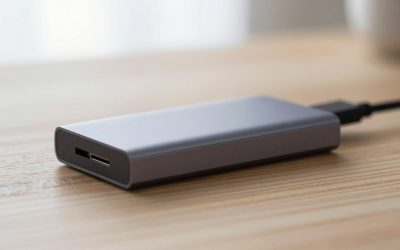
The XS1000 is the smallest drive in this roundup, closer in size to a chunky flash drive than to a traditional portable SSD, and that is its main appeal. It disappears into a laptop sleeve or a pocket, yet it still delivers full USB 3.2 Gen 2 speeds, so a large backup set moves far faster than it would to a portable hard drive. Kingston includes both a USB-C to USB-A cable and a small adapter, which removes the usual dongle hunt when switching between newer and older machines.
There is no stated drop rating or water resistance figure in the listing, and the metal-and-plastic shell is a sleeve-style design rather than a rugged enclosure. Buyers who carry a drive loose in a tool bag should look at the T7 Shield or the Seagate below instead. For a desk-to-bag backup drive that stays in a case or a pocket, though, the XS1000 covers the essentials with the longest warranty in this group and the least bulk.
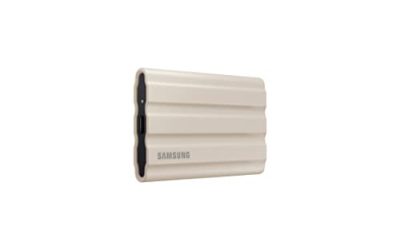
Samsung T7 Shield 1TB Portable SSD, Blue

Key specs: 1TB capacity, model MU-PE1T0R/AM, USB 3.2 Gen 2, reads up to 1,050MB/s and writes up to 1,000MB/s per Samsung, IP65 dust and water resistance, drop protection up to 3 meters, 256-bit AES hardware encryption, 98 grams, three-year limited warranty.
The T7 Shield is the durability pick. Its rubberised shell carries an IP65 rating, which means dust-tight construction and resistance to water jets, and Samsung rates it for drops of up to 3 meters onto a hard surface. That combination suits drives that travel in camera bags, site kits or glove boxes, where a bare aluminium drive would pick up damage quickly. Performance matches the other Gen 2 drives here, with writes rated slightly higher than the Kingston.
Password-protected hardware encryption is built in and managed through Samsung software, which makes this the natural choice on the list for carrying client files or personal records. The trade-offs are size and weight: at 98 grams it is more than three times the weight of the XS1000, and the rubber coating makes it thicker than the slim drives. If the drive will live on a desk, that bulk buys little. If it will be knocked around, it is the sensible default.
Crucial X9 1TB Portable SSD

Key specs: 1TB capacity, model CT1000X9SSD902, USB 3.2 Gen 2 over USB-C, rated up to 1,050MB/s, drop proof up to 2 meters per Crucial, 32 grams, USB-C cable included, works with Windows, Mac and Android per the listing.
The X9 is Crucial’s straightforward value drive: a small square enclosure, a lanyard hole in one corner, and Gen 2 speeds without the higher price of the Pro line. Crucial rates it drop proof up to 2 meters, which is a step below the T7 Shield’s rating but still meaningful protection for a drive that gets carried daily, and at 32 grams it adds almost nothing to a bag.
The listing does not state a separate write-speed figure or an IP rating, and there is no hardware encryption feature listed, so buyers who need a password lock should choose the Samsung or the Lexar instead. The X9 also lacks the faster Gen 2×2 interface, so on a machine with that port it will run at the same 10-gigabit pace as the other Gen 2 drives here. What it offers is the essentials done plainly: a reputable flash maker, a compact shell, and full Gen 2 throughput for backups, game libraries and media folders at the mainstream end of the range.
Lexar SL500 1TB Portable SSD

Key specs: 1TB capacity, model LSL500X001T-RNBNU, USB 3.2 Gen 2×2, reads up to 2,000MB/s and writes up to 1,800MB/s per Lexar, aluminium body 85 x 54 x 7.8 mm, 43 grams, IP54 dust and water resistance, 256-bit AES encryption, five-year limited warranty.
The SL500 is the speed pick, and the only drive here on the 20-gigabit USB 3.2 Gen 2×2 interface. Paired with a computer that has a Gen 2×2 port, its rated throughput is roughly double the Gen 2 drives in this list, which matters when the job is offloading large video files or moving a full drive image. The catch is the port: many laptops, and all current Macs, top out at 10-gigabit USB or route speed through Thunderbolt, so on those machines the SL500 runs at Gen 2 pace. Check your ports before paying for the headroom.
The slim metal body is about the size of a credit card and under 8 mm thick, with an IP54 rating for dust and splashes. Lexar lists 256-bit AES encryption support through its software, and the five-year warranty matches the longest cover in this group. For iPhone and camera work the thin profile slips into small kits easily, and the listing names ProRes recording support for compatible phones.
Seagate Ultra Compact 1TB Portable SSD

Key specs: 1TB capacity, model STMX1000400, USB 3.2 Gen 2 over USB-C, transfer speeds up to 1,000MB/s per Seagate, IP54 water and dust resistance, 3-meter drop resistance, integrated USB-C cable design, trial subscriptions for Dropbox Backup and Mylio Photos listed in the product details.
The Ultra Compact takes a different approach to portability: the USB-C cable is built into the drive, so there is no separate lead to lose or forget. For a drive whose whole job is to be grabbed on the way out, that design removes the most common failure point of portable storage, which is arriving somewhere without the cable. Seagate rates the casing for drops up to 3 meters and gives it an IP54 rating against dust and splashing water.
Speeds are rated a touch below the other Gen 2 drives at up to 1,000MB/s, a difference that is hard to notice in backup work. The listing includes trial subscriptions for a backup service and a photo organiser, which some buyers will use and others will ignore; the drive itself works as ordinary storage without them. There is no hardware encryption feature stated in the listing. Buyers who want a self-contained drive for a car kit, a travel bag or a second location will find this the most grab-and-go option here.
How to choose
Start with your ports. A USB 3.2 Gen 2×2 port is required to see the Lexar SL500’s full speed; on a Gen 2 port it performs like the other drives here, and on Thunderbolt-only machines every drive in this list runs at 10-gigabit pace or below. Next, match the casing to the job: IP65 sealing and a 3-meter drop rating (Samsung) for field work, IP54 and slimmer shells (Lexar, Seagate) for everyday travel, and no stated rating (Kingston, Crucial) for drives that live in a sleeve or a drawer.
Encryption is the third filter. The Samsung and Lexar drives list hardware-based 256-bit AES encryption with password control; the other three listings do not state a hardware encryption feature, so use software encryption on those if the data is sensitive. Two honest distinctions matter here. First, no CPSC recall covers any of these five drives; the only Lexar recall on record is a 2006 action on old JumpDrive flash sticks, a different product. Second, the SanDisk Extreme portable line is deliberately absent: that range was hit by widely reported sudden-failure complaints in 2023, and it does not belong in a backup recommendation. Finally, keep a second copy of anything irreplaceable; one drive is a copy, not a backup strategy.
Who should skip
Skip the 1TB size entirely if your photo or video library already fills most of a terabyte, because a backup drive needs headroom for growth and version history; the 2TB and 4TB versions of these same drives are covered in separate roundups on this site. Skip the Lexar SL500 if none of your machines has a Gen 2×2 port, since you would pay for speed you cannot use. Skip portable SSDs altogether if the drive will sit permanently on a desk, where a larger desktop drive or a docking setup usually gives more capacity for the same money. And skip rugged models if the drive never leaves a padded sleeve; the standard shells are smaller and lighter.
Frequently asked questions
Is 1TB enough for a full computer backup?
For most laptops, yes. A typical system with documents, photos and applications fits well inside 1TB, and backup software only copies changes after the first full pass. If your machine’s internal drive is 1TB or larger and nearly full, or you keep raw video projects, step up to 2TB so the backup drive is never the constraint.
Will these drives work with both Mac and Windows?
Yes, all five are listed for Windows and Mac use. Most ship formatted in a file system both systems can read, and any of them can be reformatted if you prefer a Mac-only or Windows-only format. Reformatting erases the drive, so set the format before the first backup, and note that a Mac-formatted drive will not mount on Windows without extra software.
How much slower is a Gen 2 drive than the Gen 2×2 Lexar?
On paper, about half the peak throughput: the Gen 2 drives here are rated around 1,000 to 1,050MB/s, against up to 2,000MB/s reads for the SL500. In practice the gap shows up mainly in very large sequential transfers. For incremental backups, photo imports and document work, the Gen 2 drives already feel instant next to a spinning portable hard drive.
Can I leave an external SSD plugged in all the time?
You can, and backup software works best that way, but a permanently attached drive is exposed to the same risks as the computer, including theft, spills and malware that encrypts attached storage. A safer pattern is to connect the drive for scheduled backups, then store it in a different room or location so one incident cannot take both copies.
Final verdict
The Kingston XS1000 is the default recommendation: the smallest and lightest drive here, full Gen 2 speed, both cable types in the box and a five-year warranty. Choose the Samsung T7 Shield if the drive will be carried in rough conditions or needs hardware encryption, and the Lexar SL500 if your computer has a Gen 2×2 port and large transfers are routine. The Crucial X9 is the plain value pick, and the Seagate Ultra Compact suits anyone who values the built-in cable. Match the casing and interface to your routine, and keep a second copy elsewhere.
Product and ASIN Reference
| Product | ASIN |
|---|---|
| Kingston XS1000 1TB External SSD | B0CCQB7BN7 |
| Samsung T7 Shield 1TB Portable SSD, Blue | B09VLJB2DC |
| Crucial X9 1TB Portable SSD | B0CGW1FQV4 |
| Lexar SL500 1TB Portable SSD | B0D813W97R |
| Seagate Ultra Compact 1TB Portable SSD | B0DJ9J4BNG |
More from Amazon
Programs that pair well with the guide above. Offers and eligibility are set by Amazon and may change.
A free business account with business pricing and bulk-buying tools for work, shop or home office.
Create a business accountFree shipping on eligible items, Prime Video and more. Eligible new members can start with a free trial.
Start a Prime free trialAudiobooks and podcasts to listen to on the go. Eligible new members can start with a free trial.
Try Audible freeAd-free music streaming. Eligible new subscribers can start with a free trial.
Try Music Unlimited freeAs an Amazon Associate we earn from qualifying purchases.
Write Your Review
No reviews yet. Be the first to share your experience!